We’re gradually rolling out an update that simplifies managing form settings after adding forms to your Duda Vibe projects.

Manage form settings directly from visual edits

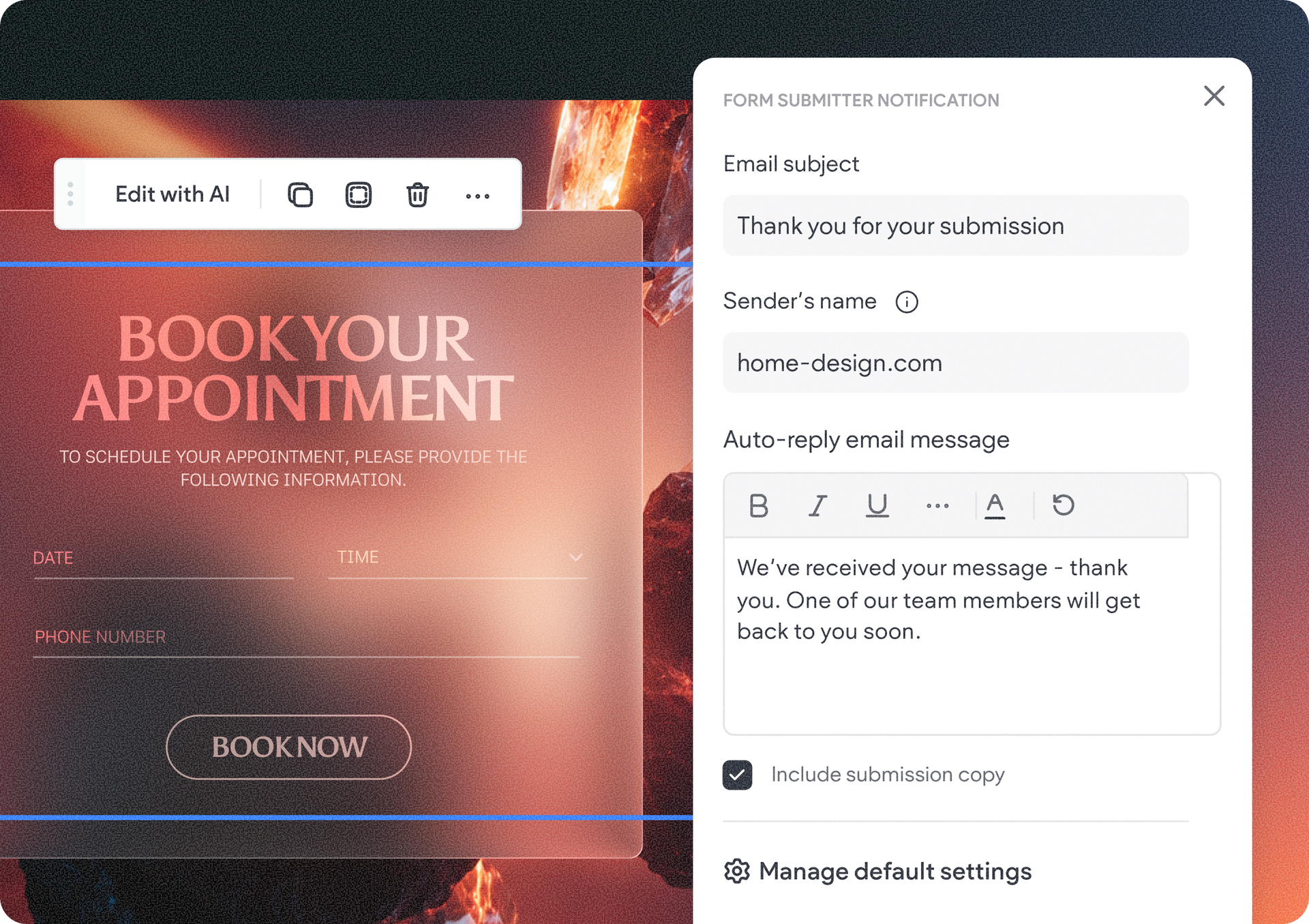
You can now control what happens after a form is submitted directly from your project's visual edits panel. Simply select a form on your project canvas, hit the visual edits icon on the right side panel, and choose whether the site owner receives a submission notification and whether the visitor gets an automatic reply containing their submission information.


It’s where you can also set the sender’s name, details, and the automated reply message for that form.


Because these changes are made directly to the code behind the scenes, there’s no need to use the Copilot chat so no AI credits are used. This gives you a faster way to update a form, immediately see its settings, and make changes while keeping AI costs down.


Plus, a dedicated area for default form settings

We’ve also added a dedicated Form Settings area to the project dashboard for managing defaults across your project. Here, you can define global form submission settings that automatically apply to any new form you add, making it easier to set up forms consistently and update your defaults from one place.


With these updates, you have more control over how you collect and manage form submissions in your Vibe projects.

September 24, 2026
Tal Levi

 • 

Easily Manage Form Settings in Your Duda Vibe Projects

Stay in the Loop with Duda Updates

Sign up to get feature releases, tools, and more to your inbox.

Latest product updates

Close-up of a web app dropdown menu over a blue-and-white graphic design canvas.
By Tal Levi September 21, 2026
Keep different tasks separate, go back to previous conversations, and pick up right where you left off.
Theme editor with color palette, headline text, and a cropped portrait preview on the left
By Tal Levi September 18, 2026
Discover new, cost-saving ways to make your Vibe projects the exact web experience you want.
Analytics dashboard showing Google Tools settings and integration options in a sidebar menu.
By Annat Katz September 15, 2026
A beefed up integration with Google’s measurement and analytics tools to give you more reliable client reporting with less manual setup.