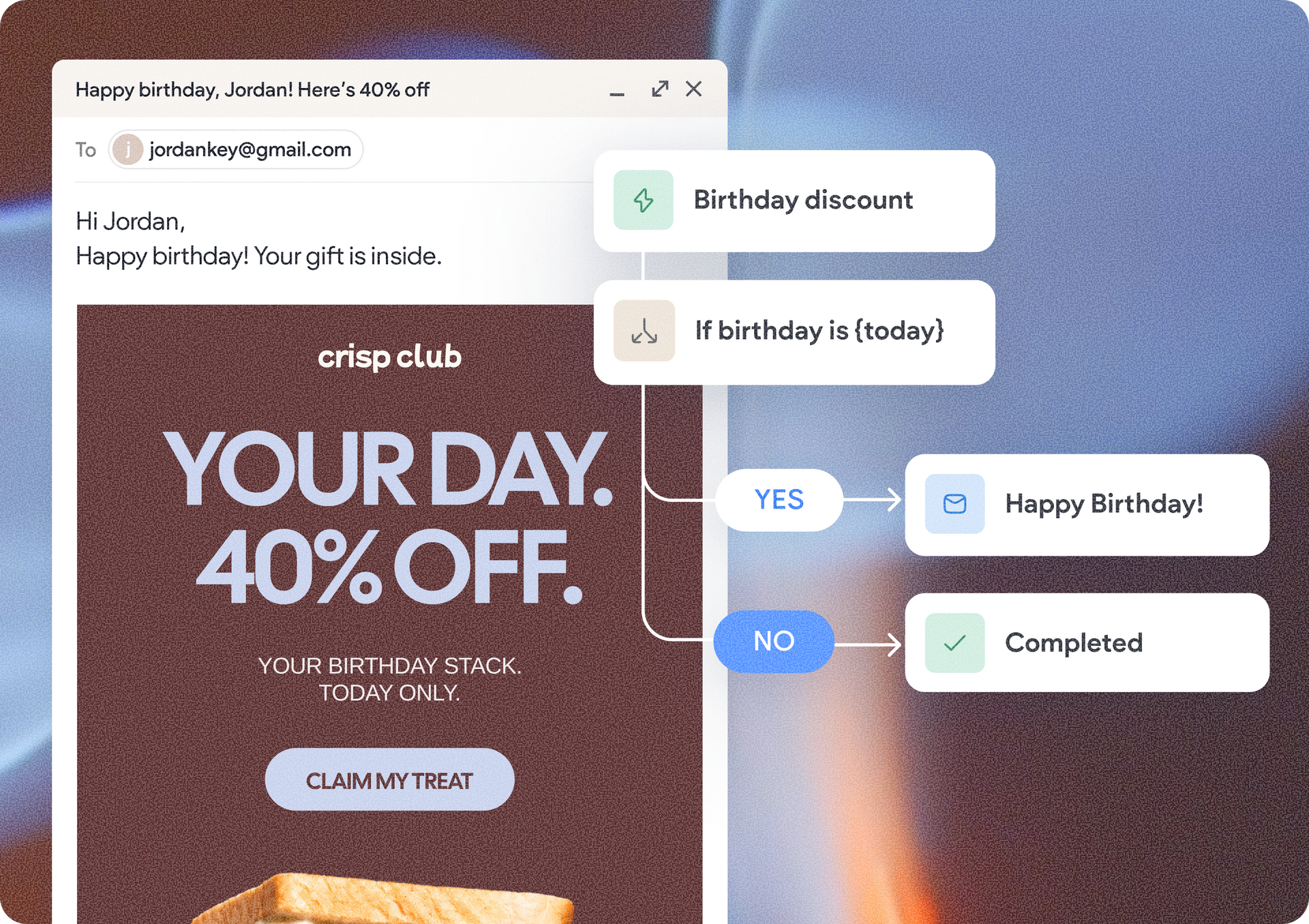
We're excited to introduce Duda's native Marketing Automation tool, making it easier than ever to engage customers, drive repeat business, and grow beyond the website. Create email and SMS campaigns, automate customer journeys, and track performance, all directly within Duda.


With AI-powered Copilot, ready-made templates, and intuitive editors, you can create personalized marketing campaigns in minutes, helping your clients stay connected with customers without relying on separate marketing platforms.


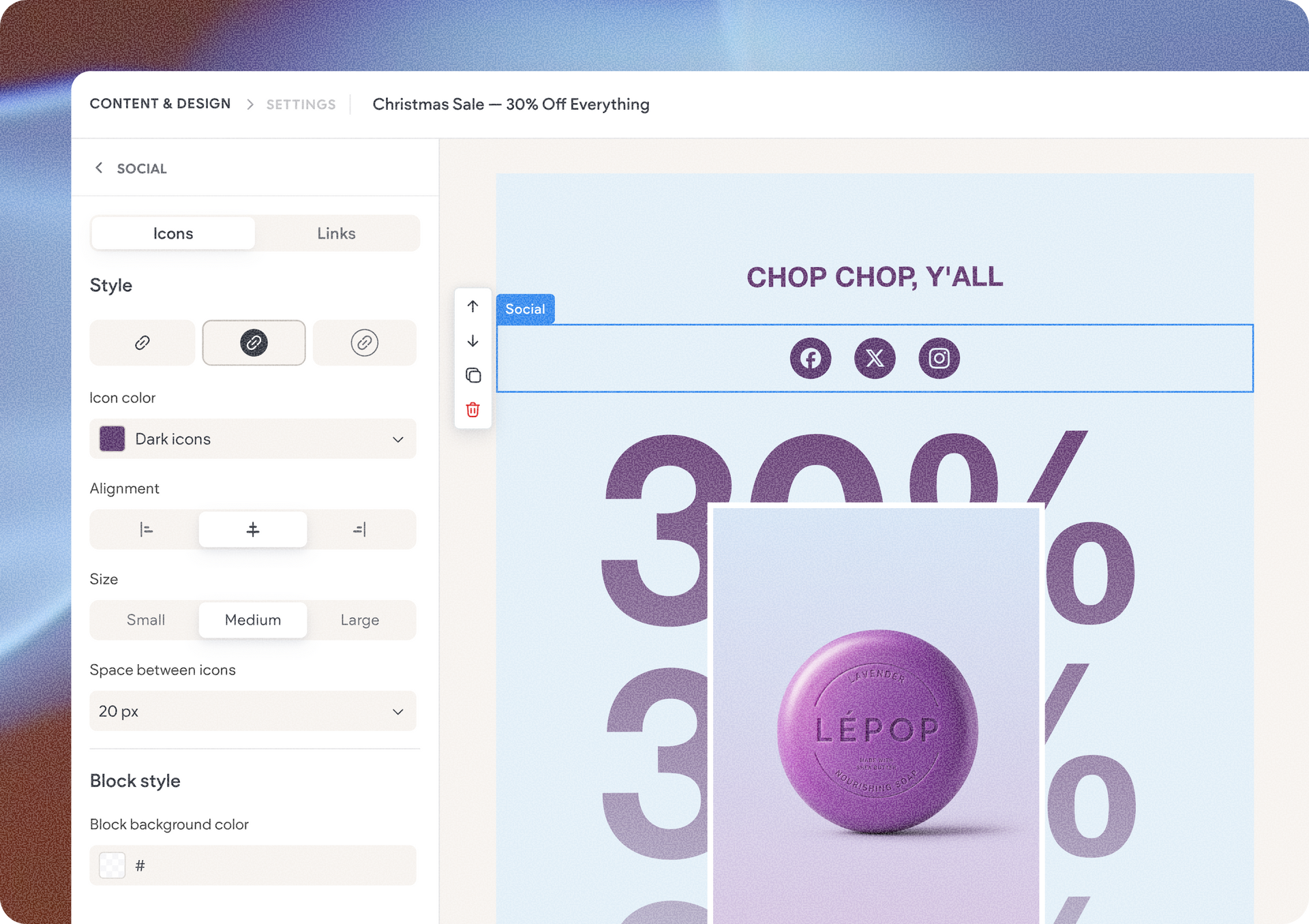
Want to announce a new product, promote a seasonal sale, or share exciting business updates? With the Marketing Automation’s built-in email campaign creator, you can easily design and send professional marketing emails that keep customers engaged.

3 easy ways to get started

  • Let Copilot do the heavy lifting: Use AI to generate an email campaign and get a head start on your messaging.
  • Choose a ready-made template: Pick from pre-designed email templates and personalize them to match your client's business using the dedicated email editor.
  • Start from scratch: Create your own campaign using the email editor for full creative control.

Whether you're creating campaigns for your own business or managing marketing for multiple clients, you can deliver polished, professional emails without starting from zero every time.


Reach customers directly on their phone with SMS campaigns

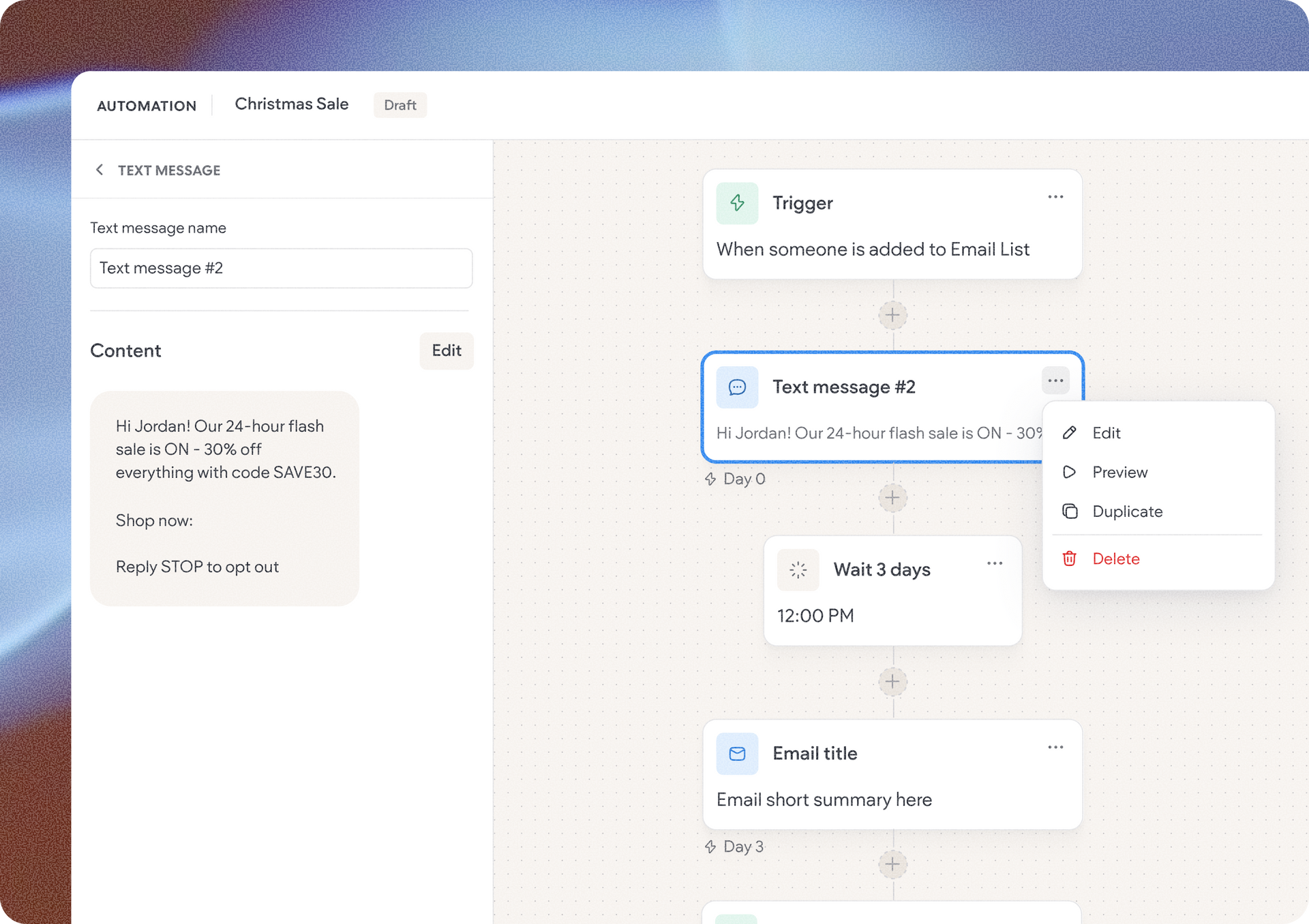
With built-in SMS marketing, you can communicate with customers on their phones, making it a great option for time-sensitive promotions, special offers, and timely business updates.


Just like email campaigns, you can generate SMS campaigns with Copilot, choose from pre-written templates tailored to different marketing scenarios, or write your own messages from scratch using the dedicated text message editor.


For example, a local store could send a text promoting a weekend flash sale, while a service business could share a limited-time offer to encourage customers to book again.

It's a simple, direct way to stay connected with customers beyond their visits to the website.

Put customer engagement on autopilot with automation workflows

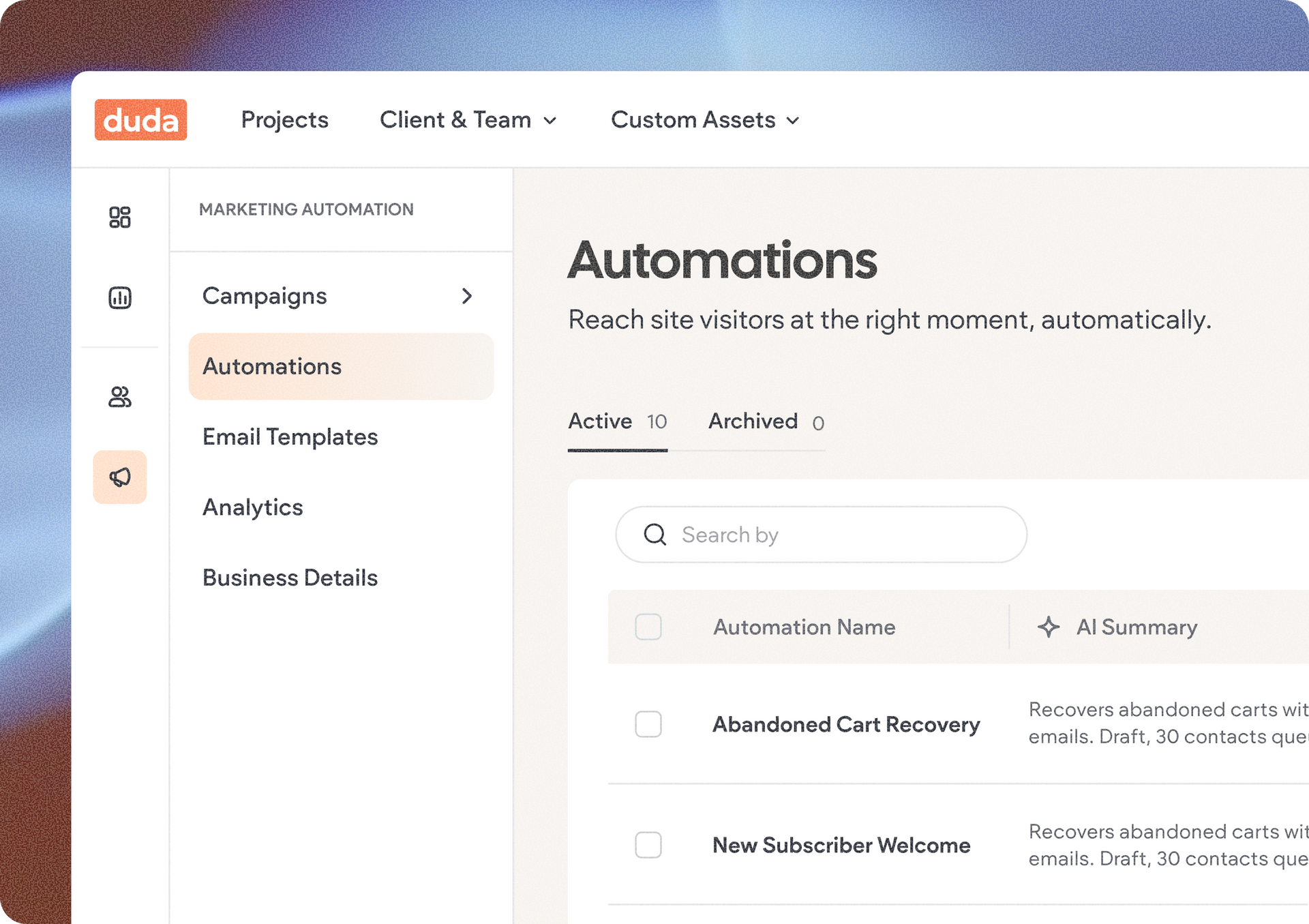
Here's where things get really interesting. Instead of manually reaching out to customers at different stages of their journey, you can now build automated marketing workflows (automations) that respond to customer actions and deliver messages at the right time.


Create a customer journey with triggers, waiting periods, messages, and conditions that determine what happens next. You can build your own automation workflow from scratch, start with a pre-built template, or use Copilot to generate one for you.

For example, imagine an online fashion store that wants to turn newsletter subscribers into paying customers:

  1. A visitor signs up for the newsletter, automatically triggering a welcome automation workflow.
  2. After a few days, they receive an email offering 10% off the store's new collection.
  3. If they open the email and complete a purchase, the workflow is marked as completed.
  4. If they don't complete a purchase, they exit the workflow and can be targeted again in a future campaign.

All of this happens automatically, without the business owner needing to remember when to follow up or manually send each message.


The result? More relevant customer interactions, less repetitive work, and more opportunities to turn visitors into customers.


And for agencies managing multiple clients, it's another great way to deliver ongoing marketing value beyond the initial site build.


Track campaign performance and see what's working

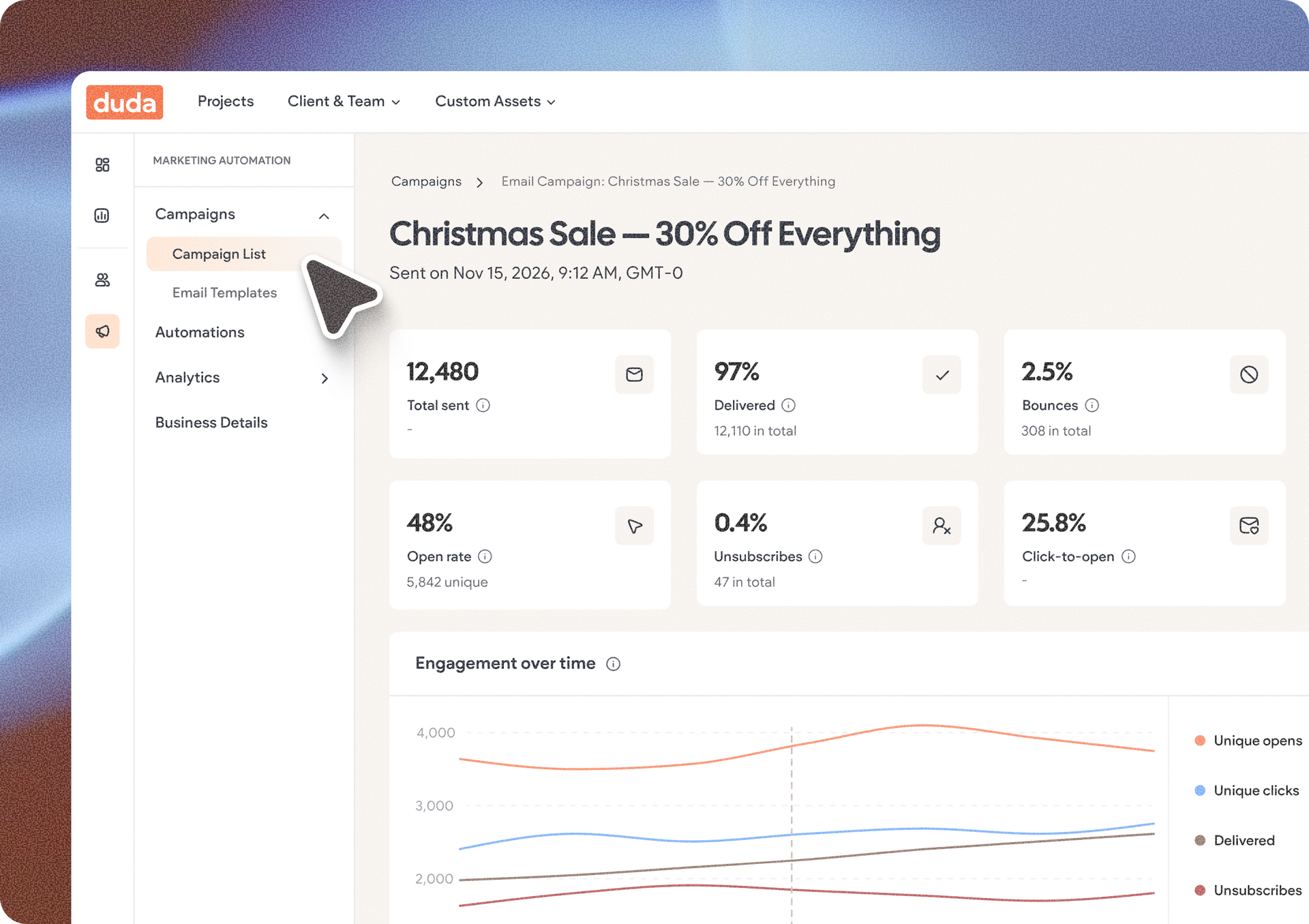
Creating marketing campaigns is only part of the equation. Knowing how they're performing is just as important. That's why Marketing Automation comes with built-in statistics for email campaigns, SMS campaigns, and automated workflows, giving you visibility into how your marketing activities are performing.


Use these insights to understand customer engagement, evaluate campaign results, and make smarter decisions about future messaging and promotions.


How to get started with Marketing Automation

Marketing Automation is built directly into Duda and available from your project dashboard, so you can manage your site's marketing activities without jumping between different platforms.


Before sending your first email campaign, you'll need to complete a few quick setup steps:

  1. Publish your site and connect a custom domain. Your website needs to be live with its own domain before you can start sending marketing emails.
  2. Set up your marketing email domain. Once the custom domain is connected, head over to Site Settings to configure the domain used for sending your marketing emails.
  3. Add your business details. Provide some basic business information that will appear in your email footers, helping recipients recognize the sender and building credibility and trust.

And of course, don't forget the Contacts area in your project dashboard, where you can create static and dynamic segments you can later target or use as your recipients list in your Marketing Automation campaigns. Once you've completed the setup, you're ready to create your first campaign and start engaging your audience.


Availability across project plans

Marketing Automation is available with different sending allowances depending on the project's plan.


Core project plans for example, include up to 50 marketing emails per month, without SMS sending. Higher-tier plans offer increased email sending limits and SMS capabilities, giving businesses more room to grow their marketing activities as their needs evolve.


With this brand new tool built right into Duda, you can help clients reach more customers, encourage repeat business, and grow their revenue, while creating new opportunities to expand the value of your services.


Head to your project dashboard to get started.

November 2, 2026
Liron Hilb Horev

 • 

Meet Duda's Marketing Automation: Engage Customers, Drive Sales & Grow Your Business

Stay in the Loop with Duda Updates

Sign up to get feature releases, tools, and more to your inbox.

Latest product updates

Google Lighthouse score card showing SEO 98 and Best Practices 97 on a white panel over a landscape background
By Tal Levi • October 9, 2026
A stronger foundation for every new Vibe project, with faster load times, better performance, and built-in SEO.
Accessibility app menu overlay on a photo background with a woman in sunglasses
By Ofri Baram • October 5, 2026
More updates for you that make Copilot a more integrated part of building and managing sites in Duda.
Interior scene with potted tree by a window and a dark sidebar menu on the right.
By Avigayil Lewin • October 2, 2026
Create and work on Vibe projects directly from Claude, ChatGPT, or any other AI assistant that supports MCP.