We’ve added a new round of updates to Copilot that make it more powerful, efficient, and easier to use throughout the editor.
Copilot can now work with connected data and dynamic pages, keep track of your chat history, and give you quick access to relevant places and actions across the editor. This brings Copilot closer to where you’re already working.
Connected data is one of Duda’s most powerful capabilities, and Copilot now makes it much easier to use.
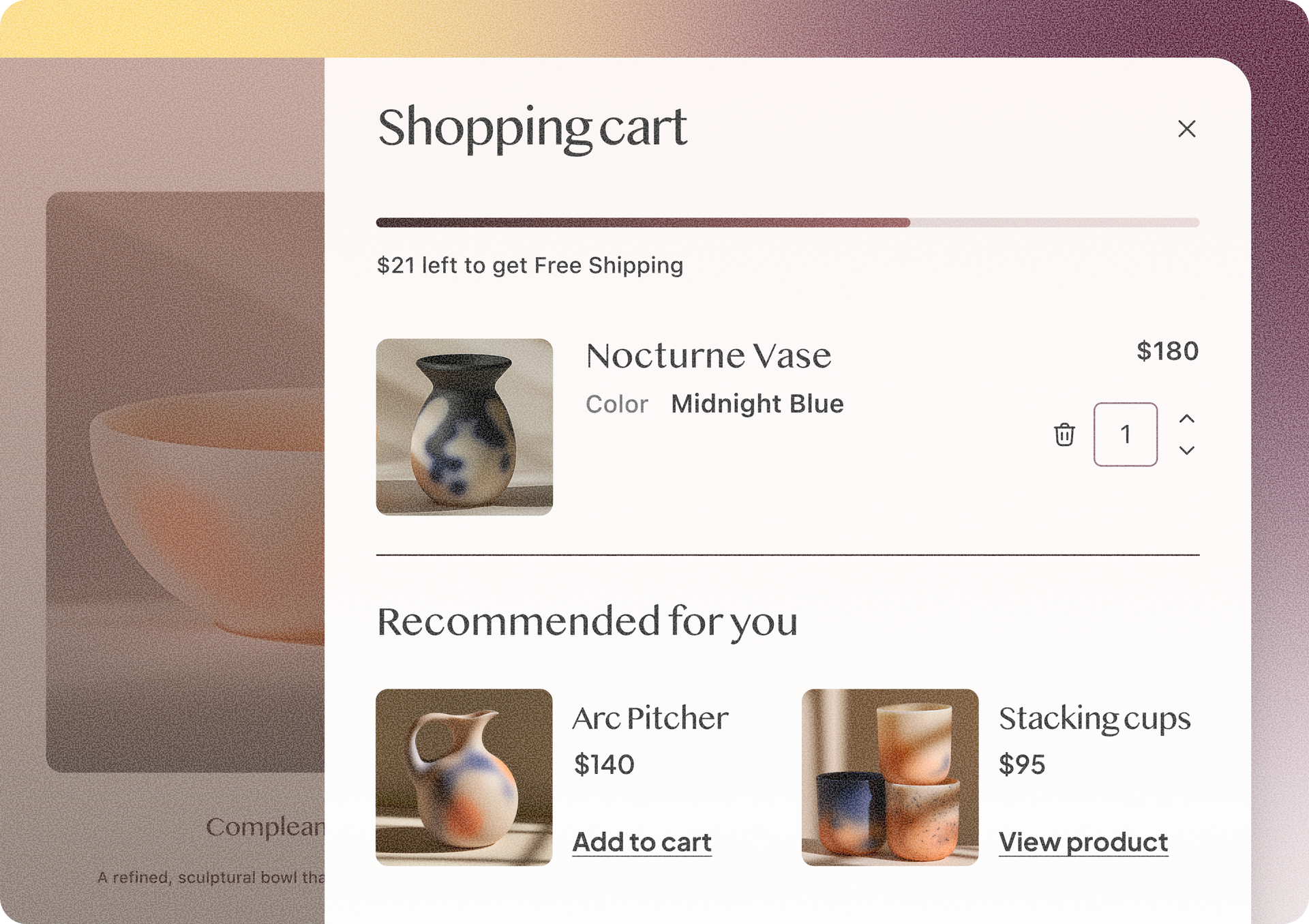
You can ask Copilot to create a dynamic page and connect it to a collection, or bind individual widgets to business information stored in the Content Library. Instead of manually setting up collections, pages, and data connections, you can simply describe what you need.
Copilot currently supports data binding for the following widgets:
And even more are in the works…

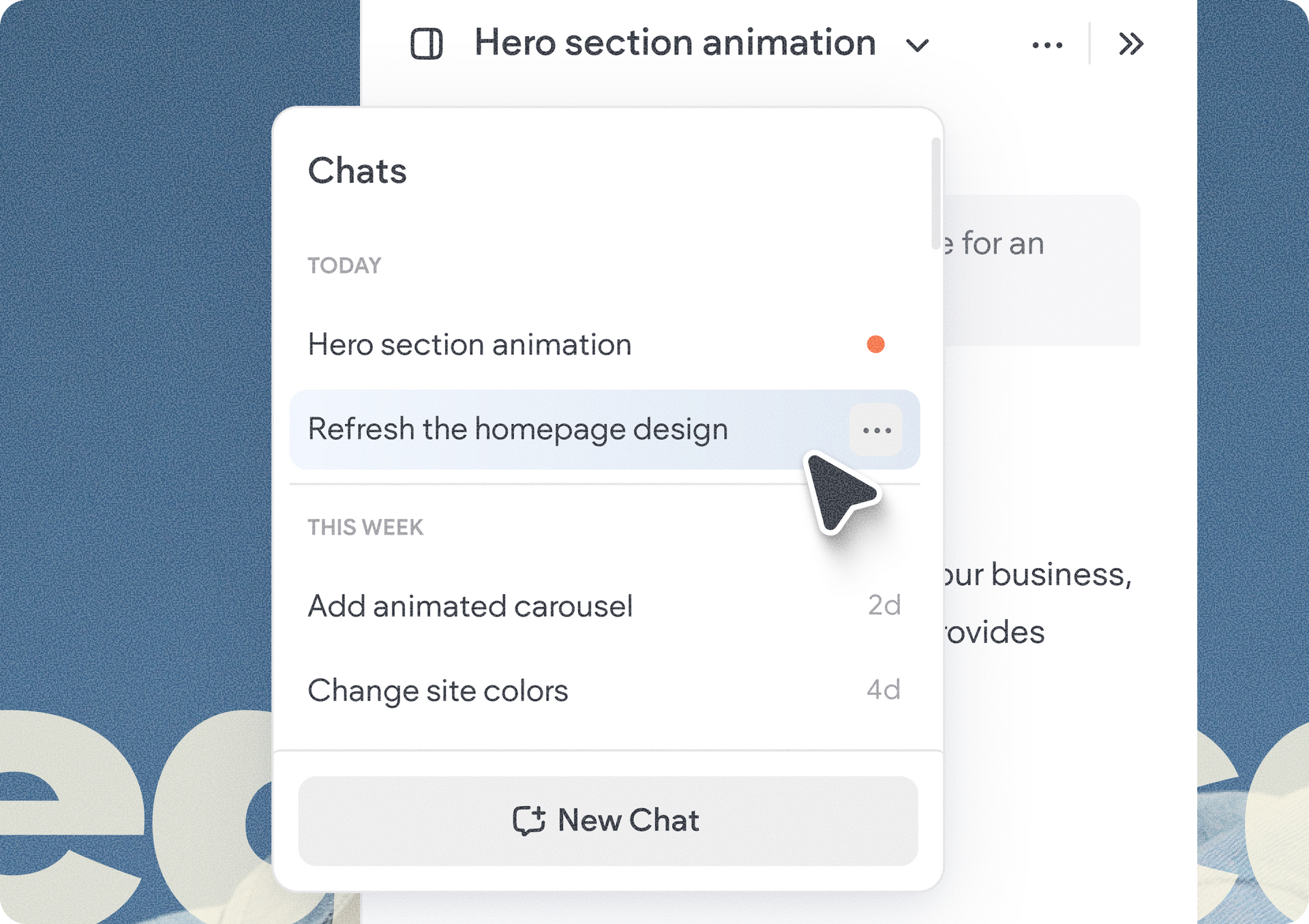
Copilot now supports having a history of chats, making it easier to separate tasks and return to previous work.
You can start new conversations and browse, rename, or delete previous ones. After more than two hours of inactivity, opening Copilot automatically starts a new conversation.
Quick tip: To make the most of your AI credits, start a new conversation when you switch to a new topic. If you’re continuing something you’ve already discussed with Copilot, return to that conversation so Copilot has the right context to give you a more accurate response.

We’ve added new shortcuts across the editor, so you can start using it directly from the workflows where you need it.
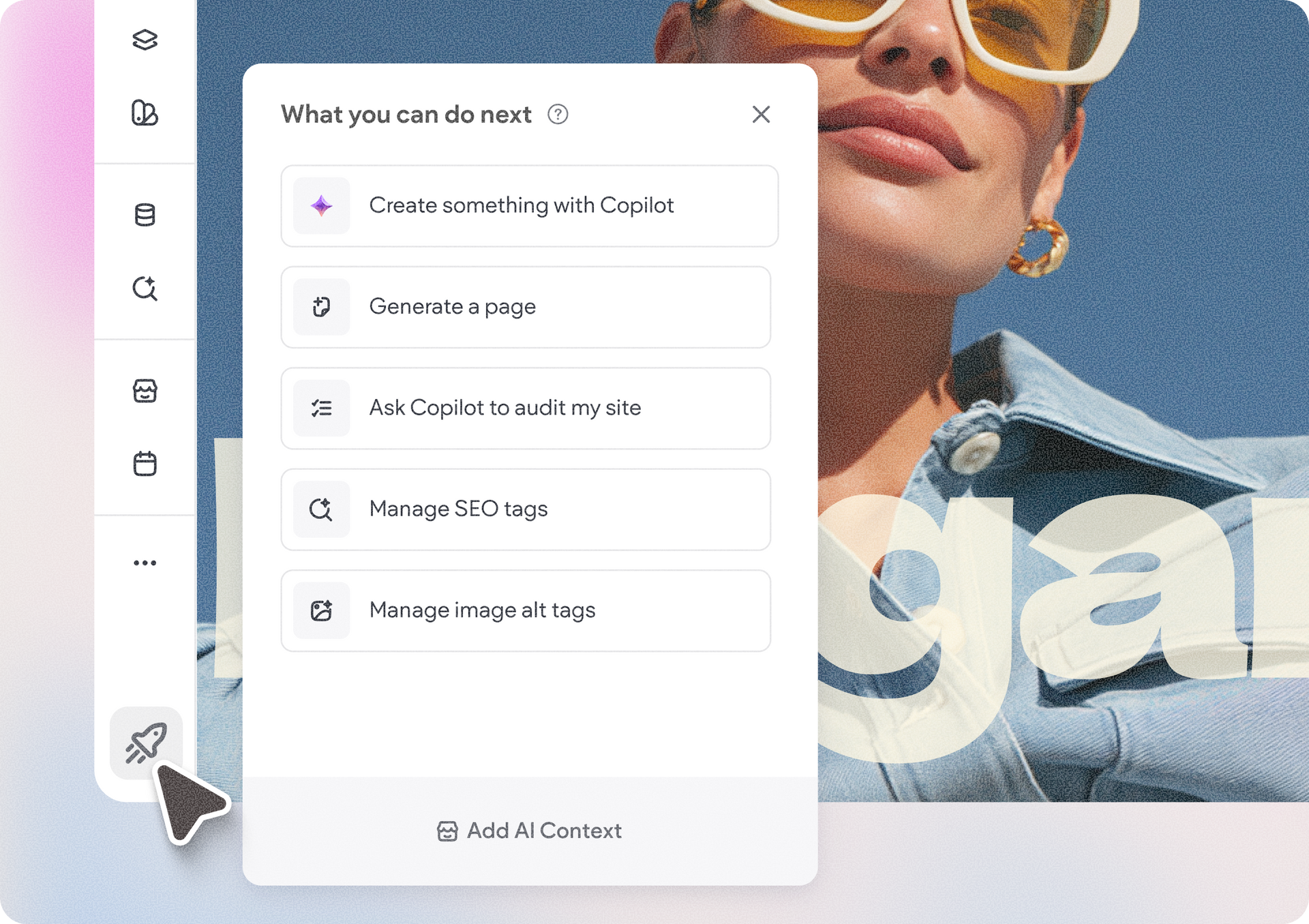
You can now access Copilot from a quick access list of action links, to quickly jump into your next task, whether that’s to generate a page, audit your site, or create something new with Copilot. Alongside these, you can also quickly handle SEO optimizations like managing your meta title & description tags, or handling your site’s image alt text.
Simply click the rocket icon on the bottom left corner in the editor, and the list of links will appear.
Keep in mind that these new entry points are currently available to account owners and team members with the Copilot permission.
Together, these updates make Copilot a more integrated part of building and managing sites in Duda. From setting up dynamic content to generating pages and managing different tasks, you can rely on Copilot for more of the work while staying focused on the site you’re building.
And there’s more on the way as we continue expanding what Copilot can do across Duda.
•

Sign up to get feature releases, tools, and more to your inbox.