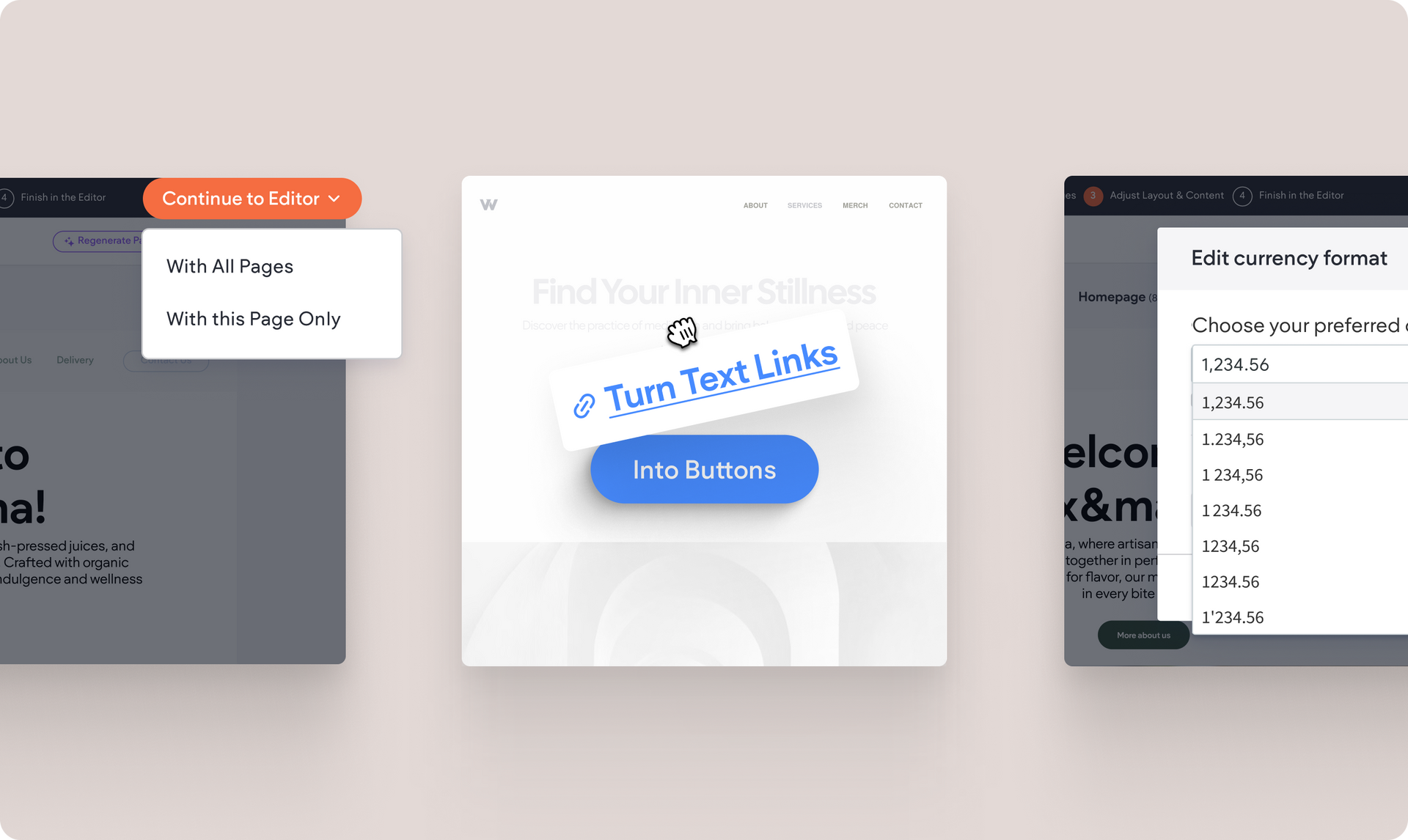
You now have full control over how prices are displayed in your store. Apply local conventions to your store's currency format and create a smoother shopping experience for customers around the world.
Here’s what you can now customize:
1,234.56
,
1.234,56,
1 234.56,
and more€20
vs.
€20.00
)AUD
,
CAD
, and othersEverywhere it matters: product pages, cart, checkout, order confirmations, customer dashboards, emails, order details, and more.
To get started, go to Sell Online → Business Settings → Business Profile → Edit Currency Format.
You now have the power to choose how frequently your external collections (like Airtable, Google Sheets, and more) refresh, to ensure the content on your site and its Dynamic pages is always up to date.
Choose a numeric value with a time setting or automatic syncing using one of the dropdown menu options:
This flexibility helps you optimize performance, prevent service interruptions, and ensures your site updates with the right data when you need it to.
This post is part of our Monthly Wrap Up series - a collection of small product and feature improvements we’ve released in the past month.
That’s right. If you’re using our new content import through uploading a text file, you can now drag any hyperlink text we’ve extracted from your file, and drag it right onto the canvas - once you drop the text link on the canvas it will transform into a… Designed button!
The button styling will take on the default one set in your Site Theme for buttons.
When generating a site, the AI tool first matches each site page with a layout, and then content if you choose to have that generated too. Once you’re happy with the results, you can move the pages into the editor to finalize the design and publish.
Until now, this could only be done one page at a time. Now, with a single click, you can continue with all generated pages to the editor at once.

That's it for these Monthly Wrap Up updates. See you again next time :)
•

Sign up to get feature releases, tools, and more to your inbox.