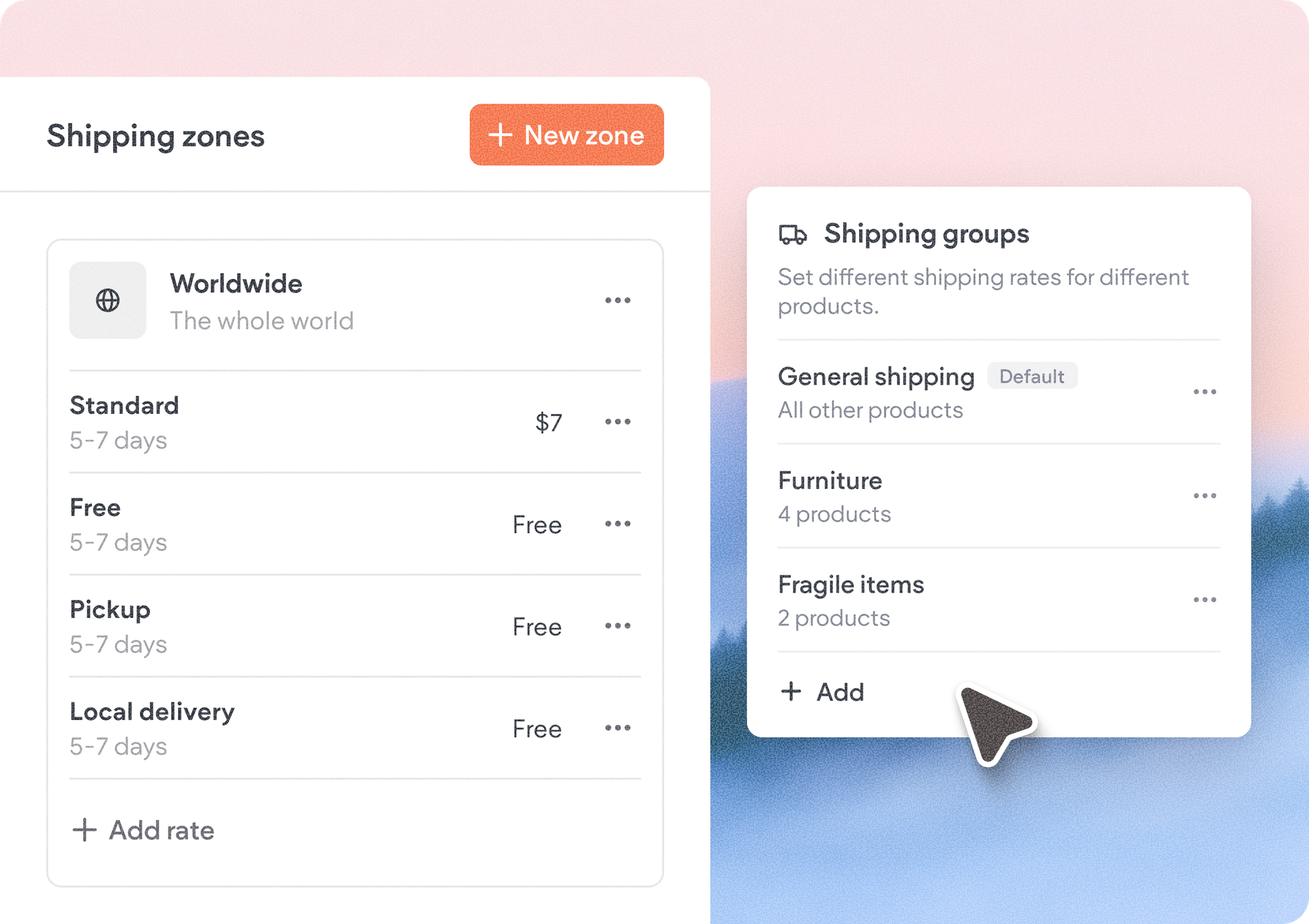
We're introducing shipping groups to Duda's native eCommerce solution, giving you and your eComm clients the flexibility to set different shipping methods and rates for different products within the same store.


Whether your clients sell small accessories, bulky furniture, or fragile items, they can now tailor shipping costs to their products instead of relying on one shipping setup for the entire store. The result? More accurate shipping rates, fewer workarounds, and a better checkout experience for shoppers.


Tailor shipping rates to different types of products

With shipping groups, you can organize products into categories such as "Furniture," "Fragile Items," or "General Shipping," and configure shipping methods and rates for each group separately.


For example, a store selling both candles and sofas can offer a $5 flat shipping rate for smaller items and a $50 shipping option for furniture, without having to compromise on either.


Each shipping group supports all existing shipping rate types, including:

  • Flat rate shipping
  • Free shipping
  • Weight-based rates
  • Order value-based rates

This added flexibility helps your eComm clients charge shipping rates that better reflect their actual fulfillment costs, without overcharging shoppers for smaller products or absorbing additional shipping expenses for larger ones.


More control, down to individual product variants

We've made it easy to organize products into shipping groups, whether you want to assign an entire product or only some of its variants.


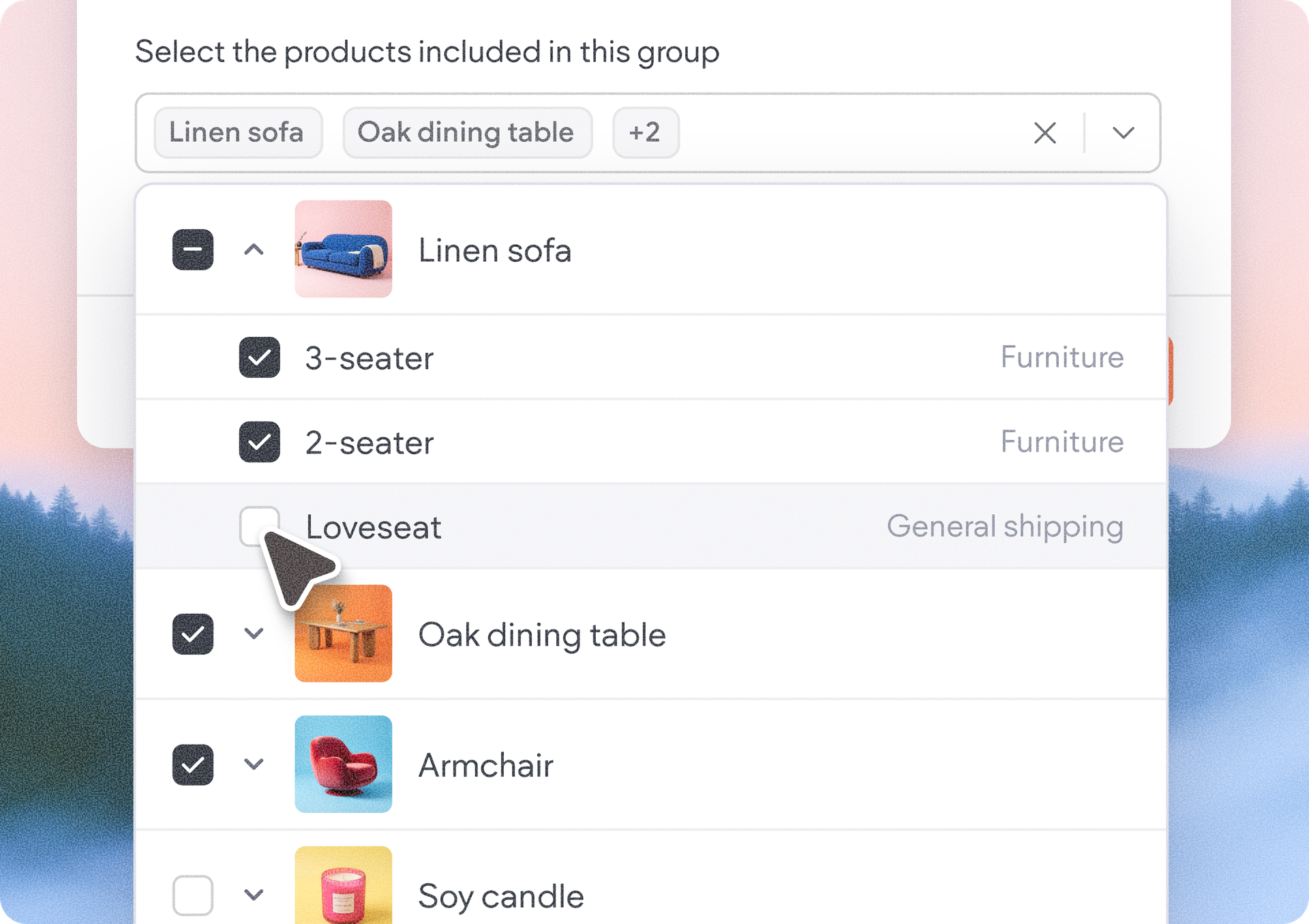
Using a searchable product selector, you can quickly find and add products to a group. All variants are included by default, but you can exclude specific ones when needed.

For example, if your eComm client sells furniture in different sizes, they can assign larger variants to a dedicated shipping group while keeping smaller ones under the standard shipping setup.


Every product or variant can belong to only one shipping group at a time, keeping shipping configurations organized and avoiding conflicting assignments.

A seamless checkout experience, even for mixed carts

What happens when a shopper purchases products from different shipping groups in the same order? We've got that covered, too.


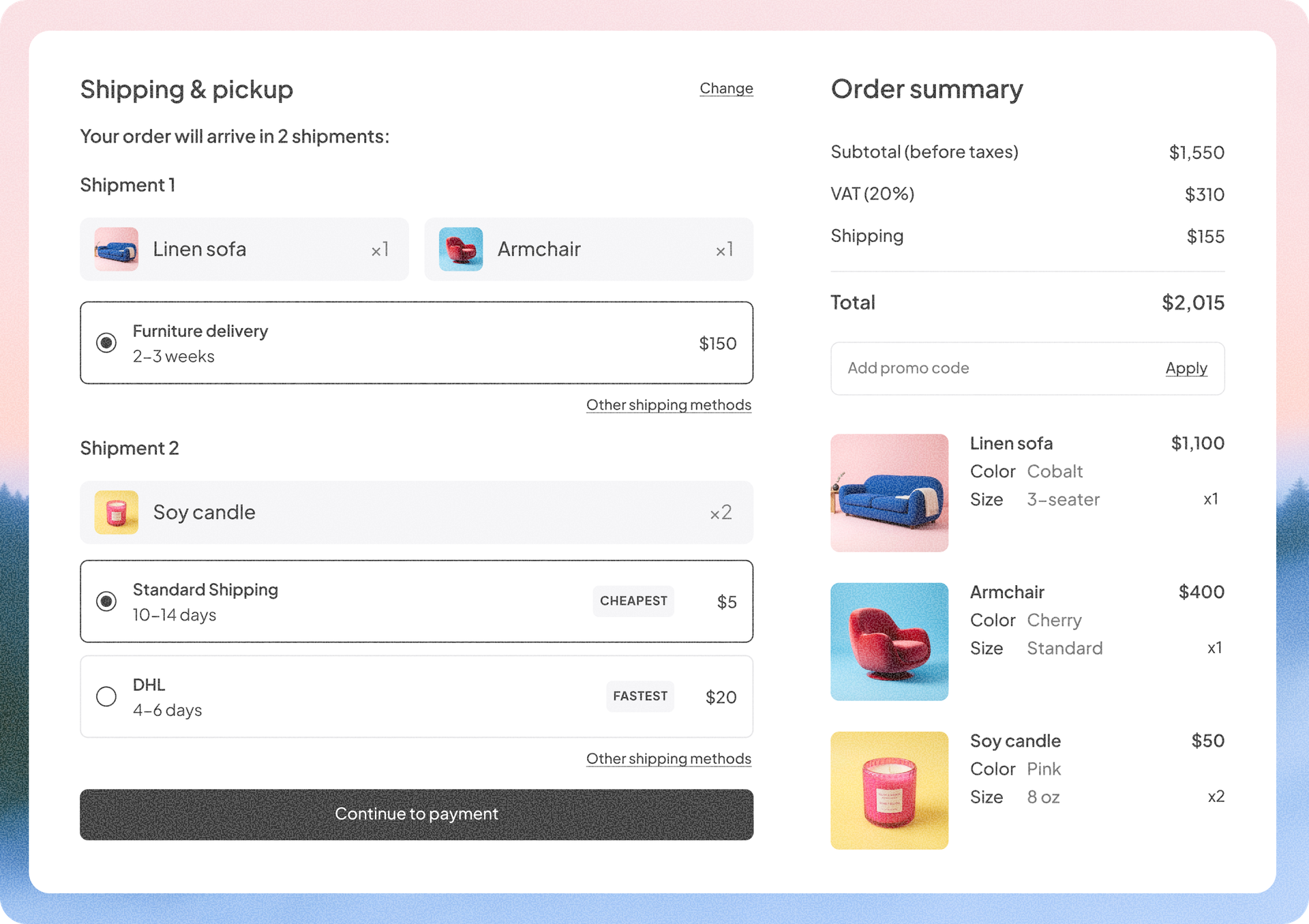
When a cart contains products from multiple groups, shoppers can select an available shipping method for each group separately. The shipping costs are then added together and reflected in the order's total shipping charge.


For example, if a shopper purchases a candle and a sofa, they might see:

  • General shipping: $5
  • Furniture shipping: $50
  • Total shipping: $55

This way, shoppers get shipping options that match the products they're purchasing, while your eComm clients can apply the appropriate shipping charges across their entire catalog.


How to get started with shipping groups

Here’s how:


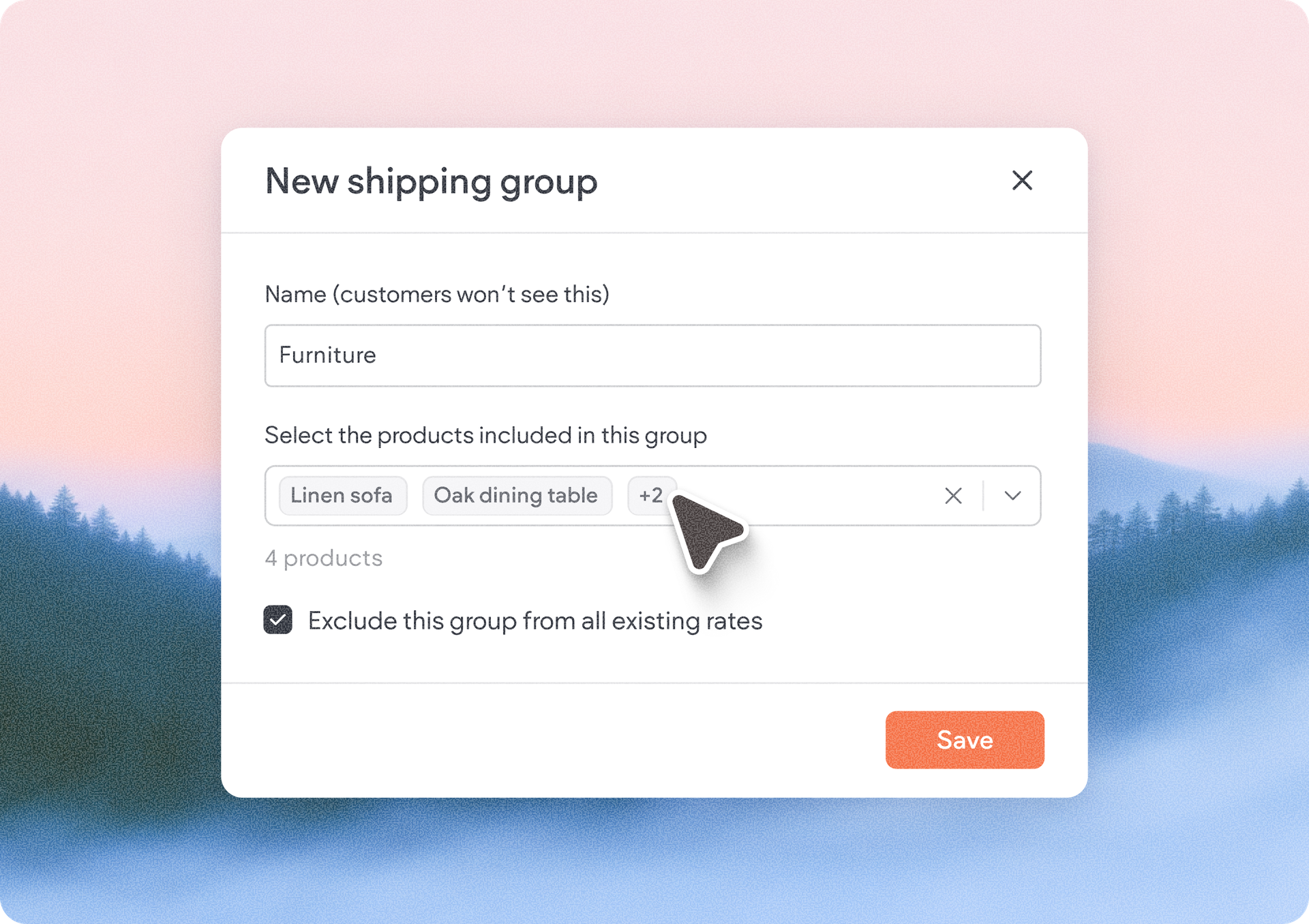
  1. Create a shipping group: Head to your store's Shipping > New group and create a group, such as "Furniture" or "Fragile Items."
  2. Assign products or variants: Search for and select the products you want to include. You can assign entire products or exclude specific variants as needed.
  3. Configure shipping methods: Within each shipping zone, create shipping methods, set their rates, and assign them to the relevant group. For example, you can offer "White Glove Delivery" at a flat rate of $150 for furniture.
  4. Check the checkout experience: Add products from different shipping groups to the cart to make sure the right shipping options and combined costs appear.


Already have your store’s shipping setup?

No worries. Every store starts with a default general shipping group that includes all physical products and keeps the existing shipping setup. Products that aren't assigned to a custom group remain there, so nothing changes until you choose to create and configure additional groups.


Quick reminder: Easyship can fulfill your orders, whatever group they’re in

We just wanted to remind you that if you have the shipping integration with Easyship enabled, they can handle order fulfillment for you, whatever the group those products are in. Simply go to the relevant shipping zone and make sure you see the "Synced with Easyship" label for that zone. If it isn't, hit the Easyship settings menu in your store's main shipping page, and select the option to sync your manual shipping with Easyship.


With shipping groups, you can offer your eComm clients more flexible shipping options that fit their products and business needs, without complicating store management. Give it a try.

November 24, 2026

 • 

Rim Elfahem
More Shipping Flexibility in Duda eCommerce with Shipping Groups

Stay in the Loop with Duda Updates

Sign up to get feature releases, tools, and more to your inbox.

Latest product updates

Text editor with a slash-command menu listing blocks like brand voice, web-app-builder, coding-standards, and seo-content.
By Ofri Baram & Tal Levi • November 6, 2026
Discover a new way to customize how AI works for you and your team.
White “Build anything with Vibe” app screen with a dropdown, plus icon, and cursor clicking the orange button.
By Annat Katz • November 5, 2026
We’ve updated Copilot, Duda Vibe, and the native store to make site building easier and give you more control.
Purple discount graphic with 30% text beside a smartphone showing a cursor on a blank screen
By Liron Hilb Horev • November 2, 2026
Help clients engage their customers, drive repeat business, and grow their business beyond the website.