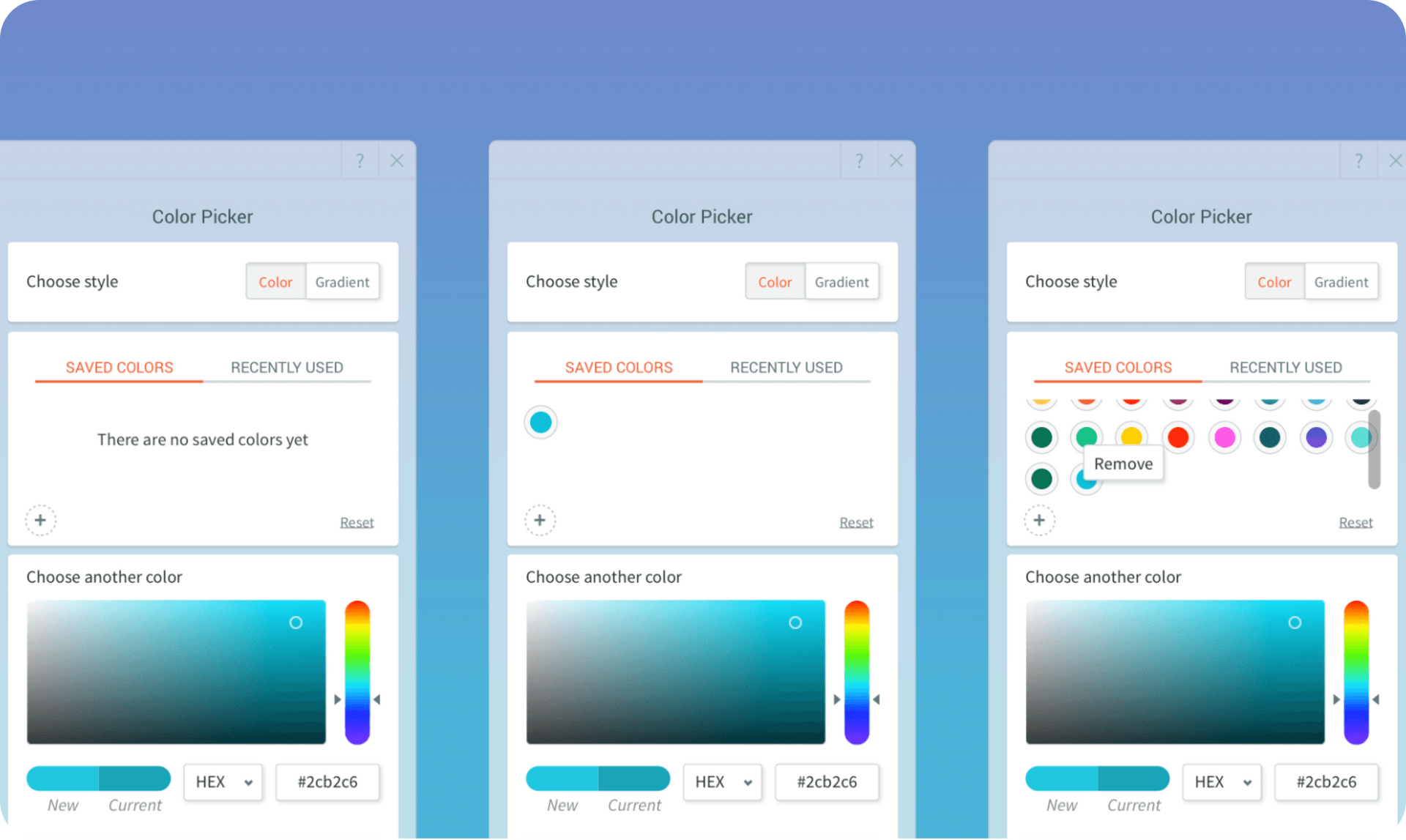
Using the same colors across an entire website is a cornerstone of good design practice. The new Saved Colors capability helps you do just this, enabling you to save the colors and gradients that you use in your site, so you can easily reuse them over again .

Saved Colors Helps with the Design Process - Here's How


When designing a site, you may find yourself experimenting with different options until you find the one that works best for the site's look & feel. With Saved Colors, you can try out as many colors as you like and once you've chosen the ones that work best throughout the site, save them. After colors are saved, you can easily select them for any element on the site, saving you time while making it easier to build a great-looking site.

“Saved Colors is a game changer in my work process. I can play around with colors while I design the site until I find just the right one. Then I can easily use that color over again throughout the site.” 


Anath, Duda's Lead Template Designer


The Importance of Color Consistency on Your Sites 


Keeping colors consistent on a website, and with a company's branding, is important for building a professional, well-designed site, one that allows site visitors to have a smooth browsing experience.  


Save Colors & Gradients in Every Color Picker


Saved Colors is available in the Color Picker everywhere - widgets, fonts, design elements, etc. To start saving colors and gradients right now, just open the Color Picker, click the Saved Color tab, and click the plus sign to save the color or gradient that you choose.

June 29, 2020
Roni Landau

 • 

Saved Colors - For Faster, Consistent Site Design

Stay in the Loop with Duda Updates

Sign up to get feature releases, tools, and more to your inbox.

Latest product updates

A software dashboard showing order statistics, a search bar, and a table of recent orders with product details.
By Rim Elfahem March 18, 2026
9 updates that make it easier for your clients to sell more, their way.
Cycling club website template with cyclist, website section with architecture.
By Avigayil Lewin March 13, 2026
Discover scalable website generation with consistent quality and full brand control.
Interface showing photo editor with a woman’s portrait, text box with a list of photo editing options, and a cursor pointing.
By Tal Levi March 5, 2026
Build widgets faster with real-time previews, AI images, visual references, in-editor validation, and a redesigned UI.