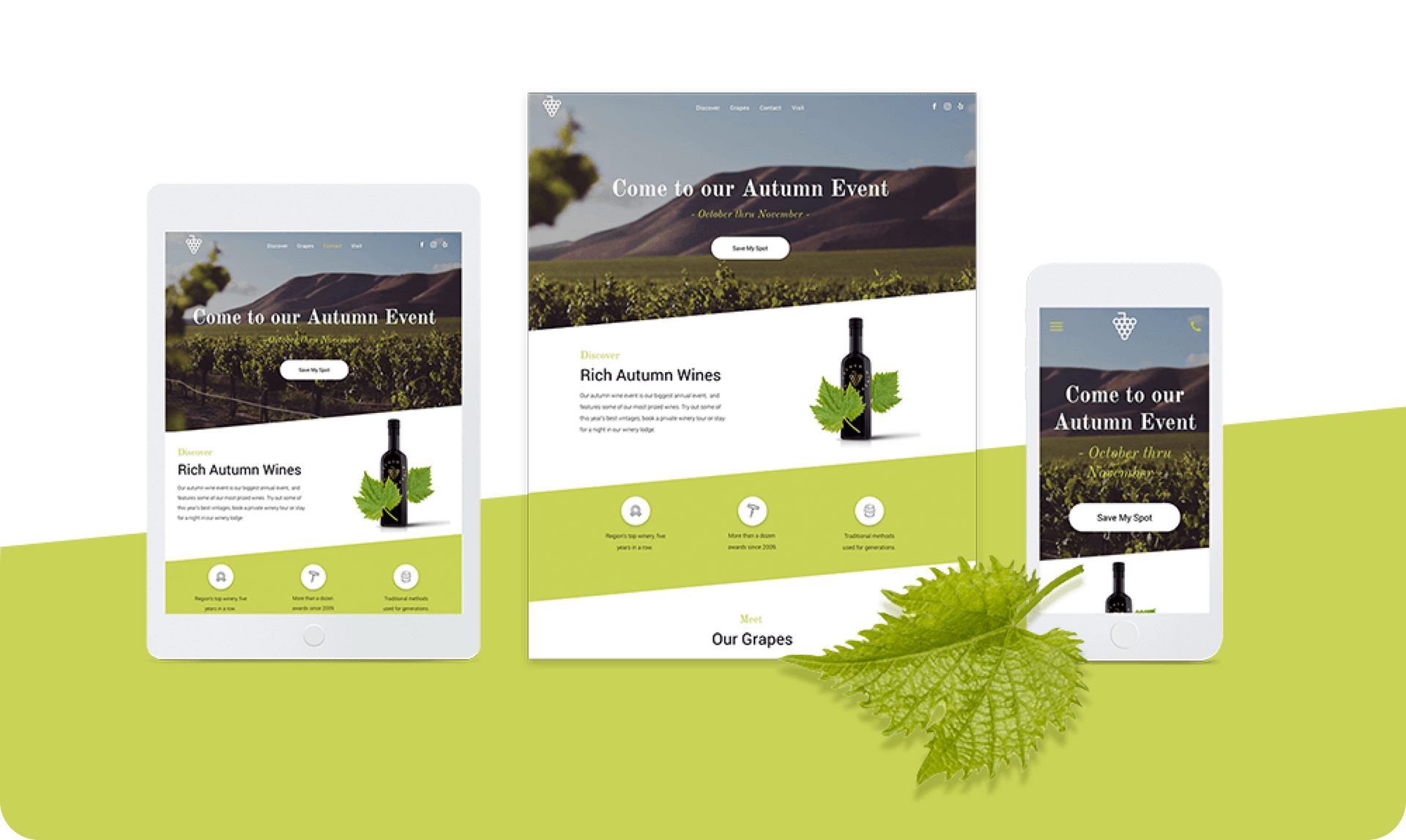
Say “Cheers!” to the latest template in your dashboard - the Winery Landing Page. It’s a handy one-pager that’s perfect for promoting special events, promotions, sales, etc. It has a beautiful diagonal design that you can recreate in another template (see instructions below) or save as a Section and reuse over and over again.

How to create a diagonal section


With a bit of graphic editing, you can create a diagonal section in your websites just like the one in this template. (Of course, you can also save these rows as a Section, and simply reuse in any other website. For more on how to save as a Section, click here ).


Step 1. Use Photoshop or another graphic editing platform to create a triangle with a width of 1920px and a transparent background, and export it as a PNG.

Step 2. Add an Image widget at the bottom of a row and upload this triangle as the image. Set the row to full bleed, make sure it has only 1 column and that the background is an image or color. If it’s a color, make sure it is different from the triangle you created. Add widgets above the triangular shape; for example, text, a button, etc.


The effect is most visible when the section below this one has the same color as the triangle you’ve added.

For a diagonal top and bottom

This effect is created using 3 rows:


Row 1: Full bleed, no spacing, add an image widget with a triangle image (as described above) and set it at the top of the row. Set the row background color to a different color than that of the triangle.

Row 2: Add your content, with as many columns as you like. Make the background row color identical to the color in Row 1.


Row 3: Full bleed, no spacing, add an image widget with a triangle that is the mirror image of the one you added above. Set it at the bottom and set the same row background color as in row 1 and 2.

Triangle
Triangle
Image Winery
Image Winery
Triangle
August 12, 2018
Roni Landau

 • 

New Template - Winery Landing Page

Stay in the Loop with Duda Updates

Sign up to get feature releases, tools, and more to your inbox.

Latest product updates

Two cards with photos and text, interface showing
By Liron Hilb Horev January 15, 2026
Break down a form into separate pages to drive more completions and offer a better experience overall.
A purple rectangle with the text
By Annat Katz January 1, 2026
The AI revolution changed everything. In 2025, Duda helped you stay on top of it with updates that transform how you build, manage, and compete.
Woman smiles, a form opens with
By Annat Katz December 15, 2025
ChatGPT joins Duda's MCP, date picker and Zapier integrations added to Advanced Forms, plus more updates.