The template selection page is 
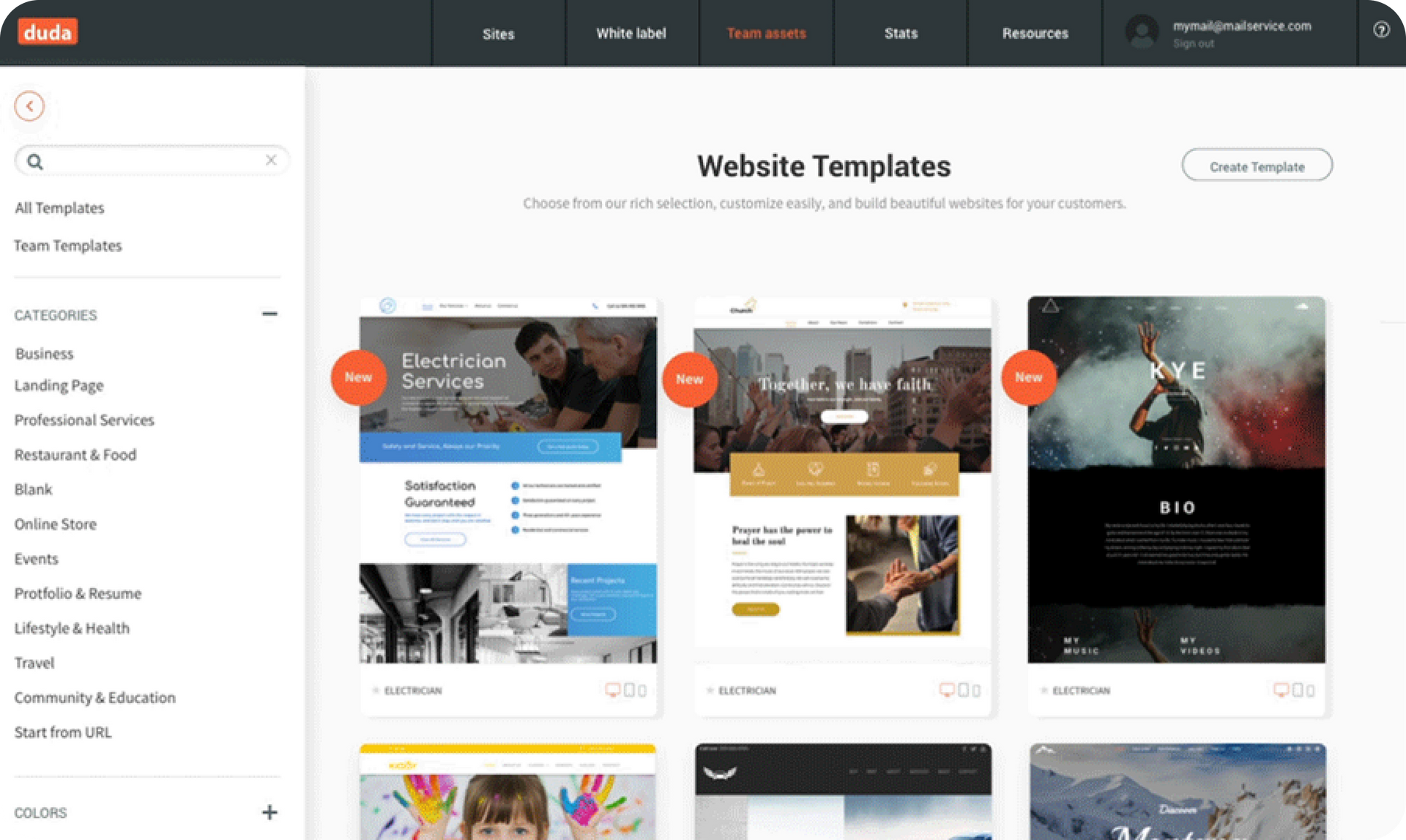
redesigned and reorganized , with a fresh new look that makes the first steps of every new website faster, easier and more beautiful. Templates load faster, can be filtered using a new search feature, and are organized in new categories that accommodate the growing selection of templates.


Your entire team can access all Duda templates and your Team templates here.So can clients who have access to the template page, whether by resetting the site or creating a template.

What's in the new Template page:


Better way to find your templates


With the new search and updated categories, you can find any template you're looking for, whether it’s a Duda template or a Team template. Want a template with a particular color scheme or in a specific vertical? Find it quickly by filtering according to color or category.


Smarter building, right from the start


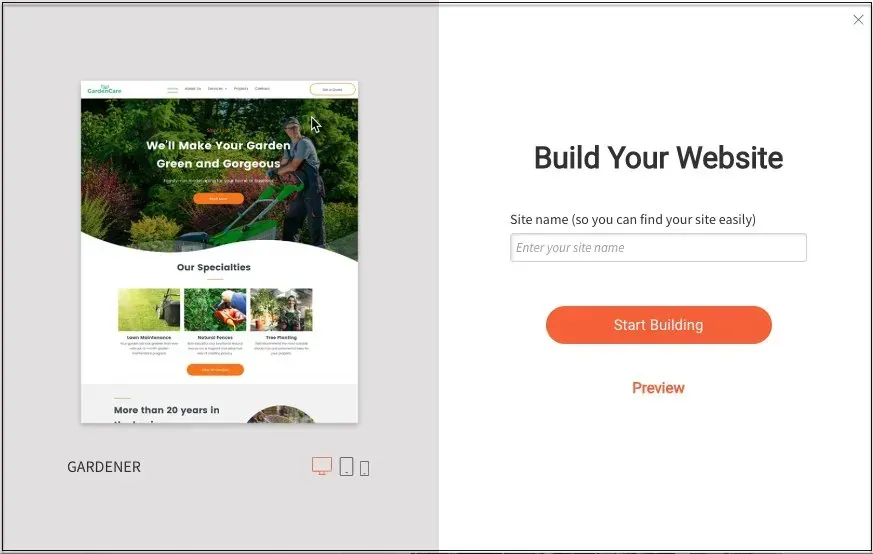
To streamline your site building process and make site management simpler, you can give your site a name even before you build it. This makes it easier to find the site later on your dashboard (don't worry, you can still change it whenever you want).

Smoother team template building


Building customized templates that you and your teammates can use over again is simple, too. Click Create Template and choose a template to start with. You’ll be asked to give it a name right away, so it’s easier for you and your teammates to find again later. As before, you can save a site as a template from the dashboard and it's even easier for you to find it. If your customers have the right permissions, they'll see and be able to use the team template, too.


The new template selection page is one more way we’re streamlining processes to boost your site-building speed and efficiency so you can build even more amazing sites for your clients.

November 5, 2018

 • 

Roni Landau
New Template Page

Stay in the Loop with Duda Updates

Sign up to get feature releases, tools, and more to your inbox.

Latest product updates

Text editor with a slash-command menu listing blocks like brand voice, web-app-builder, coding-standards, and seo-content.
By Ofri Baram & Tal Levi • November 6, 2026
Discover a new way to customize how AI works for you and your team.
White “Build anything with Vibe” app screen with a dropdown, plus icon, and cursor clicking the orange button.
By Annat Katz • November 5, 2026
We’ve updated Copilot, Duda Vibe, and the native store to make site building easier and give you more control.
Purple discount graphic with 30% text beside a smartphone showing a cursor on a blank screen
By Liron Hilb Horev • November 2, 2026
Help clients engage their customers, drive repeat business, and grow their business beyond the website.