We're happy to introduce a collection of powerful updates to Duda Bookings that make it easier to manage appointments, gain deeper business insights, and deliver booking experiences wherever your customers are.


Manage Bookings with Copilot and the MCP server

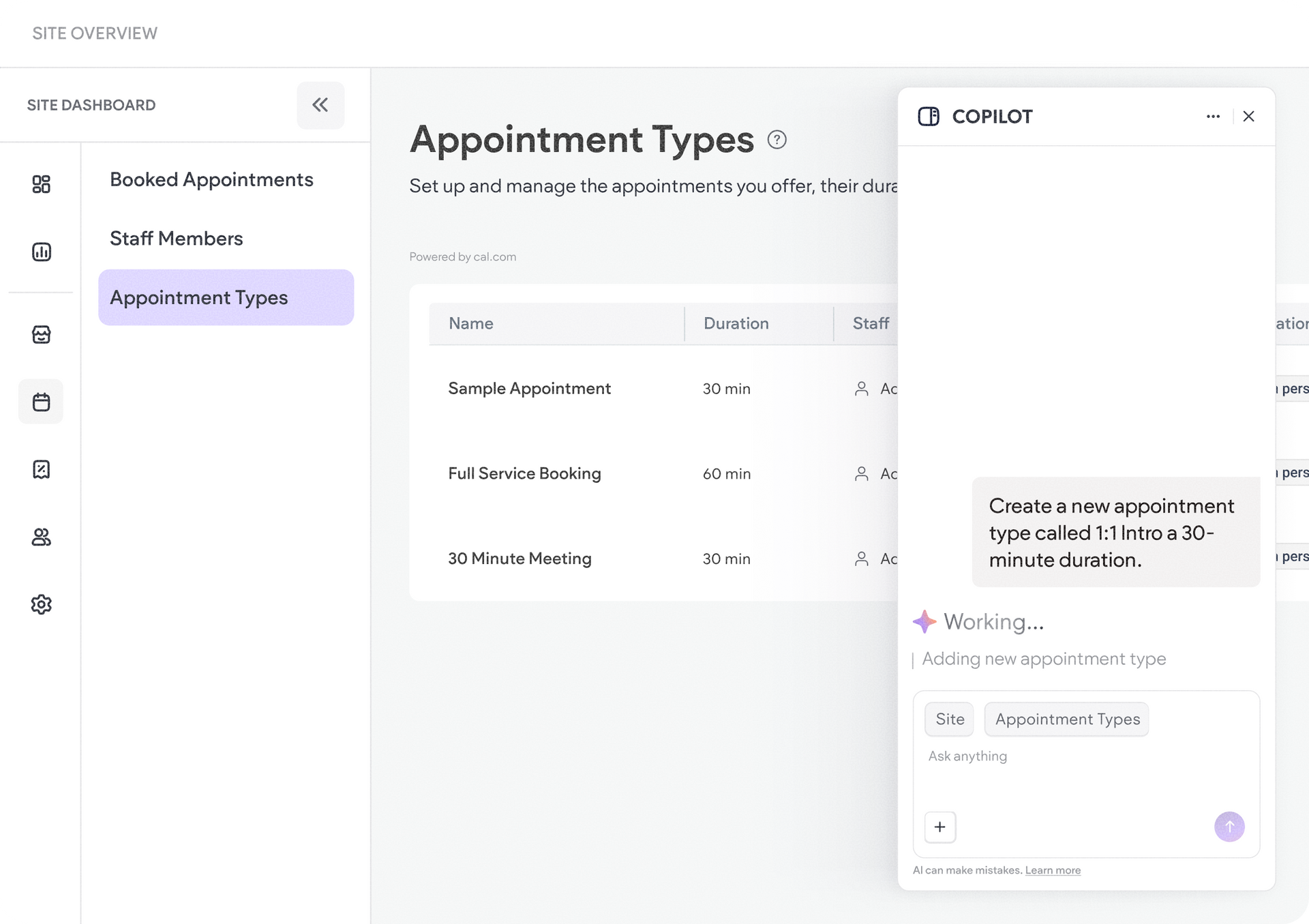
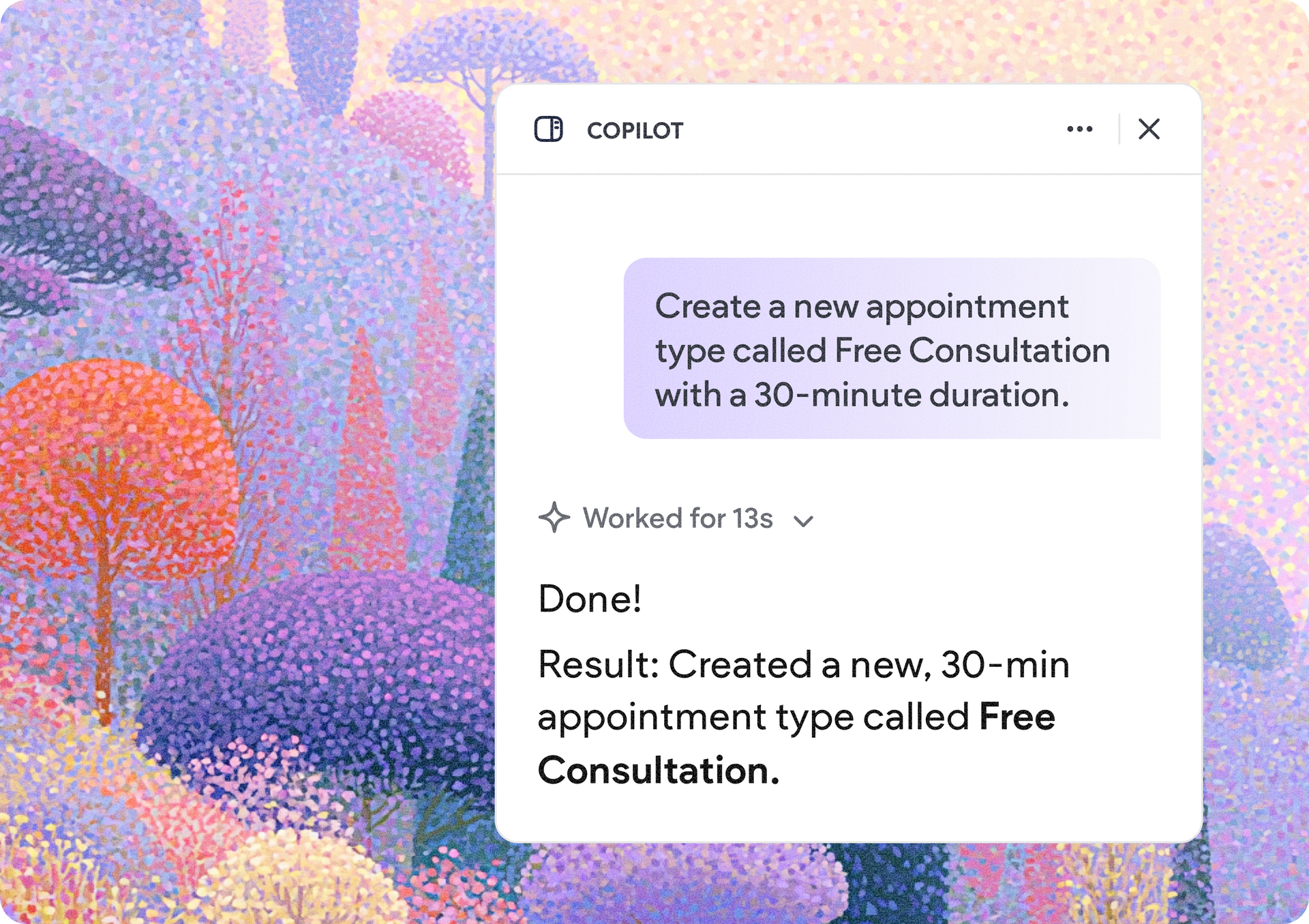
Booking management is now available through Copilot and Duda’s MCP server, giving you a conversational and programmatic way to manage your clients’ booking setup and perform key actions directly through a conversation. 


Your agency and developers can also access the same functionality through the MCP, making it possible to automate booking workflows or integrate them into existing tools and systems.


Here’s what you can do via Copilot and the MCP server

  • Enable or delete the entire bookings feature on a site
  • Create, edit, update, and delete appointment types
  • Add, edit, update, and remove staff members
  • Configure and modify staff availability
  • Create appointments directly through Copilot

This provides a faster, more flexible way to manage booking operations while reducing the need to switch between tools and interfaces. To learn more, consult Duda's MCP server documentation.


Better visibility into booked appointments & performance

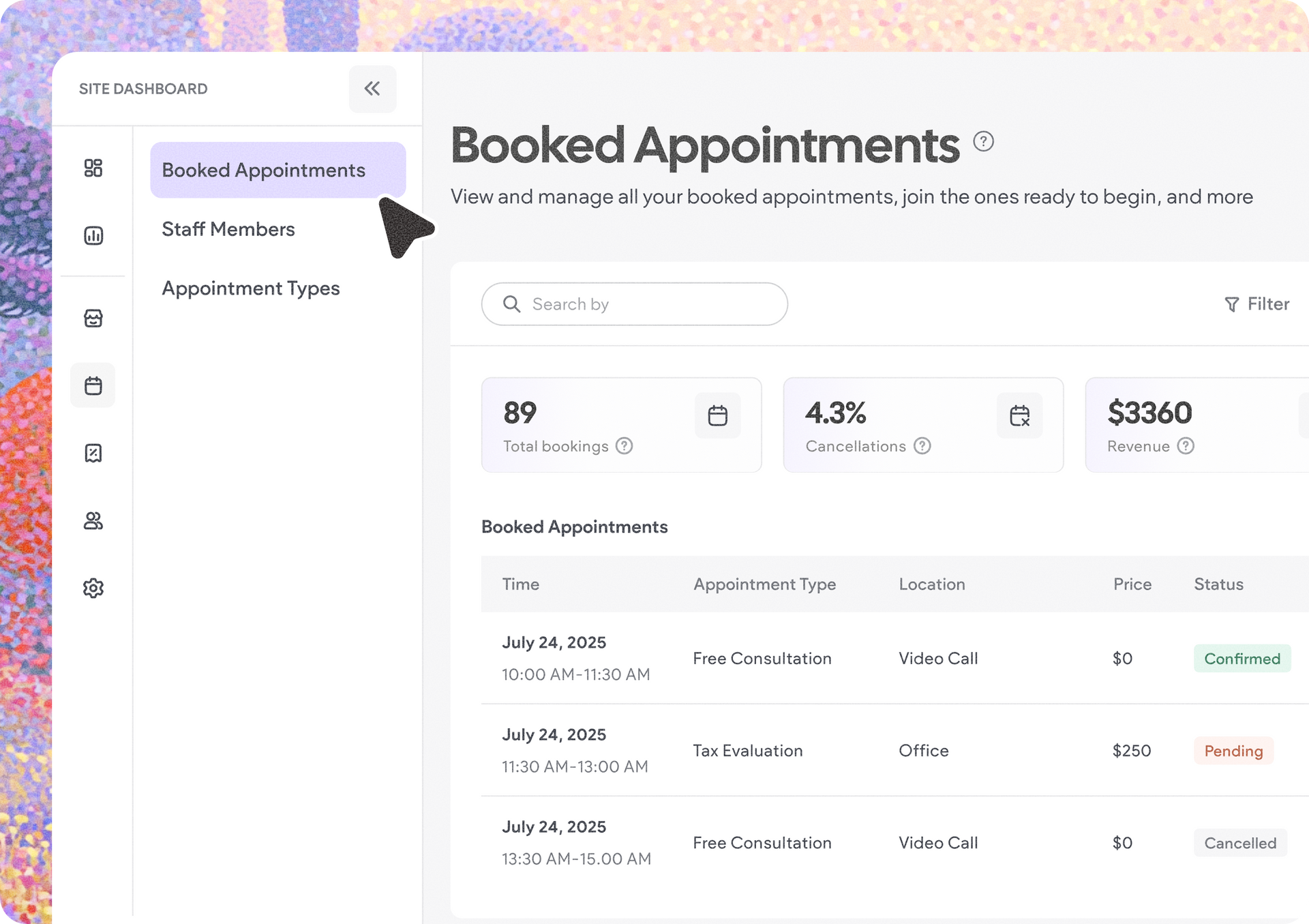
We've upgraded the booked appointments experience to help businesses better understand booking performance. On the main Booked Appointments page, you can now see key metrics like total bookings made, percentage of cancelled appointments, and the total revenue amount (if you’re charging customers for appointments). 


Each of these 3 new KPIs provide a quick overview of booking performance for any selected timeframe.


Easily match your Bookings widget to your site design

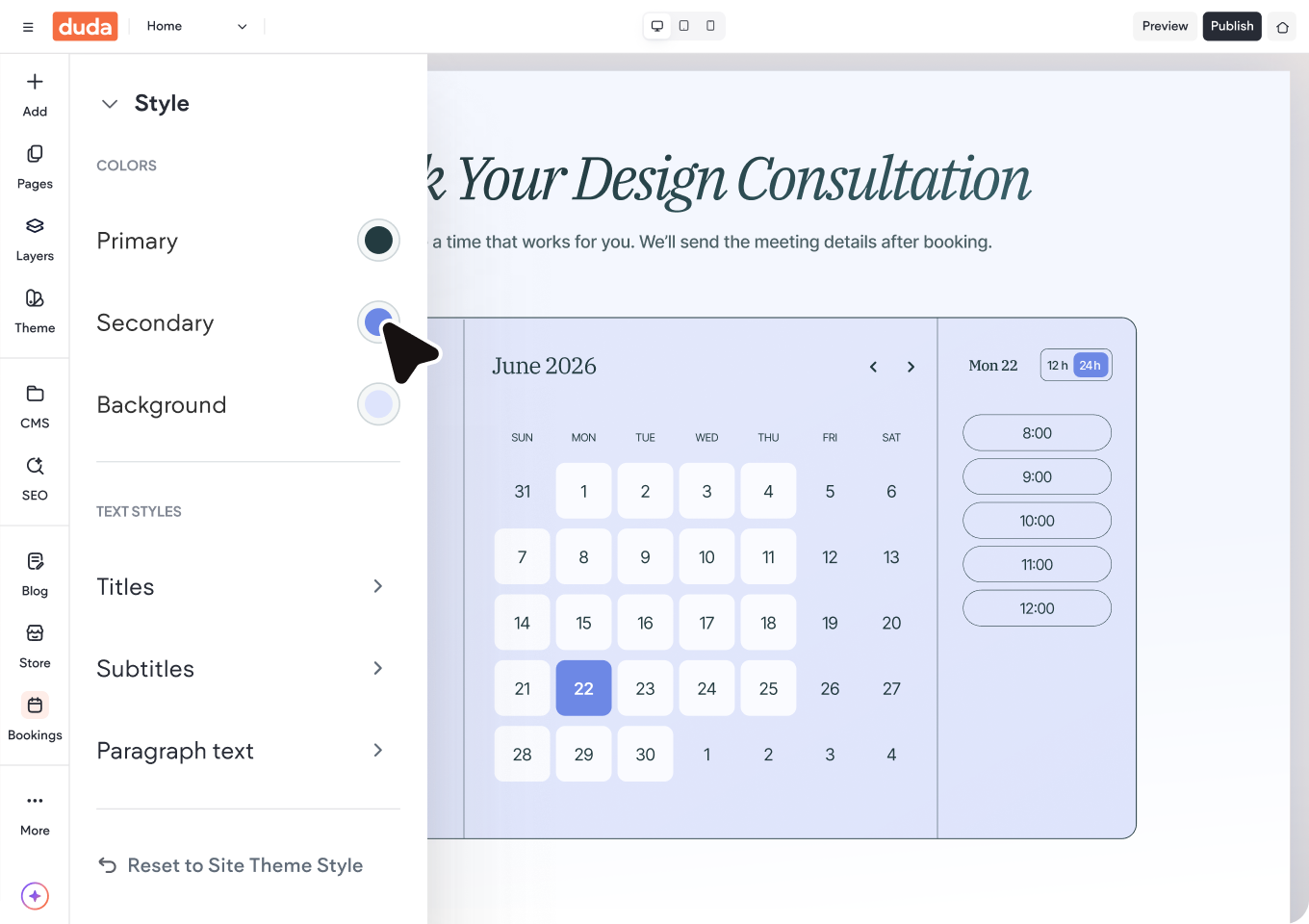
We've improved the Bookings widget's design controls to make it easier to create a booking experience that matches your client's brand. 


The widget now inherits your Site Theme by default, and any color customizations automatically apply across every step of the booking flow. This helps you deliver a more consistent customer experience while reducing the time spent on setup and customization.


Open the door to omni-channel bookings in external directories

Businesses with the Custom account plan can now bring their booking experience beyond Duda sites. With the new option to use the Bookings widget externally via iFrame, booking flows can be embedded on directories, partner portals, franchise websites, and other third-party properties while continuing to manage all bookings through Duda. This lets you leverage Duda’s native Bookings feature on a directory or a third-party site.


How it works

You can generate dedicated booking URLs for redirect-based experiences, configure booking routes with parameters for appointment filtering, staff visibility and design modes, while continuing to manage all appointments through Duda Bookings's existing back-office interface.


This opens new opportunities for businesses to capture bookings wherever customers discover them, while keeping operations centralized in a single system.


A few things to note:

  • This is available only with the Custom account plan, upon request
  • You’ll need a published Duda site with Bookings enabled for this to work
  • All Bookings related management remains within Duda, through the site dashboard


Together, these updates make Duda Bookings more powerful, flexible, and easier to manage, whether you're scheduling appointments through Copilot, analyzing booking performance, embedding booking experiences across the web, or creating a more polished and branded customer experience.


June 19, 2026
Mor Zamir

 • 

More Ways to Manage, Customize, and Extend Duda Bookings

Stay in the Loop with Duda Updates

Sign up to get feature releases, tools, and more to your inbox.

Latest product updates

Three product cards with colorful bottles on pastel backgrounds, plus pagination controls below.
By Yanir Moskovitz June 16, 2026
Advanced filtering, flexible layouts, and built-in navigation options give you more control over how collection data is displayed.
UI editor showing a signup form preview with a pale green background and a white settings panel.
By Naama Mizrahi June 12, 2026
A complete redesign plus new capabilities to help you drive more leads and engagement.
White settings dialog with form fields and Save and Cancel buttons on the right.
By Yanir Moskovitz June 9, 2026
Create dynamic forms that adapt in real time based on a visitor's responses.