We’re gradually rolling out new ways to take more direct control over your projects in Duda Vibe. You can now edit your project’s code, update its theme, and make visual changes to sections yourself, without asking Copilot to make every change. That means faster, more precise edits for your Duda Vibe project, like changing colors, images, text, and more.

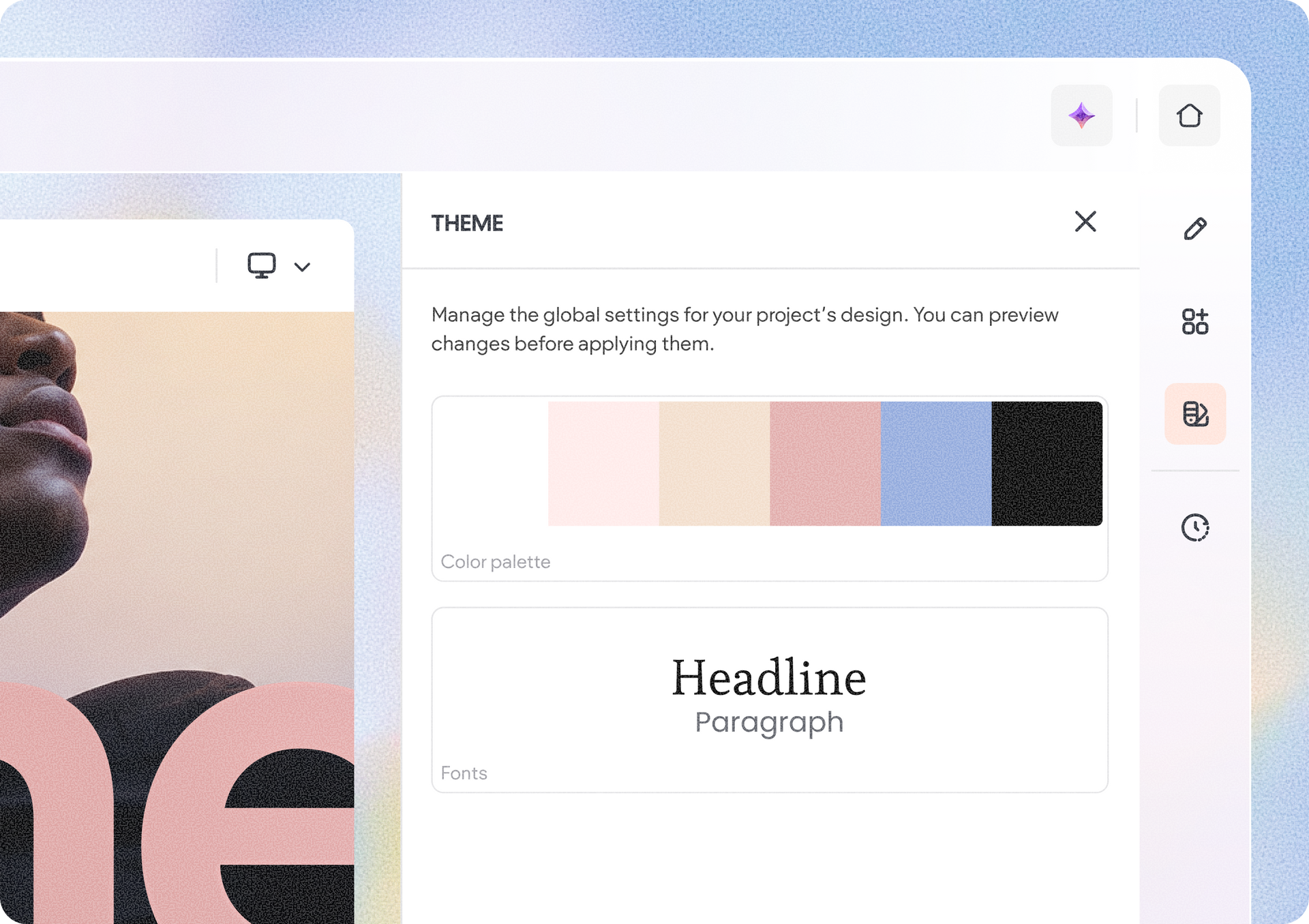
Easily adjust your project’s theme colors & fonts

We’re also making everyday design changes faster. You can now edit your project’s theme colors and fonts directly, without asking Copilot to make those updates for you.


It’s an easier way to experiment with a different look, fine-tune the project to match a brand, or make quick design adjustments. And because these changes are applied directly to the code, they won't use up your AI credits either.


Make visual changes directly on the canvas

For projects created on or after September 15, visual edits give you another way to fine-tune your project without going through Copilot. You can directly adjust elements’ color, spacing, fonts, borders, and more, using the available settings and values for each one.


Just like direct code and theme editing, visual edits applies your changes to the code without using AI credits.

Jump into the code and make changes yourself

For those who want to get hands-on with their project, you can now edit code directly from Duda Vibe’s code view.


Browse through your project files, open the code you want to change, make your edits, and apply them directly to your project. There’s no need to explain the change to Copilot first, giving more technical users a faster way to make precise adjustments, and direct code editing has no AI cost.


And if your changes cause the build to fail? You’ve got options. You can ask Copilot to fix the issue for you, or simply revert to the previous working version and get back on track.


Together, these updates give you more flexibility in how you build with Duda Vibe: use Copilot when AI can accelerate your work, or jump in and make changes yourself when direct editing is simply the faster way to get exactly what you want.

September 18, 2026
Tal Levi

 • 

Easily Adjust Design & Code in Duda Vibe While Saving AI Credits

Stay in the Loop with Duda Updates

Sign up to get feature releases, tools, and more to your inbox.

Latest product updates

Analytics dashboard showing Google Tools settings and integration options in a sidebar menu.
By Annat Katz September 15, 2026
A beefed up integration with Google’s measurement and analytics tools to give you more reliable client reporting with less manual setup.
Dashboard analytics screen with left sidebar and Highlights panel showing an 82% metric.
By Naama Mizrahi September 11, 2026
A new home for site stats, giving your clients a clear view of how their site is performing, all in one place.
Contact form card with “Thank you for reaching out!” on a pastel gradient background.
By Tal Levi September 4, 2026
Generate fully functional forms, and optimize your project for SEO & AI search - right within Duda Vibe.