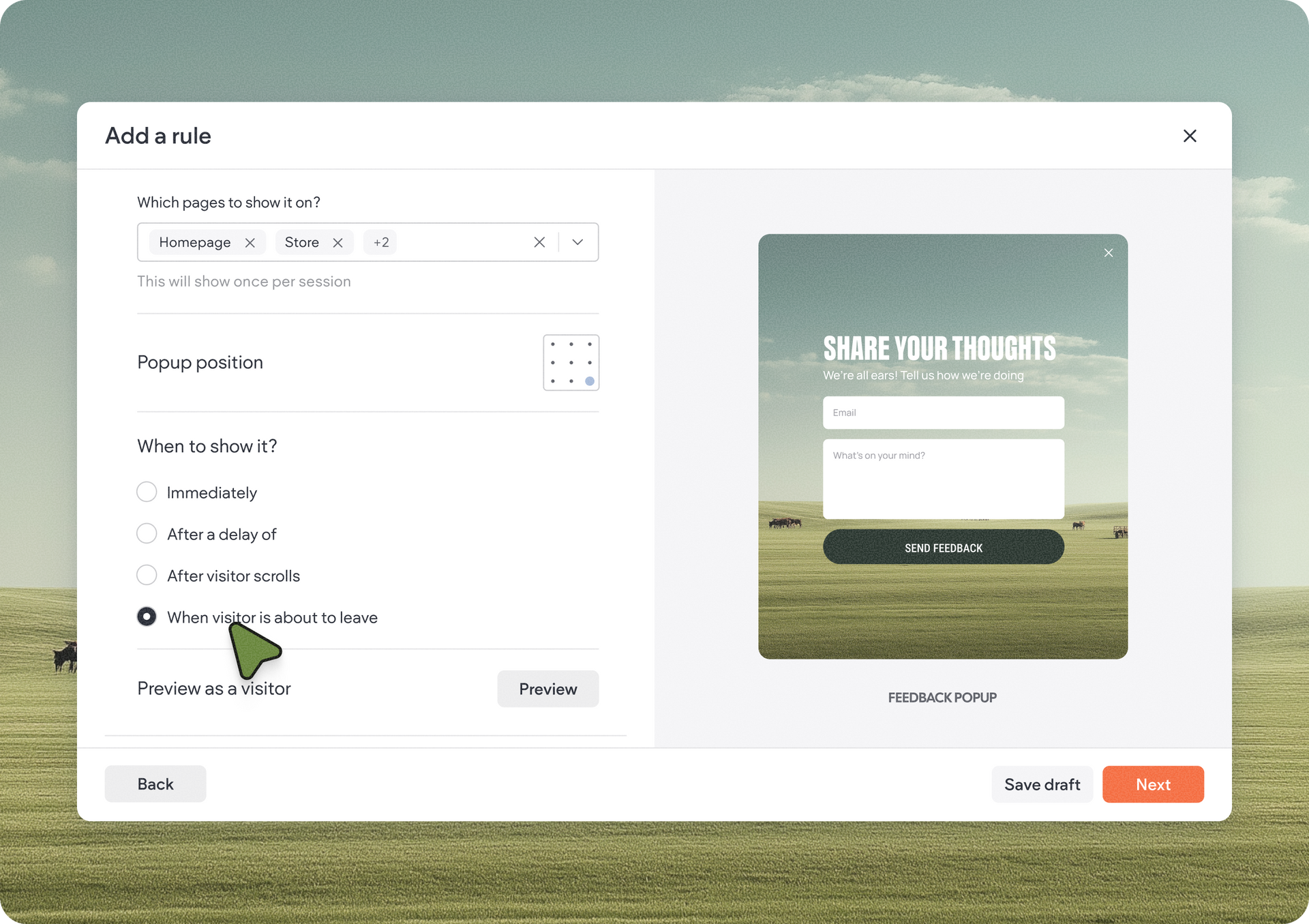
We’ve completely redesigned Duda’s Site Personalization experience to make it easier, faster, and more intuitive to create, manage, and optimize visitor interaction rules across your site. The result is a more productive way to create visitor experiences that can help increase lead generation, engagement, and customer loyalty.


Aside from a total redesign to the UI, we also added some rule settings to improve the overall experience. Here’s what’s new:

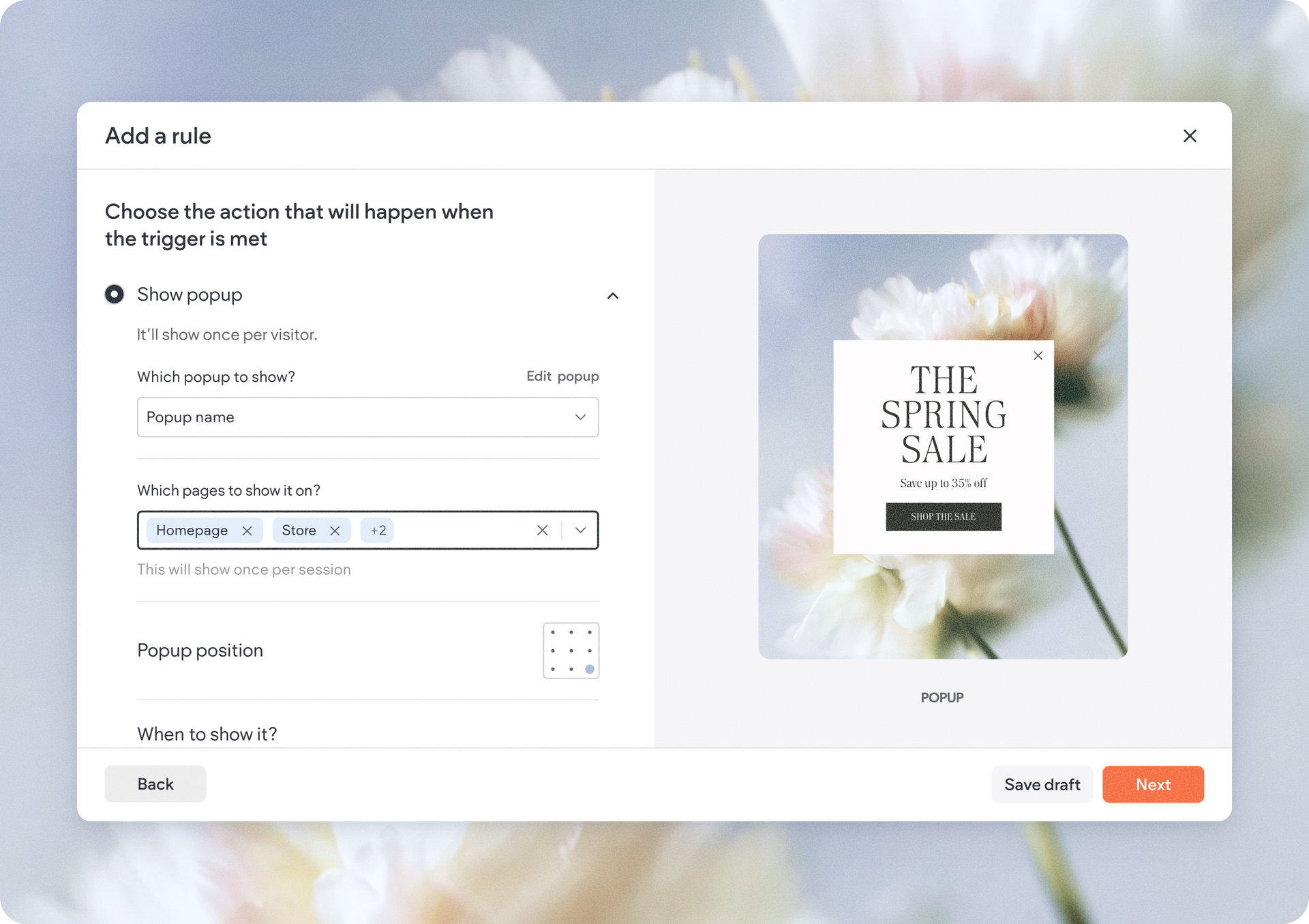
With this update, you can now target multiple pages within a single rule, making setup significantly faster and easier to maintain.


This is especially useful for promotions that appear across several site pages, site-wide announcements, and more.


More powerful popup display conditions

We’ve significantly expanded popup behavior controls to help you create smarter and more effective visitor interactions.


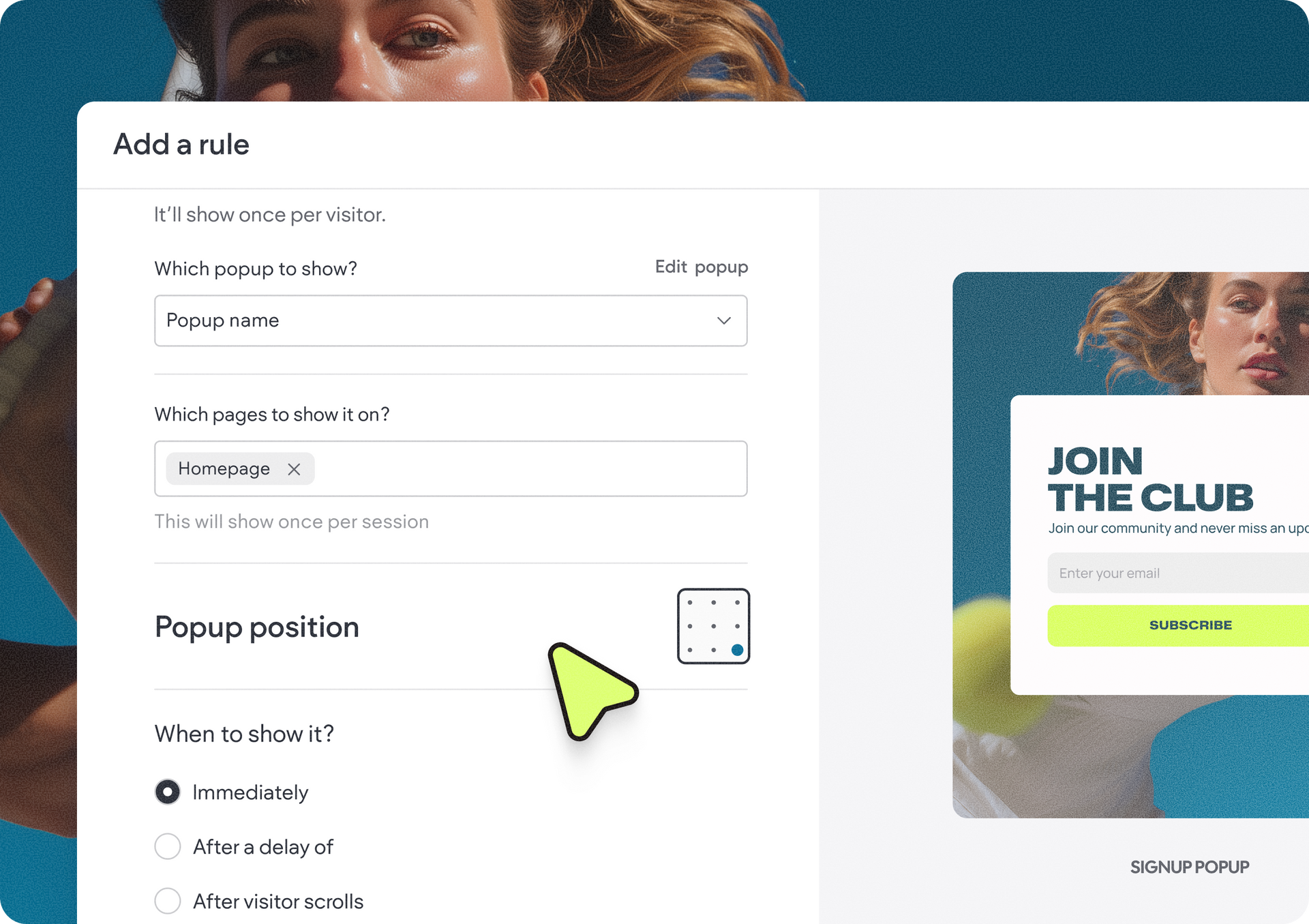
Now, you can choose from several different display conditions depending on visitor behavior. You can choose to show it:

  • Immediately as the user lands on the page
  • After a delay of X seconds 
  • When the visitor is about to leave
  • Once the visitor has scrolled X% of the page


In addition, you can choose the position of the popup on the page, giving you more control than before.

These new conditions make it easier to trigger exit-intent popups to minimize abandonment, show offers after visitors engage with content, delay messages for a less intrusive experience, and show CTAs at better timing in the visitor journey.


Run rules by site language

For multilingual sites, we’ve added a new language trigger that allows personalization rules to run only for selected site languages.


By default, rules apply to all available site languages, but now you can create more targeted experiences for different audiences directly within the same workflow.

This is especially useful for region-specific promotions, localized announcements, language-specific campaigns, and more.


More festive effects to catch attention

We’ve added a few new animation effects for special occasions you can use and impress your visitors. New additions include effects for Christmas, pride, birthday, summer and spring, so you can make use of special events throughout the year to get site visitors even more engaged.

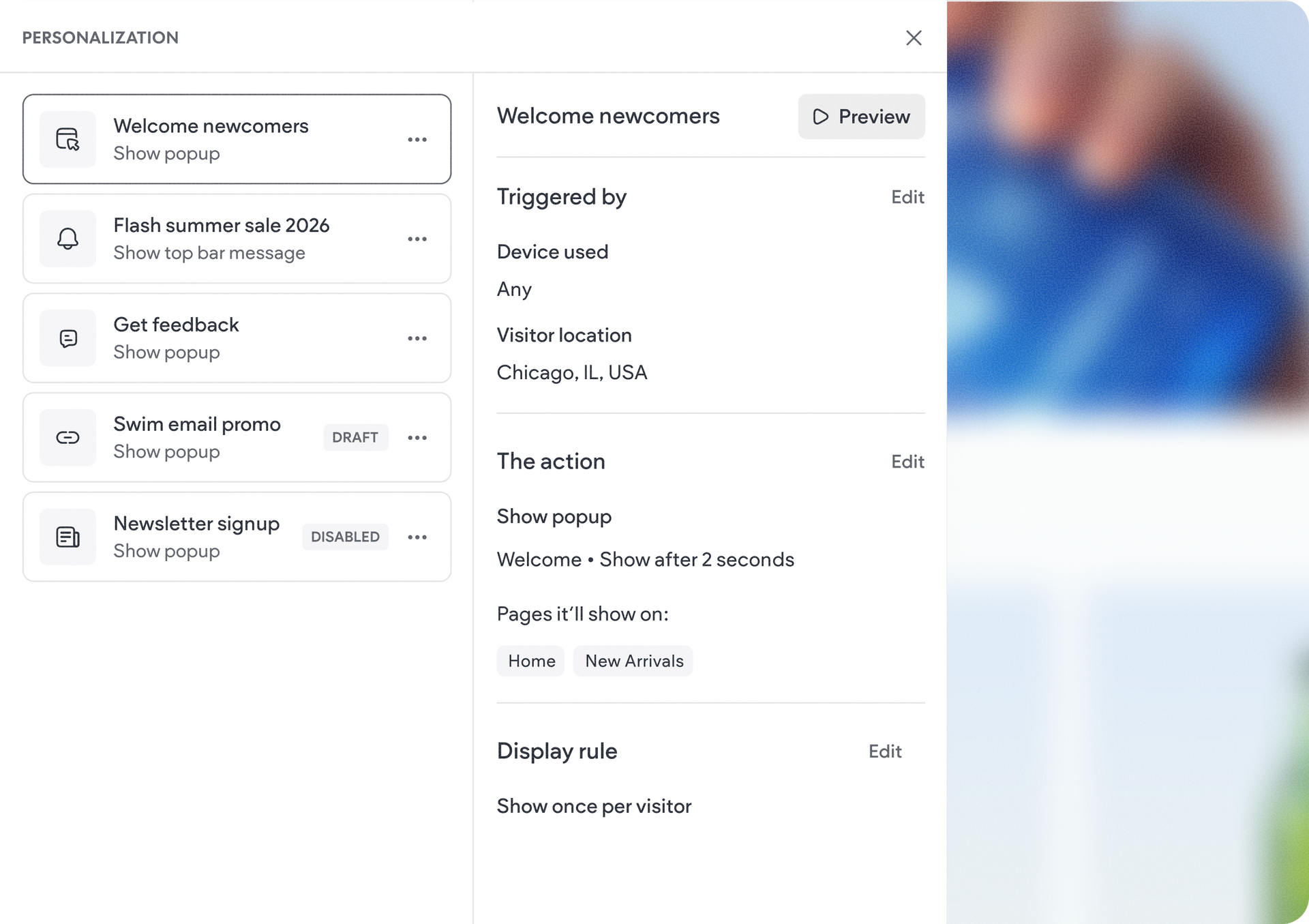
Easier rule review & management with the new summary panel

Managing personalization rules is now much more streamlined. Clicking a rule in the rules list now opens a dedicated summary view that shows key rule details alongside quick-edit entry points.


This lets you see what's configured and quickly make changes to conditions or targeting.


Simplified publishing workflow

As part of this redesign, we also simplified the publishing experience. From now on, personalization rules will only go live after you save & activate the rule, and after republishing your site.


How to get started

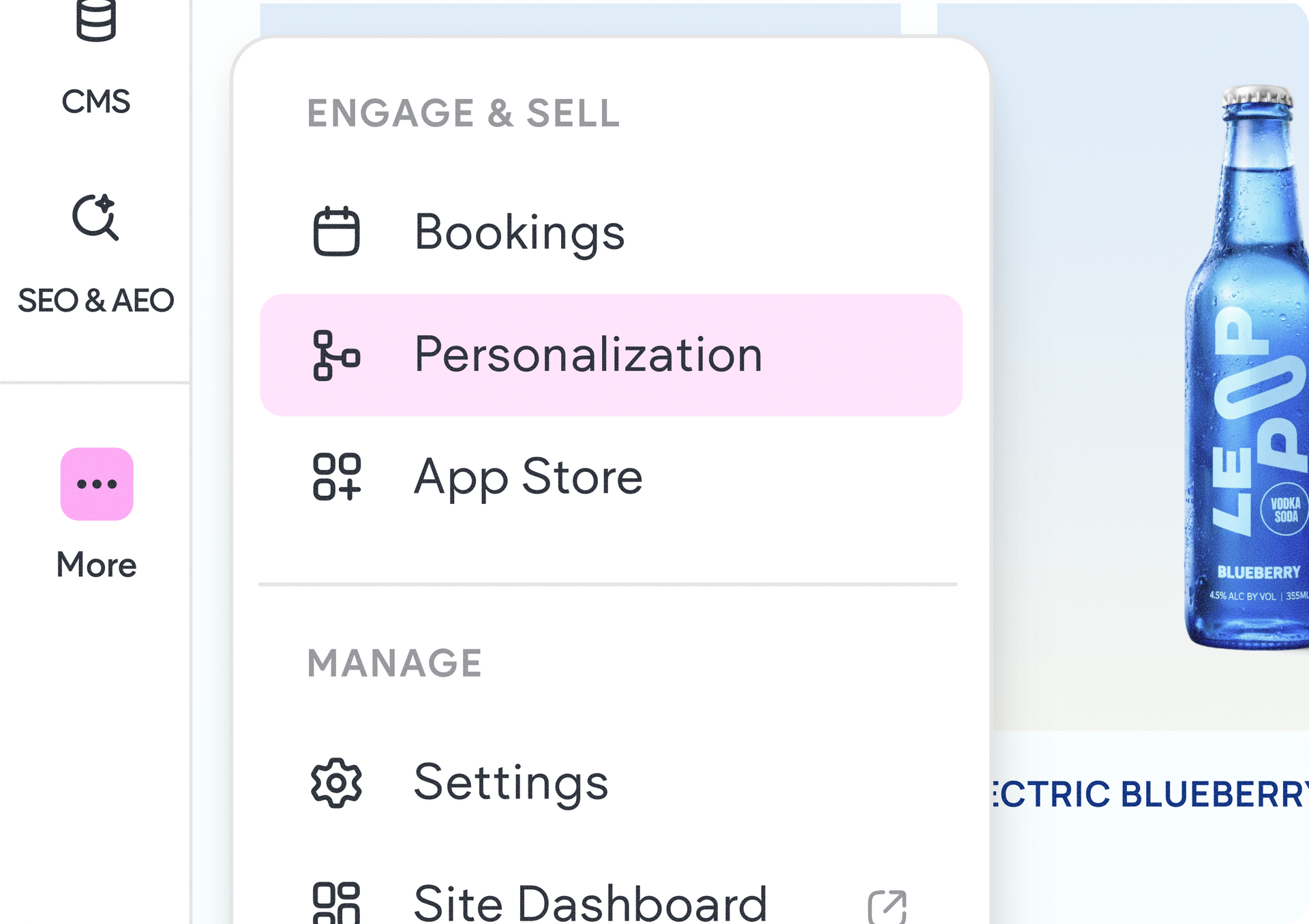
In the editor, click the (...) on the left side panel and select Site Personalization. There, hit the Add Rule button to get started, and the redesigned wizard will take you from there.


We hope these new improvements help you create smarter, more engaging visitor experiences with less setup effort and greater flexibility than ever before. Enjoy.


June 12, 2026
Naama Mizrahi

 • 

Duda’s Site Personalization Just Got a Major Upgrade

Stay in the Loop with Duda Updates

Sign up to get feature releases, tools, and more to your inbox.

Latest product updates

Contact form editor with “Manage form” settings menu and “Hidden Fields” selected over a pink-purple background
By Yanir Moskovitz July 27, 2026
Automatically capture valuable visitor metadata in form submissions to help to better track and target your audience.
Blank white chat interface with “Ask anything” prompt and a “Build” dropdown at the bottom.
By Tal Levi July 22, 2026
Go beyond websites and create custom digital experiences through conversation.
Web app dashboard showing a “Collection1” page with a sidebar, table, and open action menu
By Mor Zamir July 20, 2026
A collection (no pun intended) of updates to simplify the way you build dynamic pages and work with larger datasets.