We’re automatically rolling out llms.txt on all published sites. That means your site is now even better prepared for AI search, and you don’t need to lift a finger.

What’s llms.txt, and why should you care?

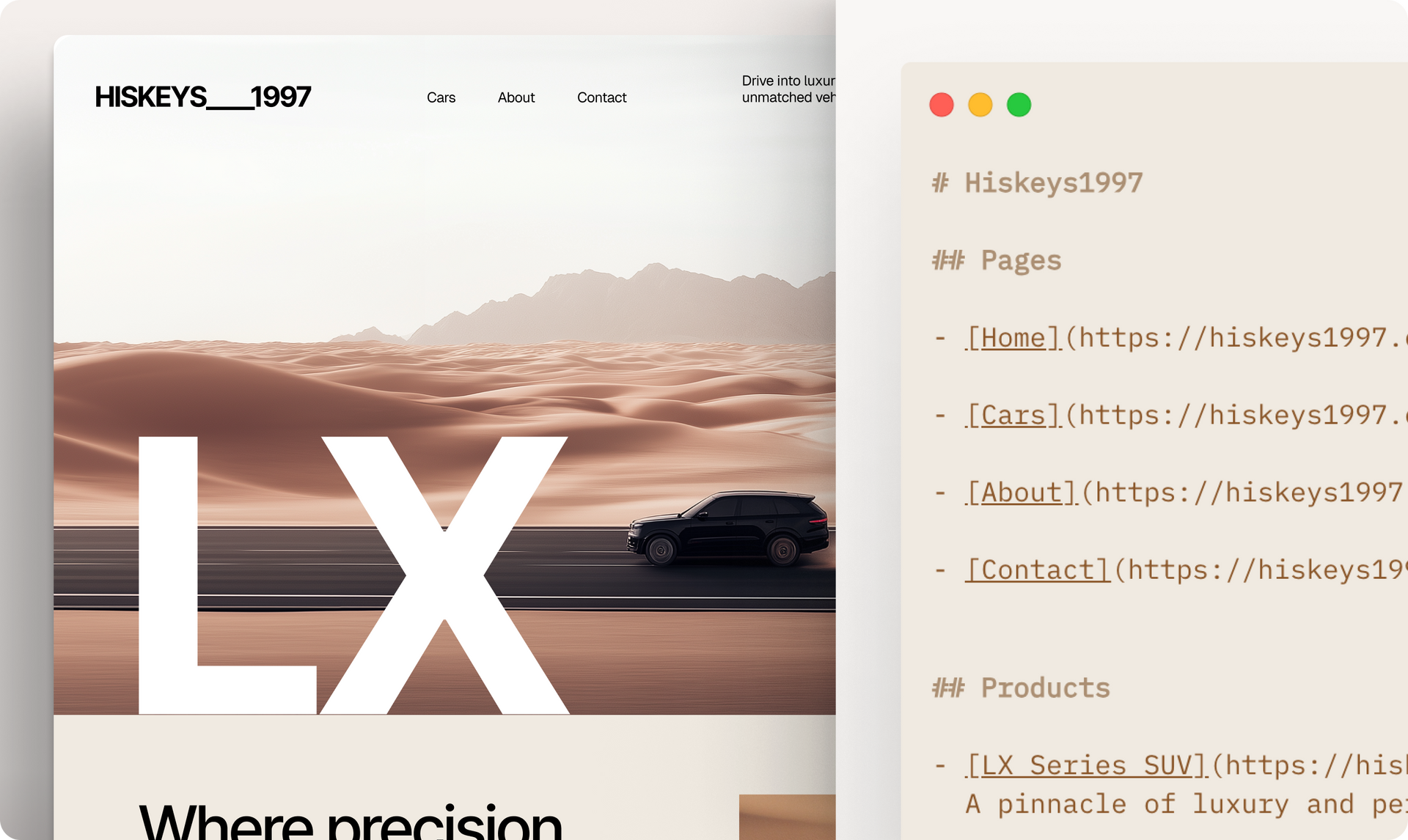
llms.txt is like a cheat sheet for AI. It's a guide for Large Language Models (LLMs),  similar to how robots.txt helps search engines, but made specifically for AI. It tells tools like ChatGPT, Claude, and Perplexity exactly what your site is about in clean, structured language. Think of it as SEO for the AI era. Not for search engines, but for large language models.


So when someone asks an AI tool about your business, it references your actual content, not some messy, out-of-context HTML.

What it does behind the scenes

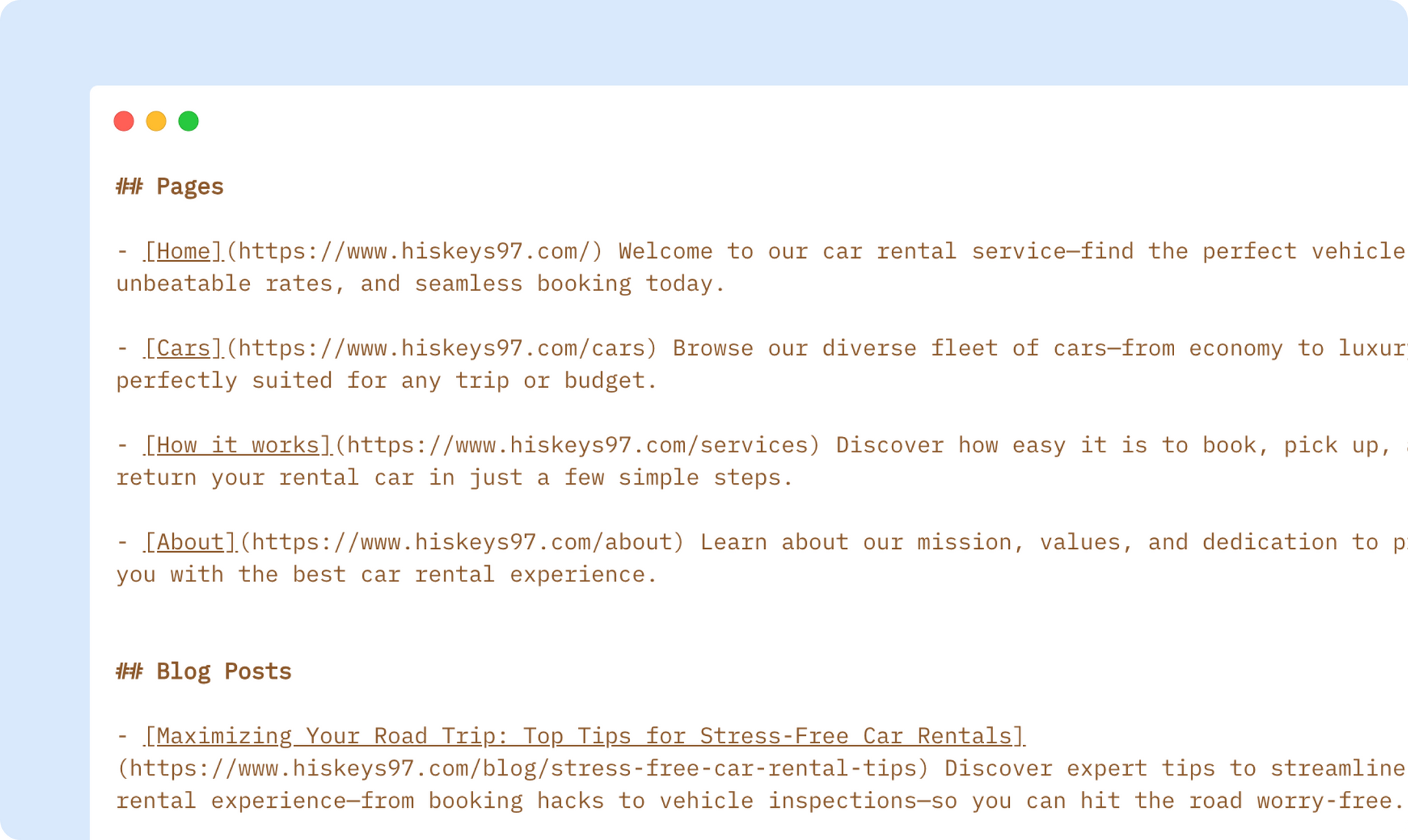
Every time you publish a site, Duda now auto-generates an llms.txt file that includes:

  • A list of your live URLs, like blog posts, native store products & categories, and multi-languages
  • The meta descriptions of each page (if they exist, otherwise we’ll use the meta titles)
  • Only the good stuff - no drafts or no-index pages

And yes, it all happens automatically. Every single time you publish.


Why this matters

Most websites still don’t have llms.txt. But your Duda site does! That means that today, AI tools will be more likely to:

  • Show your clients’ business accurately
  • Link to your site’s real content
  • Represent your client’s brand professionally

It’s a small file with a big impact on how your clients’ business shows up in the AI-powered internet. 

Want to see it?

Just go to your site and add /llms.txt to the end of the URL in the address bar.

That’s your AI-friendly content map in action 😎

June 27, 2025
Tal Levi

 • 

Duda is Prepping Your Sites for the Future of AI Search

Stay in the Loop with Duda Updates

Sign up to get feature releases, tools, and more to your inbox.

Latest product updates

Dashboard UI with a dark line chart, $3,650 total, category dropdown, and filter sidebar
By Tal Levi August 17, 2026
More ways to build, customize, test, and get better results with Duda Vibe.
Contact form editor with “Manage form” settings menu and “Hidden Fields” selected over a pink-purple background
By Yanir Moskovitz July 27, 2026
Automatically capture valuable visitor metadata in form submissions to help to better track and target your audience.
Blank white chat interface with “Ask anything” prompt and a “Build” dropdown at the bottom.
By Tal Levi July 22, 2026
Go beyond websites and create custom digital experiences through conversation.