We're introducing a new Workspace Customization feature for White Label accounts and above, a new way to control what your customers see as they use the Duda platform.


From the account dashboard to the editor itself, you can now customize key menus, navigation items, and interface options to create a workspace that better reflects your brand and the experience you want to deliver.

Shape the workspace your customers see

With this update, White Label accounts can configure several of the platform's most visible navigation areas, like:


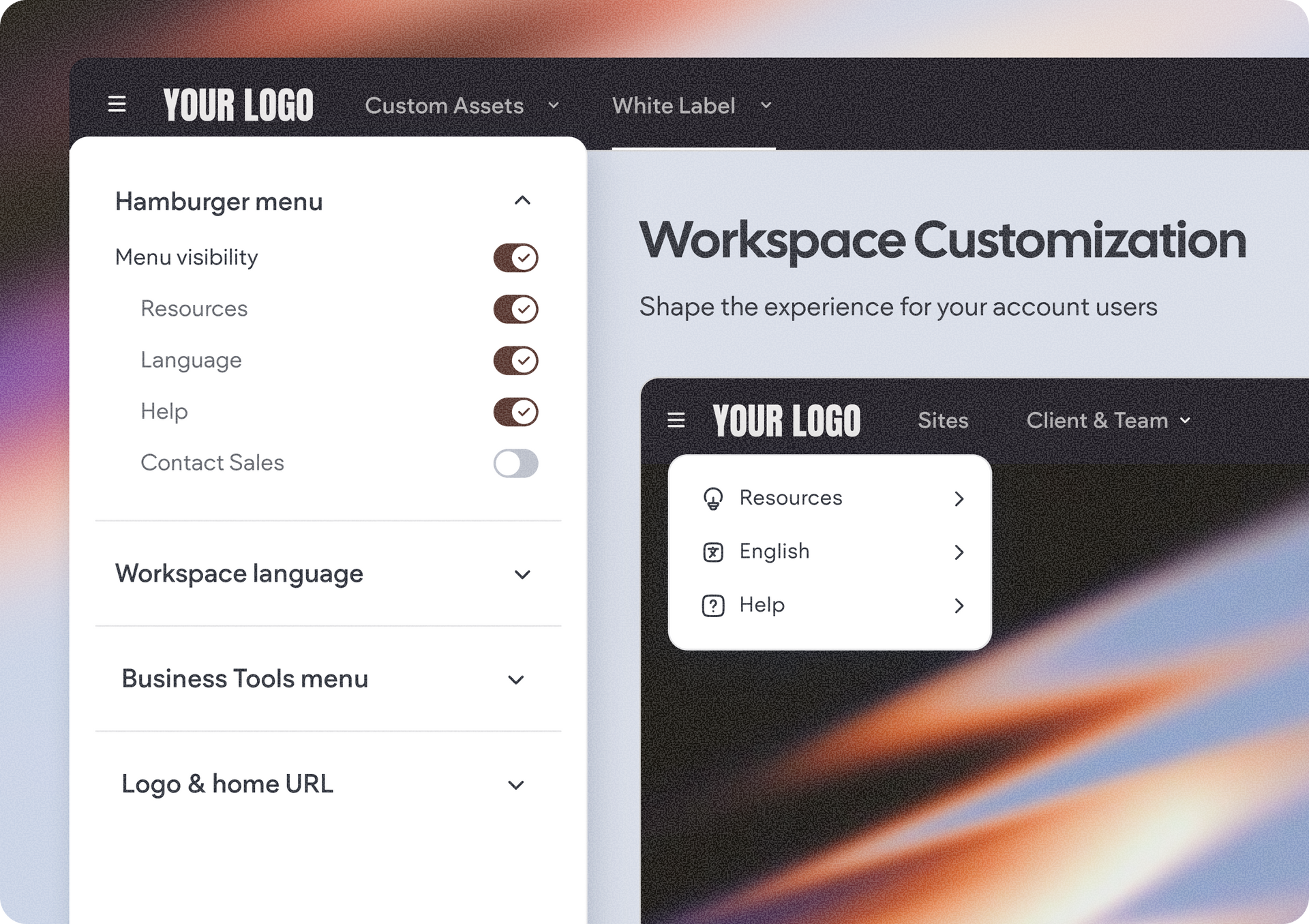
  • The main account hamburger menu, choosing exactly which supported menu items are visible or hiding the menu entirely if none are needed.
  • Business Tools, including whether the section appears at all and which individual tools are available.
  • The account profile menu, giving you the option to hide profile-related actions when they aren't relevant for your users.
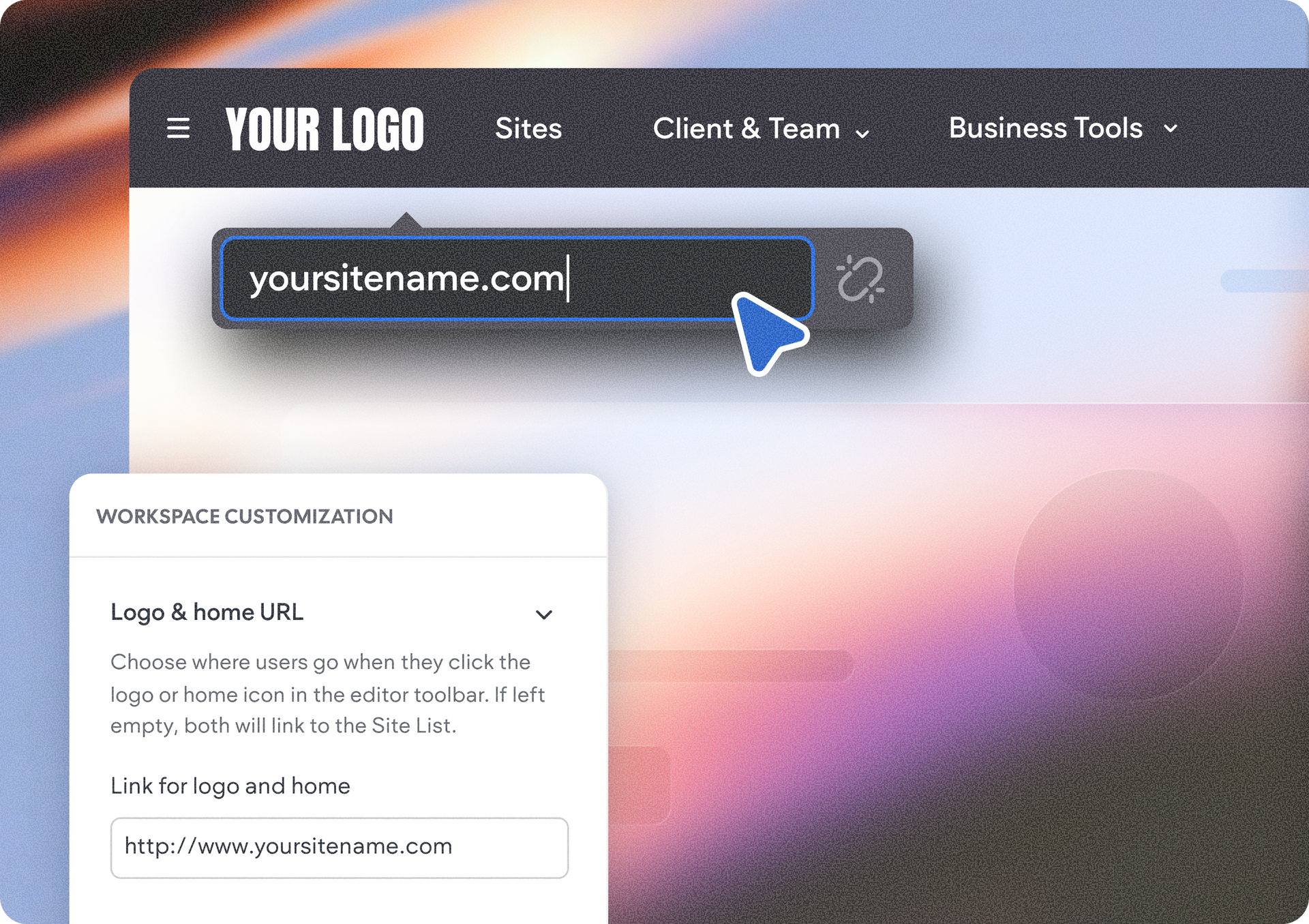
  • The Home & Logo button inside the editor, allowing you to redirect users to your own custom URL instead of the default Site List. This is especially useful for partners embedding Duda within a broader platform or portal.
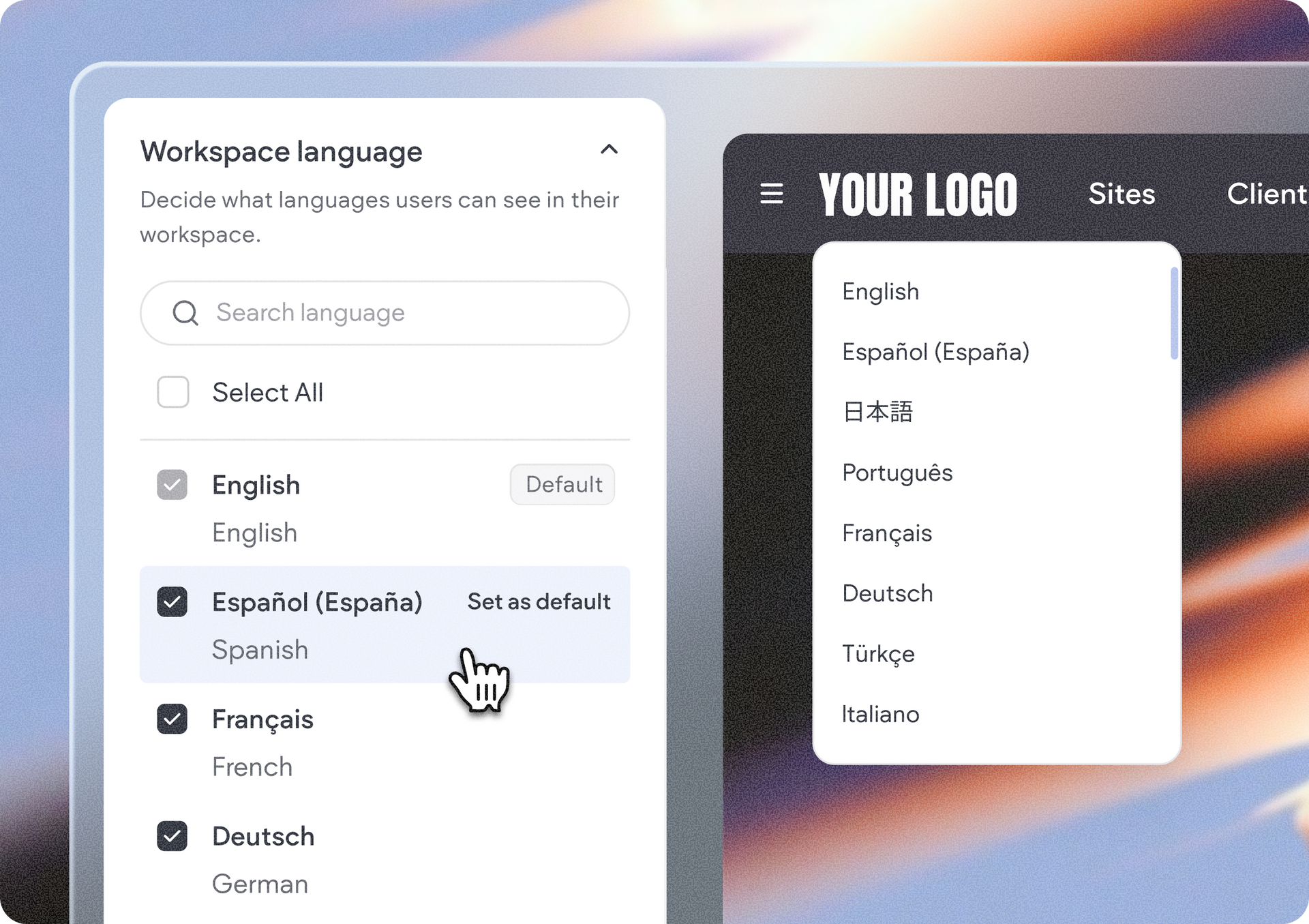
  • Available editor languages, letting you define which languages your customers can choose from and which language is presented by default.


The result is a cleaner, more intentional workspace that aligns with your business model and gives customers a simpler experience from the moment they log in.


Preview every change before you publish

As you adjust your settings, you'll see a side-by-side preview of the relevant screens, menus, and toolbars, making it easy to understand exactly how each change will affect your users before saving your configuration.


Availability

The Workspace Customization feature is available to White Label accounts and above.

If your account doesn't currently include this capability, you'll still be able to explore the customization interface and preview all available options. When you're ready to enable the feature, you'll be invited to upgrade your account plan to save your changes.


How to get started

To begin customizing your workspace, head over to your account’s main site list or projects page. There, in the top toolbar under White Label, look for the new Workspace Customization option.


Whether you're building a streamlined website builder, a vertical-specific solution, or a fully branded SaaS platform, these new customization options give you even greater control over how your customers experience Duda.


July 8, 2026
Naama Mizrahi

 • 

Customize Your Duda White Label Workspace

Stay in the Loop with Duda Updates

Sign up to get feature releases, tools, and more to your inbox.

Latest product updates

ChatGPT dialog showing a task to add $2 to all T-shirt prices, with updated prices listed
By Annat Katz July 3, 2026
Noteworthy improvements to help you work faster while giving your clients an even better experience.
Blue 3D abstract shape above a white notification panel on a lavender background
By Rim Elfahem July 1, 2026
Drive more sales with 3 new discount types and flexible customization options, now in Duda eComm.
Side-by-side shopping cart checkout screens, one black and one blue, showing items, totals, and checkout buttons
By Rim Elfahem June 29, 2026
Introducing a new way to match your cart & checkout with the site's brand through Site Theme.