We've introduced several enhancements to the Dynamic Repeater that make it easier to build collection-driven experiences. With advanced filtering, related content capabilities, flexible layouts, and built-in navigation options, you now have more control over how collection data is displayed.


Whether you're building product catalogs, directories, blog feeds, team pages, or other dynamic experiences, Dynamic Repeater is now a more capable collection widget.

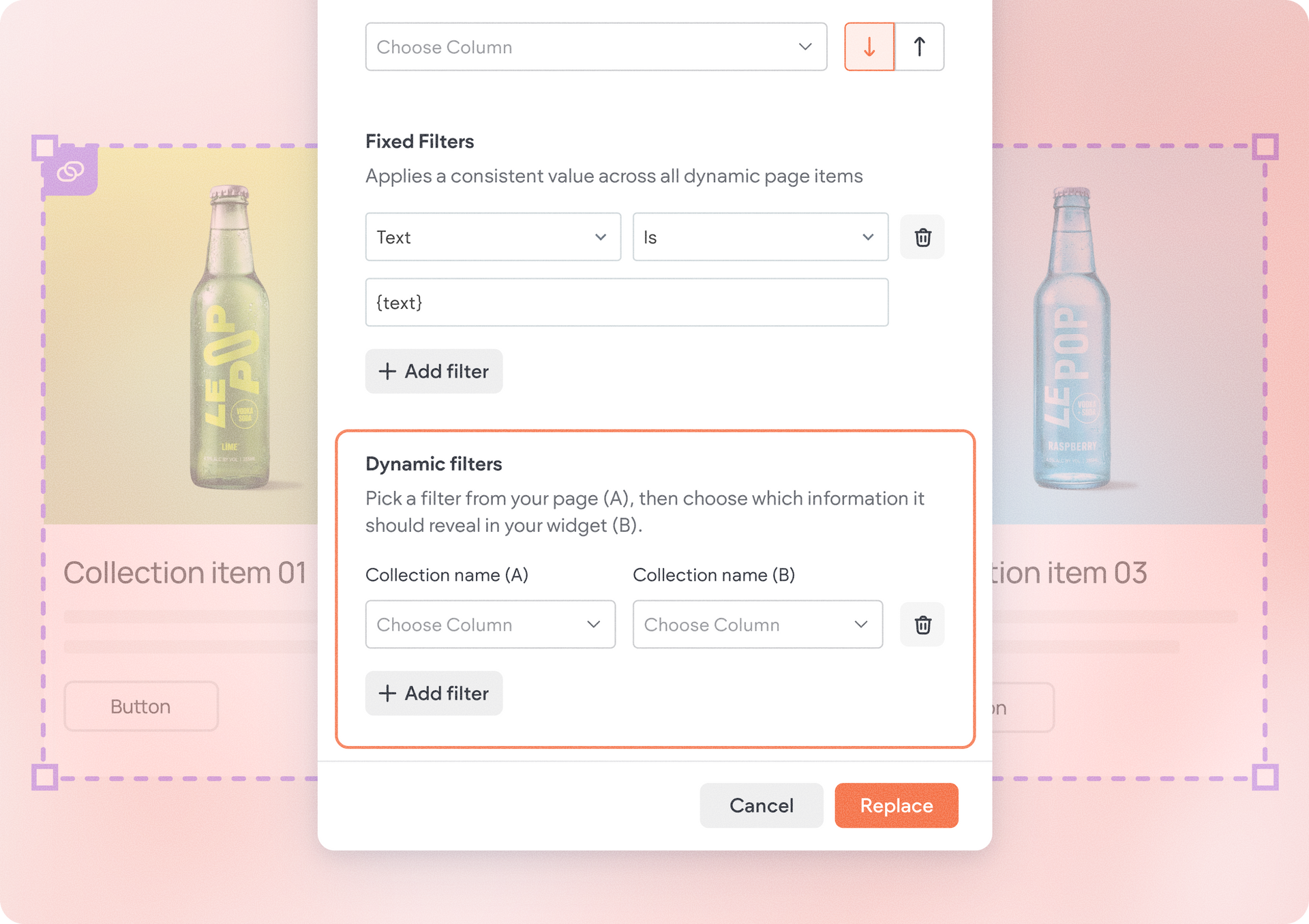
Dynamic Repeater now supports the same filter & sort capabilities available in other collection-connected widgets, creating a more consistent collections experience across the editor.


When connected to a collection, you'll find a new Filter & Sort tab where you can:

  • Control how many items are displayed
  • Sort records by supported fields
  • Apply fixed filtering conditions
  • Create dynamic filters on Dynamic Pages


For example, you can display only active products, sort events by date, or prioritize featured content.

Automatically show related content

Dynamic Repeater now supports dynamic filters on dynamic pages. How does it work?

A dynamic filter essentially matches values from the current page item with values in another collection, automatically displaying related records inside the Repeater.


For example, you can:

  • Show products that belong to the current category
  • Display projects associated with the current team member
  • Surface blog posts from the same author
  • Show events related to a specific location

As visitors move between dynamic pages, the displayed content updates automatically.


Use the Repeater to display content from anywhere

This means you can now connect your Dynamic Repeater to an external collection. This gives you a boost of flexibility and freedom to showcase almost any dataset-based content on a Duda site.


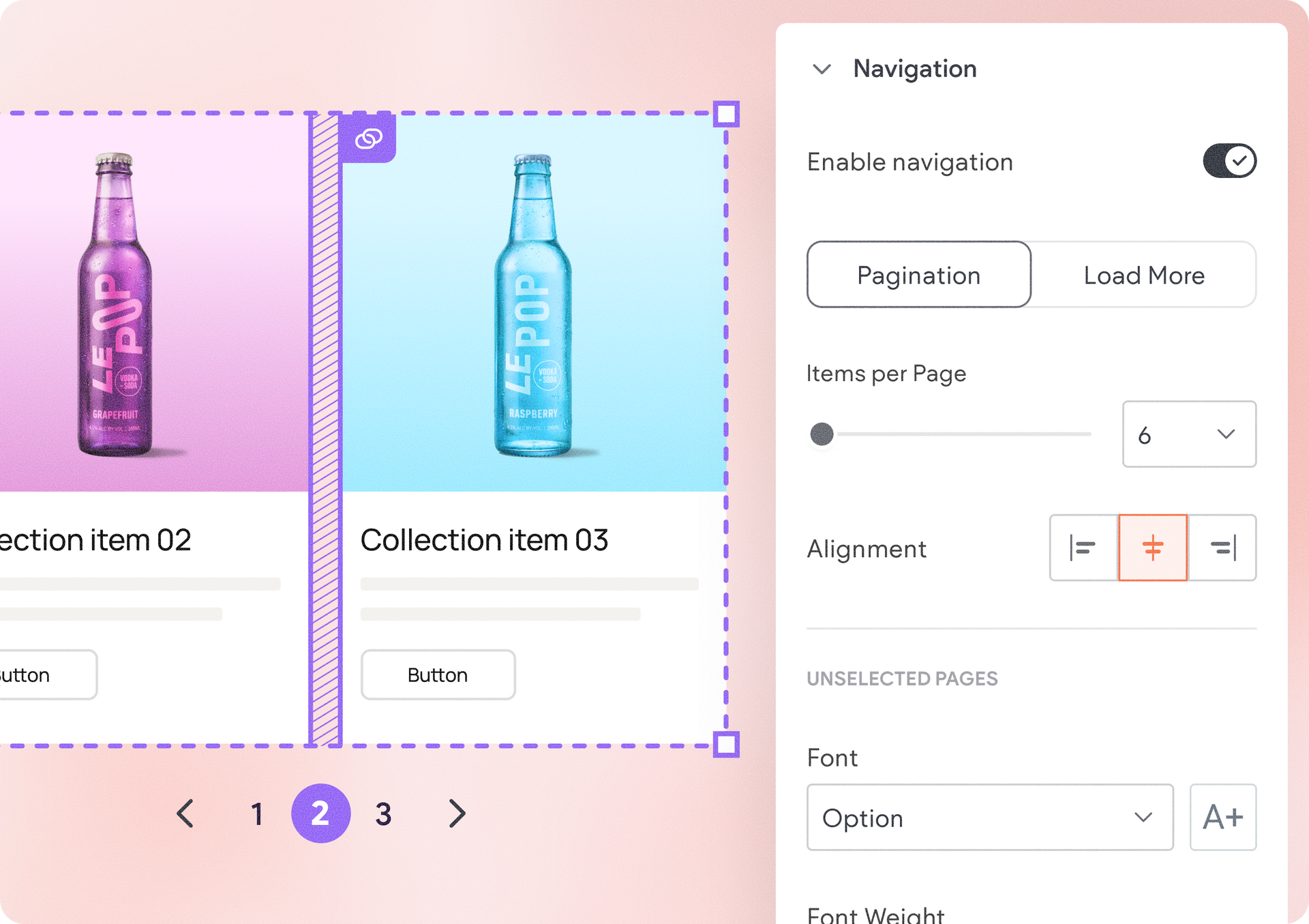
Navigate large collections with pagination and Load More

Managing larger collections is now easier with new navigation options.

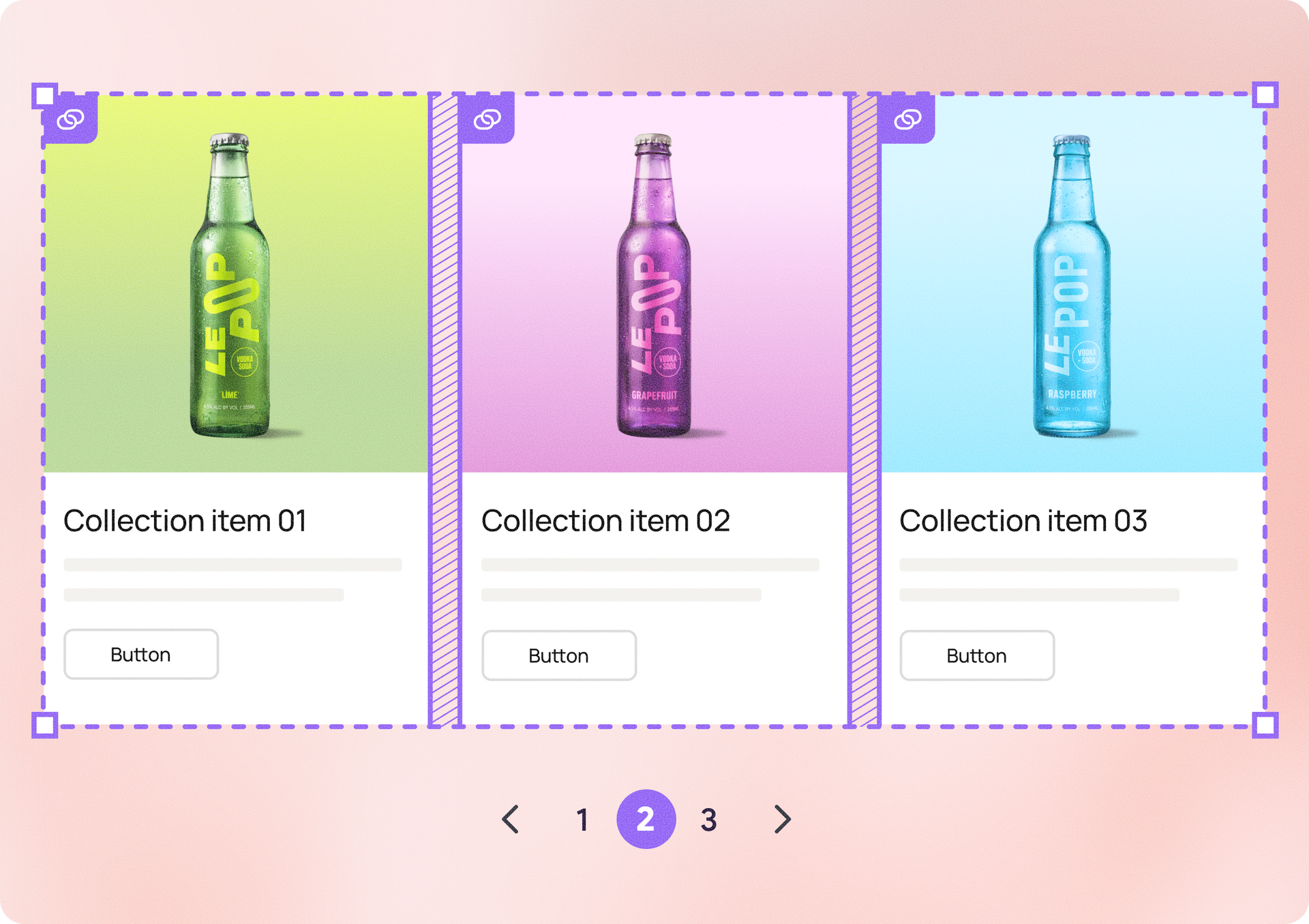
Previously, Dynamic Repeater displayed all collection items at once. Now, you can enable navigation directly from the design panel and choose between two browsing experiences:


Pagination

Split content into pages and let visitors navigate using page indicators and previous/next controls. This is ideal for directories, product listings, and other larger collections.


Load More

This one lets you display an initial set of items and load additional content when visitors click a Load More button. This keeps pages cleaner while encouraging visitors to continue exploring.


Both navigation types include built-in styling controls, making it easy to match them to your site's design.


Build more flexible layouts with items per row

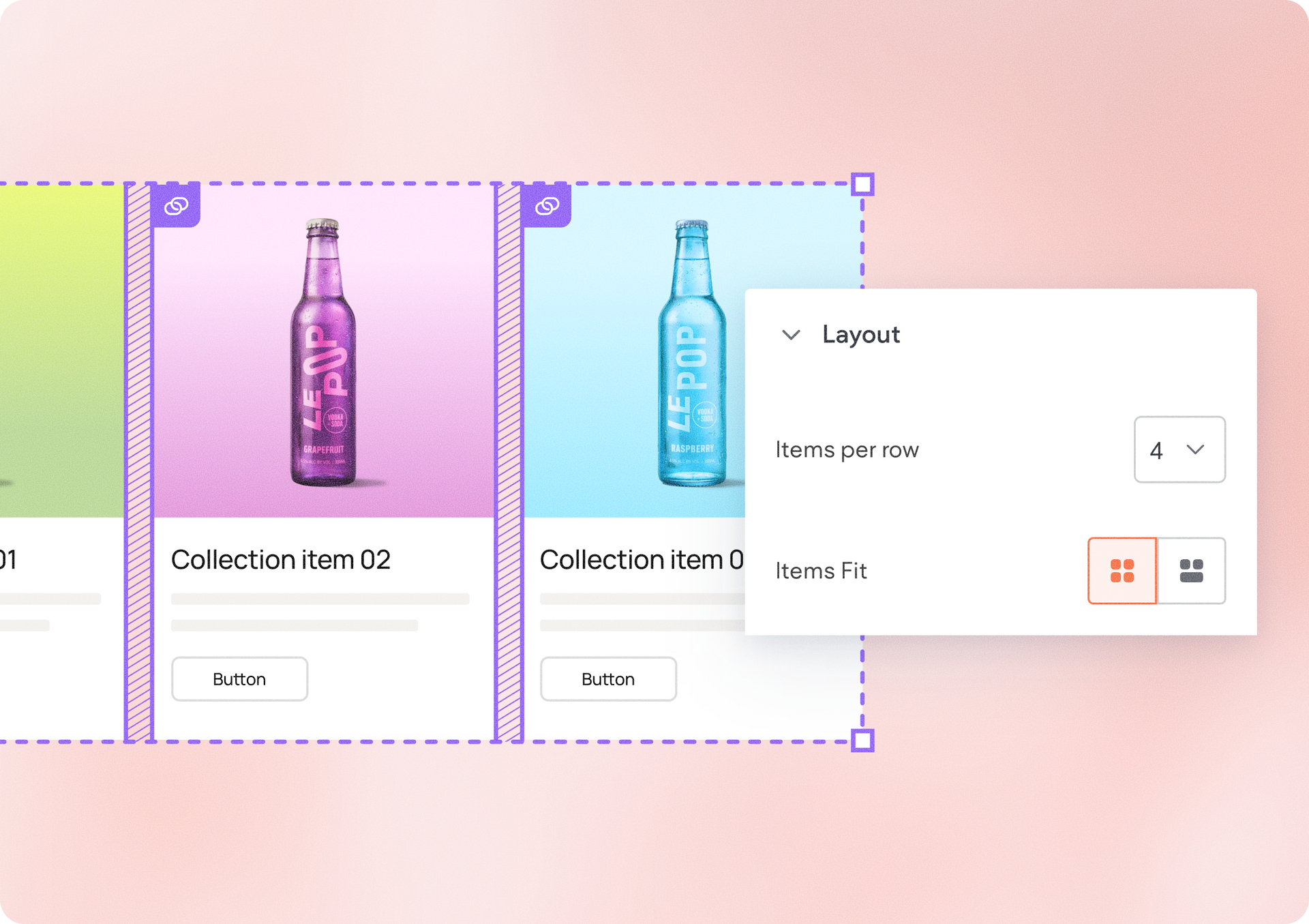
You can now define exactly how many items appear in each row using the new Items per Row setting.


Choose anywhere from 1 to 10 items per row and create layouts that fit your content.

To improve layout balance, items that don't completely fill a row can now stretch to use the available space.


A more powerful collection widget

Together, these updates make Dynamic Repeater a more capable collection widget.

With advanced filtering, related content support, navigation controls, and customizable row layouts, you can build richer collection-driven experiences while maintaining control over both content and design.


How to get started

Connect a Dynamic Repeater to a collection and explore the new filter & sort, as well as the design panel settings for Layout and Navigation where these new updates exist. 

June 16, 2026
Yanir Moskovitz

 • 

Dynamic Repeater Updates to Help You Design at Scale

Stay in the Loop with Duda Updates

Sign up to get feature releases, tools, and more to your inbox.

Latest product updates

UI editor showing a signup form preview with a pale green background and a white settings panel.
By Naama Mizrahi June 12, 2026
A complete redesign plus new capabilities to help you drive more leads and engagement.
White settings dialog with form fields and Save and Cancel buttons on the right.
By Yanir Moskovitz June 9, 2026
Create dynamic forms that adapt in real time based on a visitor's responses.
Hand cursor hovering over an image toolbar above a blurred portrait photo
By Yanir Moskovitz June 4, 2026
Discover a new AI-powered image generation capability built directly into the Duda editor.