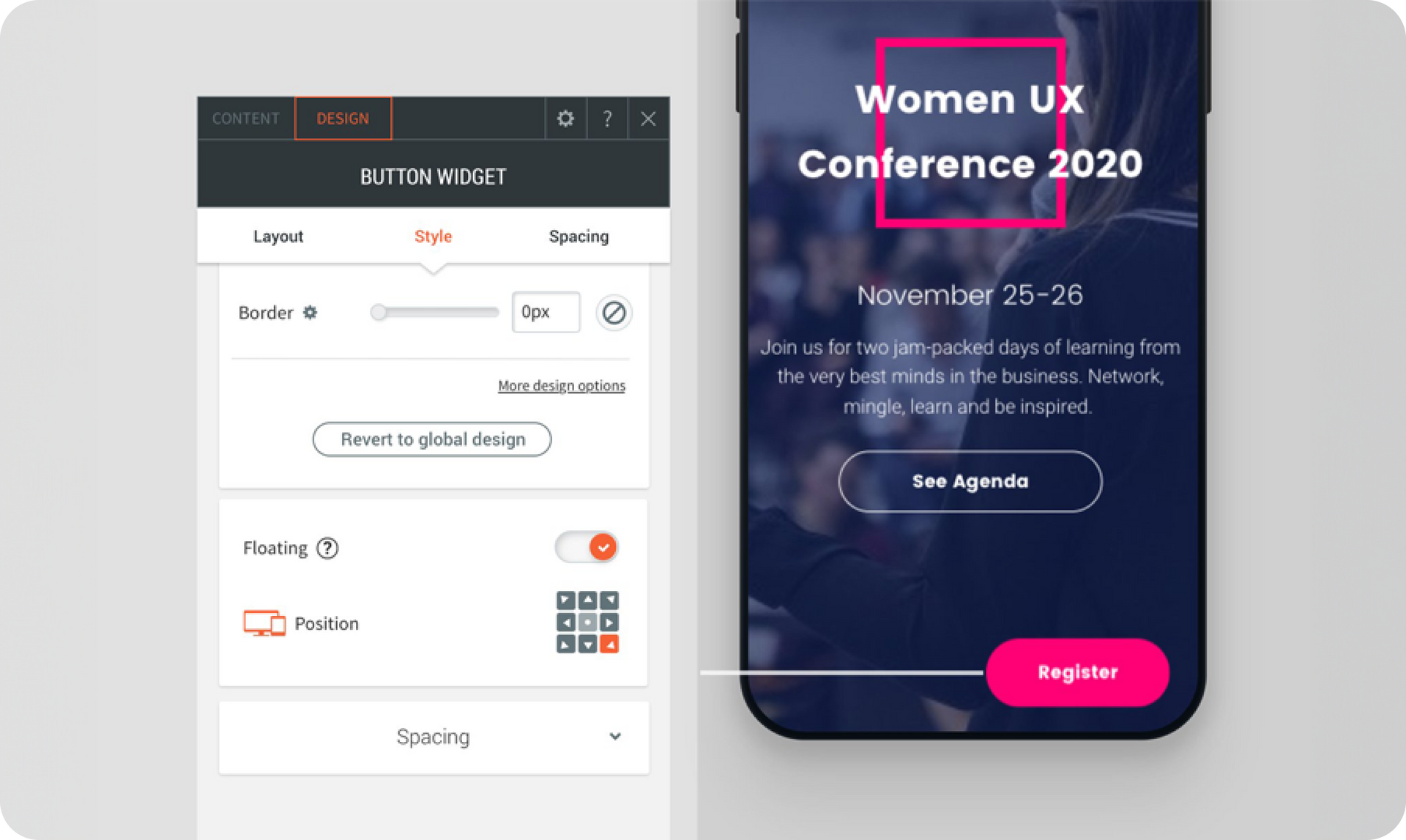
Keep the most important element on your site front and center with new Floating buttons. This new option, available currently in the Button widget, enables you to ensure that the call-to-action is visible at all times, even when visitors scroll down a page.Buttons that encourage visitors to Contate-nos , Get a Quote, Register Now or any other action you want your site visitors to take can be fixed, visible and clickable on all site pages, regardless of where users scroll.This way, you’ll keep site visitors focused on what matters most to your customers thereby increasing conversions from the website.

A few Floating Button Recommendations


  • The floating button will appear on every page of the site.
  • Its size and position can be customized per device.
  • When setting the button for mobile, we suggest placing it a bottom corner of the screen, so visitors can click easily with one hand.
  • If you’d like to display an icon rather than text, choose the appropriate layout.


We’re working on making more floating widgets, and will let you know as soon as they’re ready.

September 24, 2019
Roni Landau

 • 

Floating Buttons - Increase Conversions with Buttons that Stick

Stay in the Loop with Duda Updates

Sign up to get feature releases, tools, and more to your inbox.

Últimas atualizações de produtos

Three colorful product cards with beverage bottles and the cursor hovering over the middle one.
By Yanir Moskovitz February 11, 2026
Faster, cleaner design layouts that scale with your collection content.
Form with fields to fill out and
Por Annat Katz February 2, 2026
Multi-file upload in the Advanced Form, 2-trigger animations, meta tags import with Copilot and more.
Two cards with photos and text, interface showing
Por Liron Hilb Horev January 15, 2026
Break down a form into separate pages to drive more completions and offer a better experience overall.