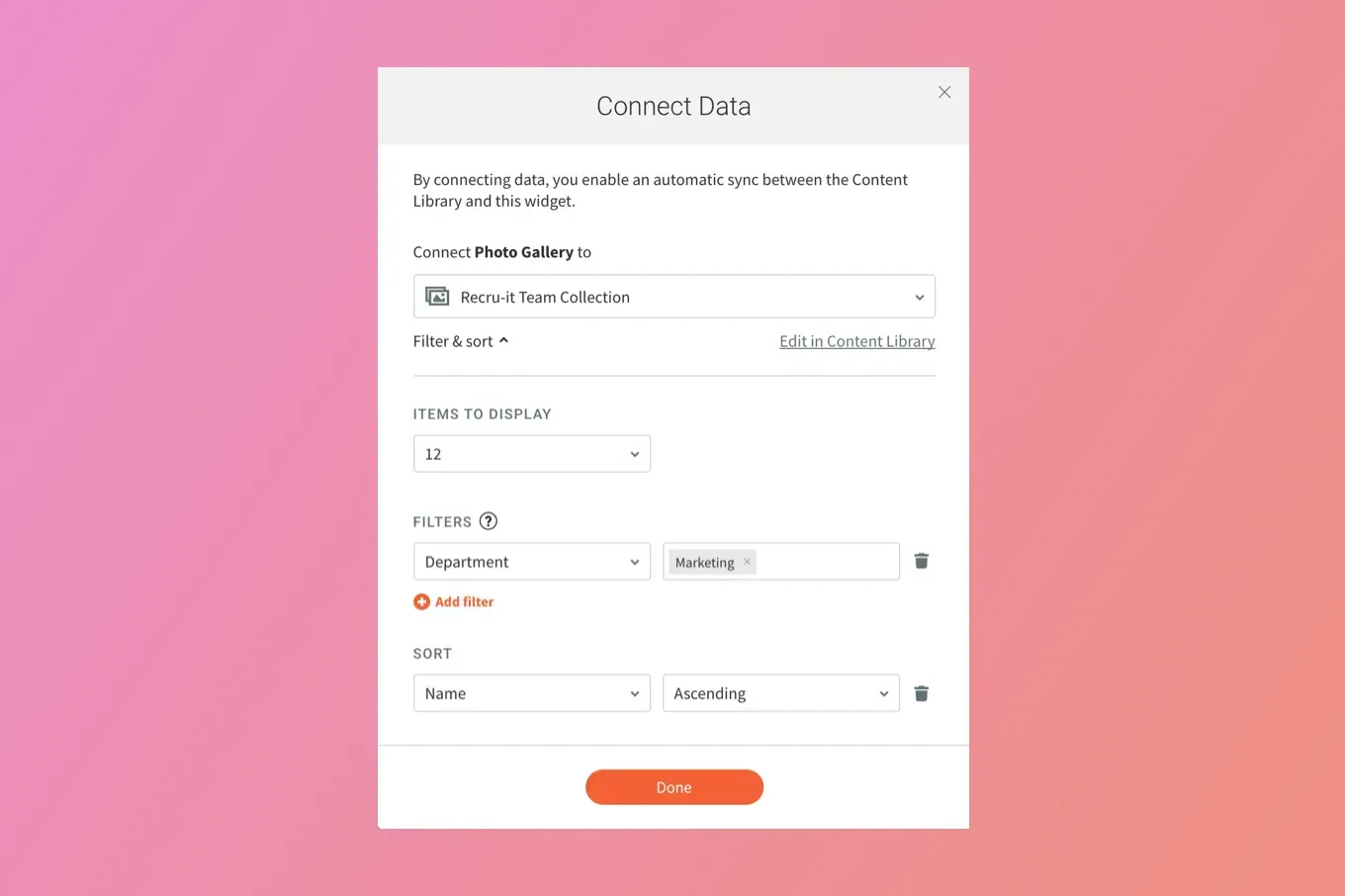
Save time when you build sites by filtering and sorting your content Collections. This capability enables you to fill your sites with the exact content that you want from your content Collections, controlling what is displayed in connected widgets.

A screenshot of a web page with a pink and orange background.

Control the information you display in Connected Collections


With filters and sorting, you control the information displayed in connected site widgets, saving you the time and effort of building separate collections for different areas of your site. Just use a single collection, define the content you want to display, and choose how many items you want to display.   


This new capability is available in every widget that connects to a collection, including Gallery widgets, List widgets, Accordion widgets, Slider widgets and Custom widgets, and is accessible via the Connect Data popup. 

A couple of use cases, to get you started


On a Team Page, show members of the marketing department 


  • Connect a List widget to a collection with Team Member data. 
  • Filter according to the Marketing department and display people in that department according to their names, in ABC order.


On a Real Estate site, show homes in specific cities or areas 


  • Connect a Photo gallery widget to a collection with real estate listing data. 
  • Filter according to state and cities. So, for example, in a widget on a certain page, if you only want to show homes in Trenton and Edison, New Jersey, you can filter first for New Jersey, and then filter for Trenton and Edison. 


These are just two examples of how you can use Content Collections to build great-looking sites quickly. For more on using Content Collections to build sites, see Duda's Dynamic Pages guides.

April 21, 2021
Inbar Amir

 • 

More Collection Control: Filters and Sorting

Stay in the Loop with Duda Updates

Sign up to get feature releases, tools, and more to your inbox.

Latest product updates

Blurred discount setup form with fields, dropdowns, and a blue action button on a white dialog.
By Rim Elfahem August 24, 2026
Updates to help your eComm clients increase sales, streamline store management, and deliver a better shopping experience.
Side-by-side ChatGPT and Gemini cards with blurred text on a soft pink background
By Naama Mizrahi August 20, 2026
Give your clients an edge in AI search with visibility insights and tailored optimization suggestions - all within Duda.
Dashboard UI with a dark line chart, $3,650 total, category dropdown, and filter sidebar
By Tal Levi August 17, 2026
More ways to build, customize, test, and get better results with Duda Vibe.