Nuevo párrafo

Nuevo párrafo

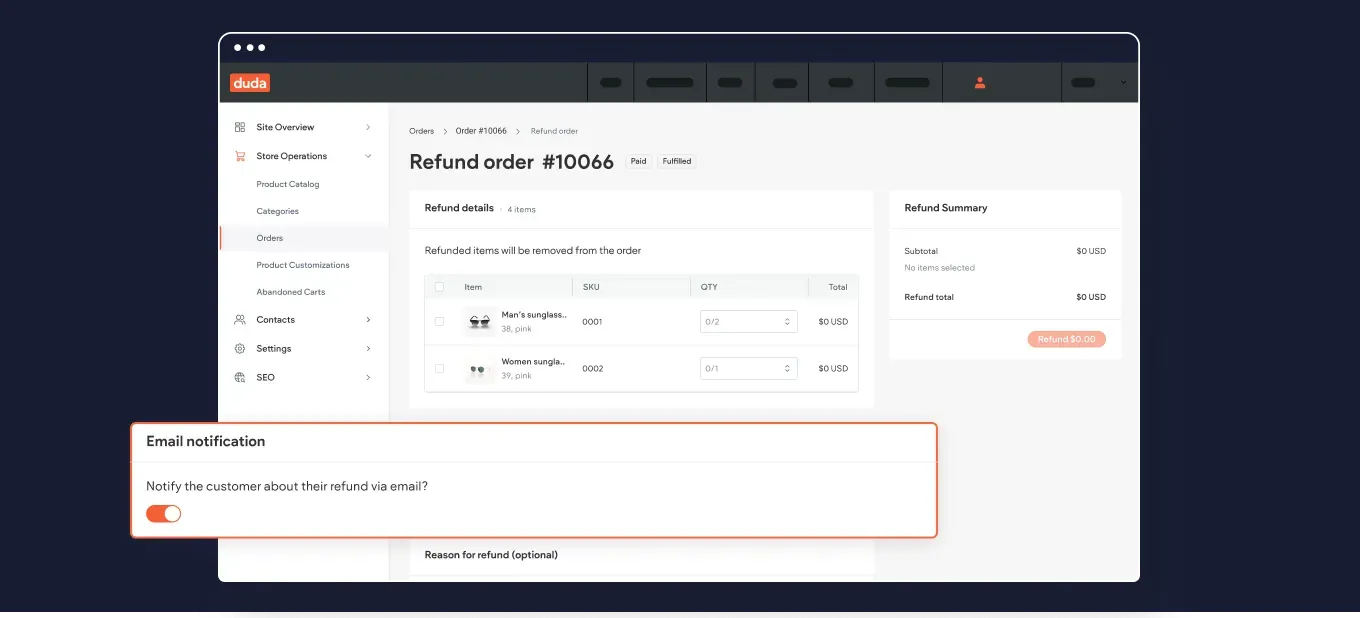
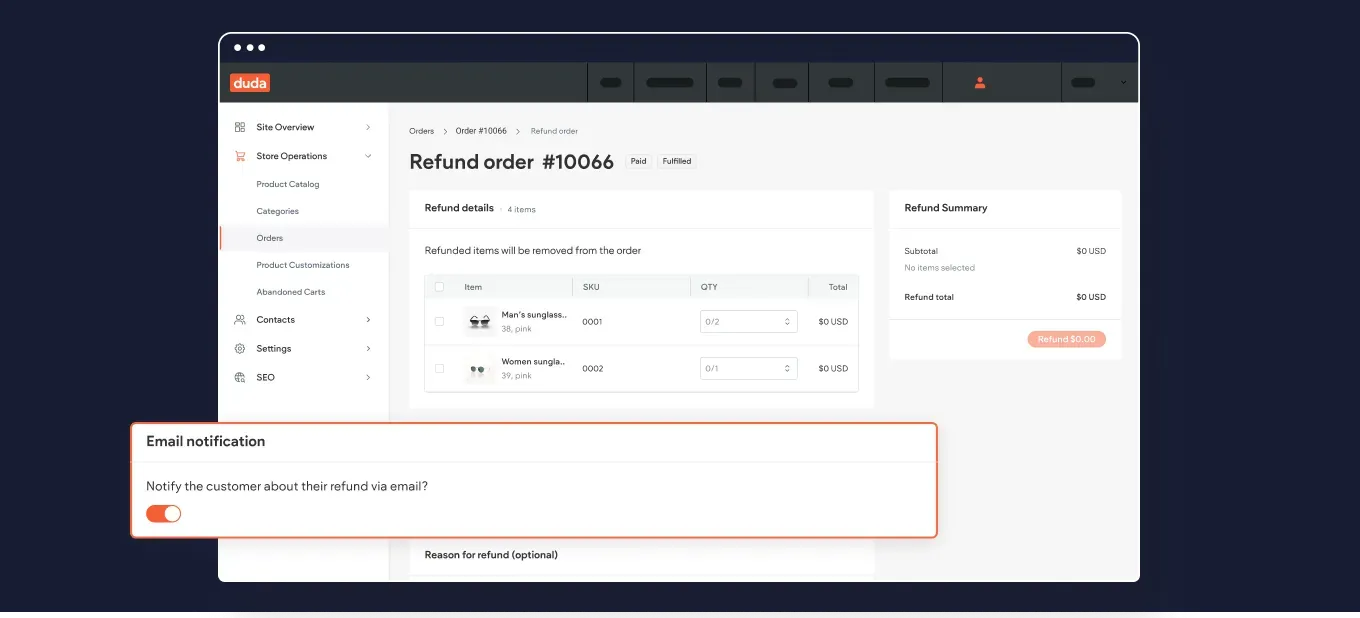
Notificar a los clientes de la tienda el reembolso de su pedido

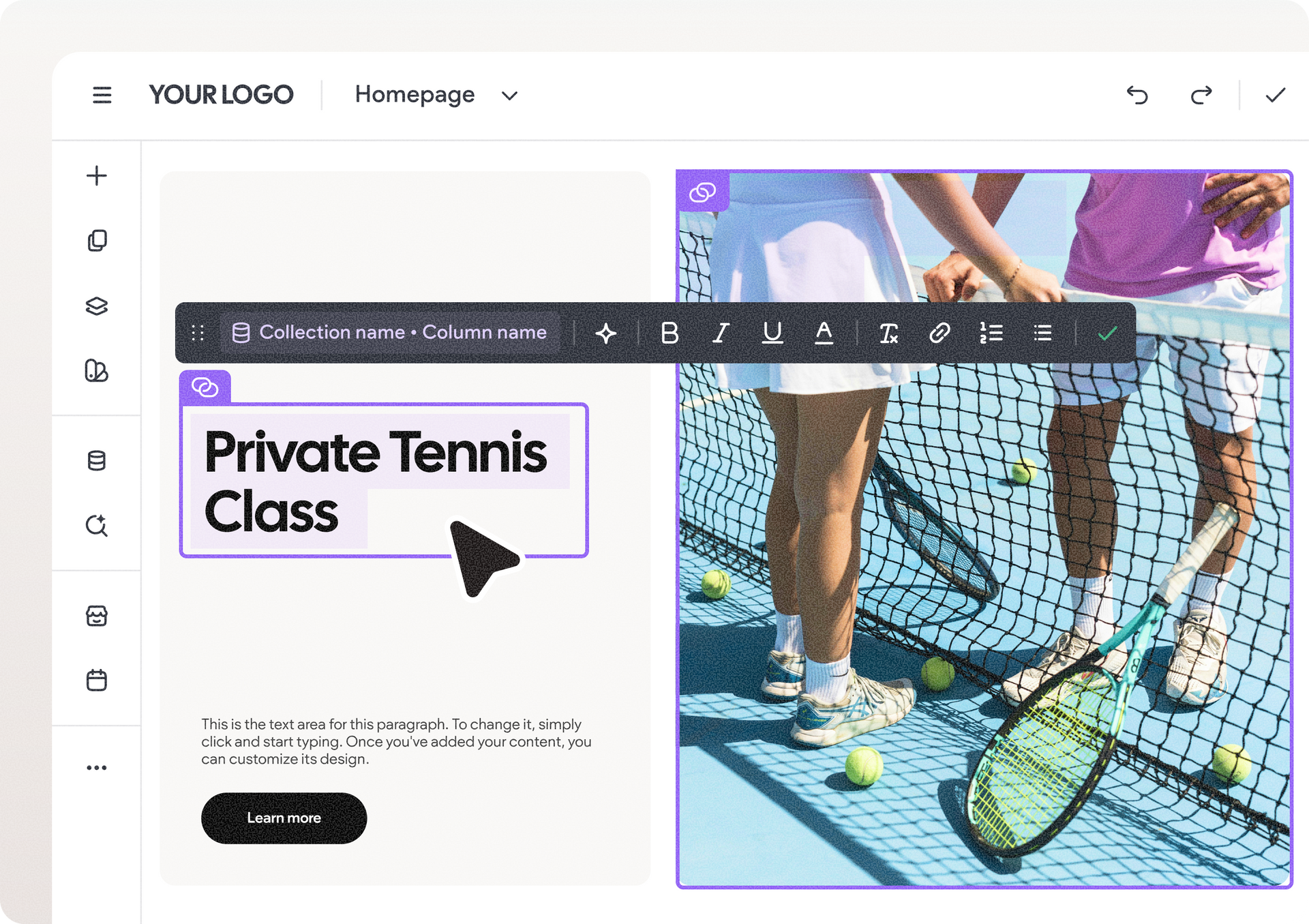
Edita texto más rápido con las acciones rápidas del asistente de contenido con IA

Hemos añadido nuevas sugerencias de edición rápida directamente en el cuadro de diálogo "Asistente de contenidos mediante IA", para que puedas acortar, alargar y mejorar el texto mejor y más rápido.


Por poner un ejemplo, si el texto sugerido es más largo de lo esperado, puedes pedir fácilmente al asistente que lo acorte aquí mismo con solo pulsar un botón, sin necesidad de volver a seleccionar el texto y abrir de nuevo el menú de texto del asistente.


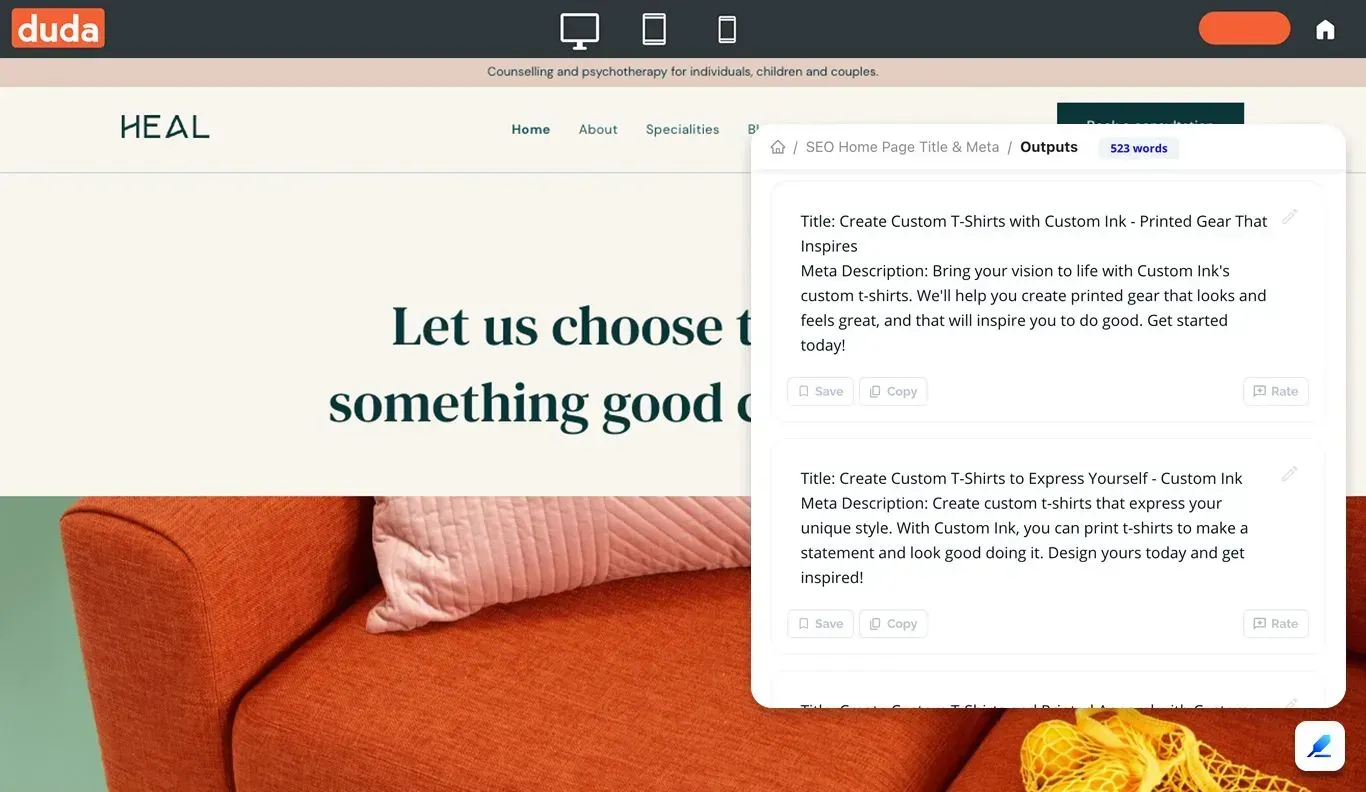
Una ventaja añadida: Estas acciones también están disponibles al generar metaetiquetas de posicionamiento en buscadores para campos individuales (solo título o descripción).

¡Nuevo! Cambia los espacios de trabajo para trabajar fácilmente en todas tus cuentas

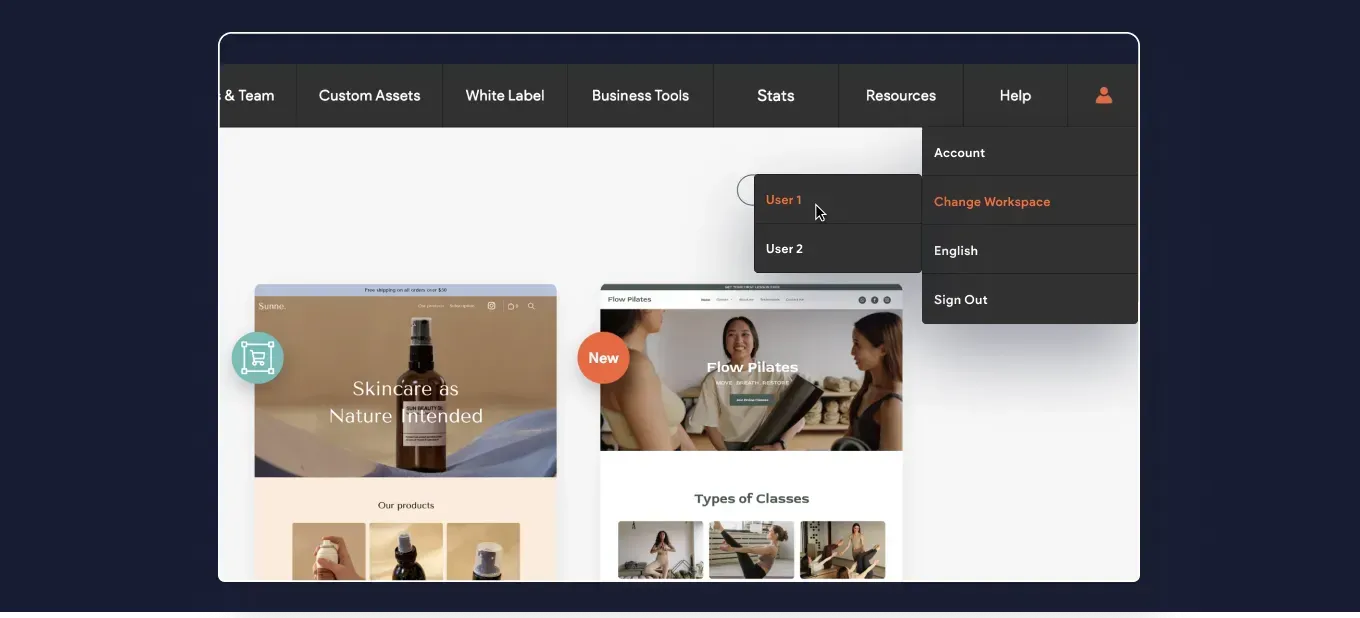
Hemos añadido la opción de iniciar sesión rápidamente en otros espacios de trabajo que puedas necesitar cuando trabajes en varias cuentas.


El menú de tu perfil de Duda incluye ahora la opción de Cambiar espacio de trabajo. Si optas por esta opción, se te mostrarán las cuentas disponibles, y si haces clic en cada una de ellas, accederás al inicio de sesión de la otra cuenta.

Más poder de personalización del código con tus páginas dinámicas

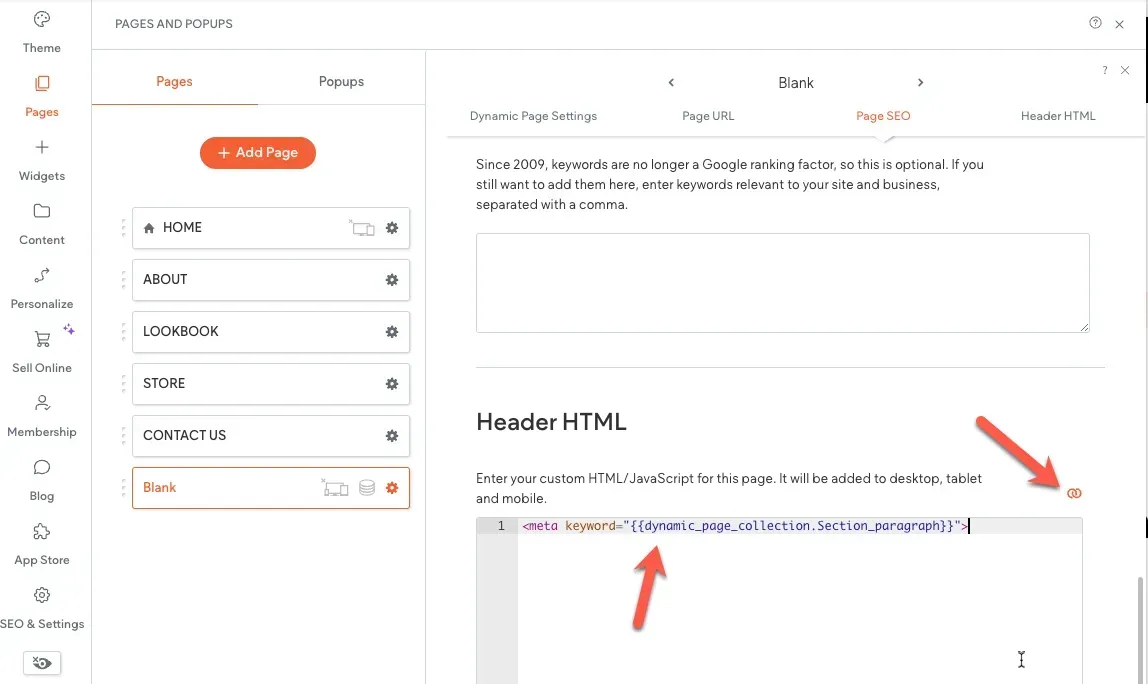
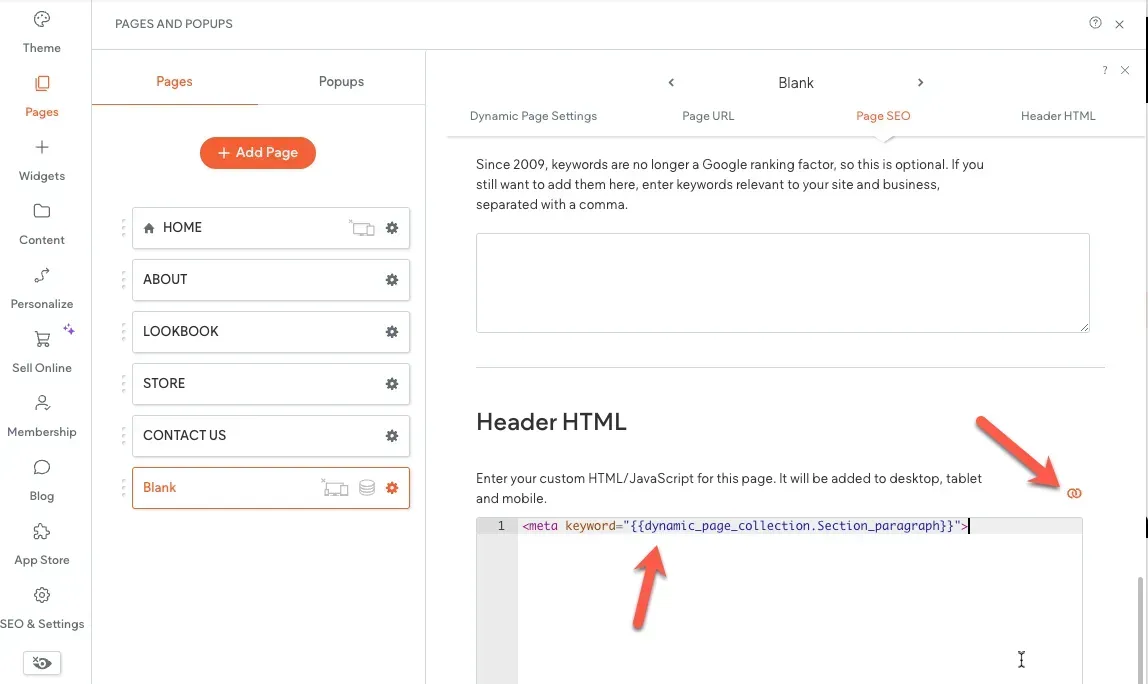
Hemos añadido la posibilidad de añadir vinculación en línea al HTML de cabecera de una página. Hasta ahora podías conectar el meta título y la metadescripción de una página dinámica a la colección interna del sitio, para mostrar dinámicamente los metadatos de cada elemento de la página.


¿Qué hay de nuevo? Ahora puedes añadir otros metadatos e insertar código personalizado en el HTML del encabezado de la página dinámica. Otra opción que ahora es posible es conectar los campos de la biblioteca de contenidos a la sección <head> de las páginas normales (no dinámicas) del sitio.

Esto es todo para el resumen de este mes. Esperamos que te resulte útil. ¿Tienes alguna idea o quieres solicitar alguna función? Pásate por nuestro Tablón de ideas y publícala.

Notificar a los clientes de la tienda el reembolso de su pedido

Edita texto más rápido con las acciones rápidas del asistente de contenido con IA

Hemos añadido nuevas sugerencias de edición rápida directamente en el cuadro de diálogo "Asistente de contenidos mediante IA", para que puedas acortar, alargar y mejorar el texto mejor y más rápido.


Por poner un ejemplo, si el texto sugerido es más largo de lo esperado, puedes pedir fácilmente al asistente que lo acorte aquí mismo con solo pulsar un botón, sin necesidad de volver a seleccionar el texto y abrir de nuevo el menú de texto del asistente.


Una ventaja añadida: Estas acciones también están disponibles al generar metaetiquetas de posicionamiento en buscadores para campos individuales (solo título o descripción).


¡Nuevo! Cambia los espacios de trabajo para trabajar fácilmente en todas tus cuentas

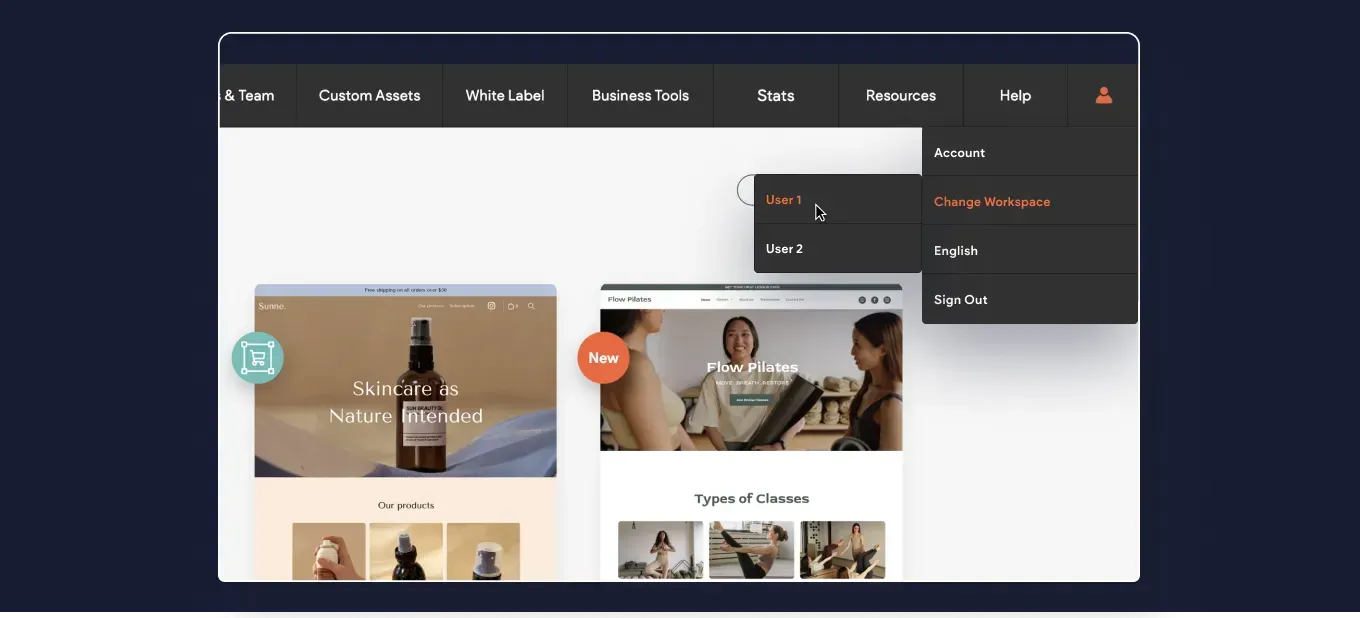
Hemos añadido la opción de iniciar sesión rápidamente en otros espacios de trabajo que puedas necesitar cuando trabajes en varias cuentas.


El menú de tu perfil de Duda incluye ahora la opción de Cambiar espacio de trabajo. Si optas por esta opción, se te mostrarán las cuentas disponibles, y si haces clic en cada una de ellas, accederás al inicio de sesión de la otra cuenta.


Más poder de personalización del código con tus páginas dinámicas

Hemos añadido la posibilidad de añadir vinculación en línea al HTML de cabecera de una página. Hasta ahora podías conectar el meta título y la metadescripción de una página dinámica a la colección interna del sitio, para mostrar dinámicamente los metadatos de cada elemento de la página.


¿Qué hay de nuevo? Ahora puedes añadir otros metadatos e insertar código personalizado en el HTML del encabezado de la página dinámica. Otra opción que ahora es posible es conectar los campos de la biblioteca de contenidos a la sección <head> de las páginas normales (no dinámicas) del sitio.


Esto es todo para el resumen de este mes. Esperamos que te resulte útil. ¿Tienes alguna idea o quieres solicitar alguna función? Pásate por nuestro Tablón de ideas y publícala.

Nuevo título

Nuevo título

Nuevo título

Nuevo título

Nuevo título

Nuevo párrafo


SEO Opportunities prioritizes recommendations based on potential traffic, using your unique ranking position and click-through rates. After integrating with Google Search Console, the app will provide you with a prioritized list of opportunities like title optimizations and internal link suggestions.


Why we love this app?


SEO Opportunities has a lot of features that make it worth checking out if you are interested in optimizing your site's SEO. For example, the app highlights boilerplate content that might have slipped through the review process. After moving through things like broken links or missing content, the app will also recommend title improvements and internal link suggestions. I n addition, the app's editor toolbar gives you at-a-glance SEO information about the page you are editing, without having to open another window.


SEO Opportunities will analyze 5 pages for free, and its paid plans start at $5/month.
4 easy steps to use the Dgtal Content app:

Creating content with artificial intelligence is super simple. Here’s how:


Step 1 - Install the app


Go to the Duda App Store and install the Dgtal Content app


Step 2 - Choose a template


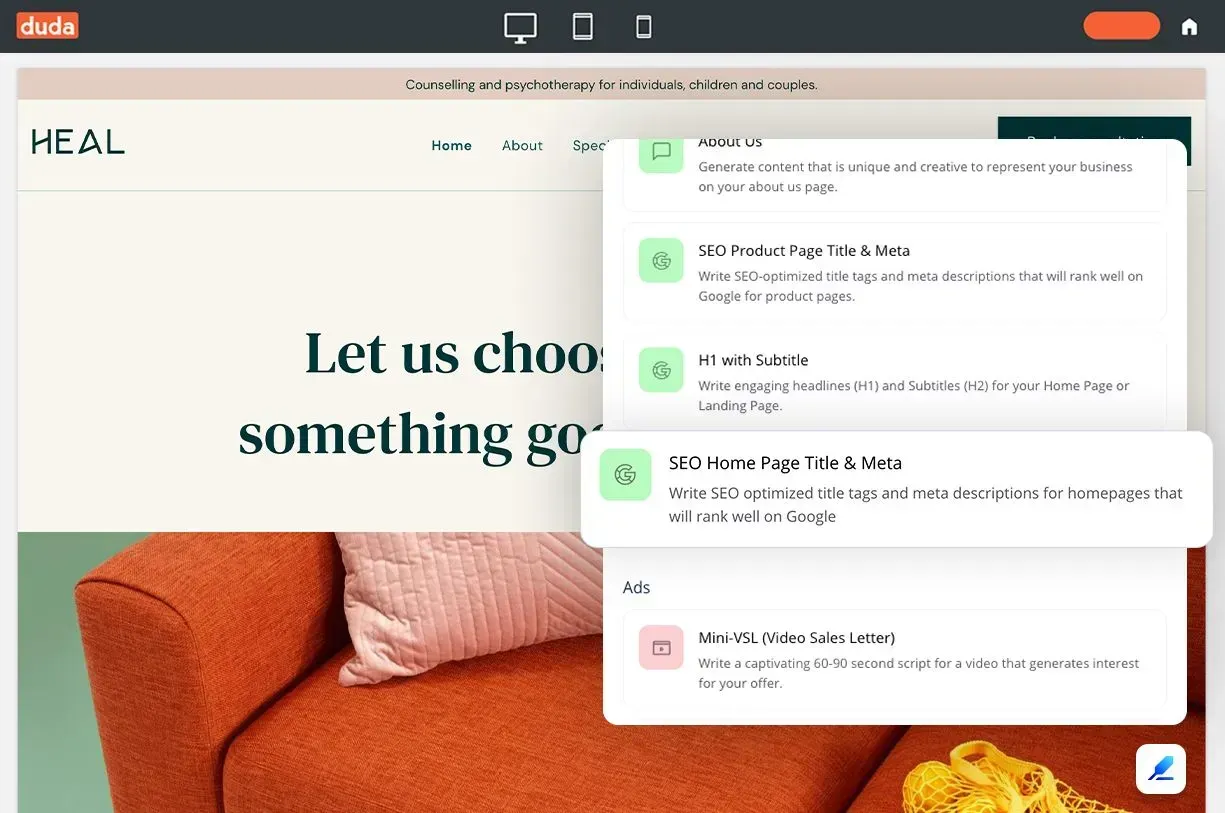
Choose from over 35+ templates for different content types based on what you or your client needs.


Step 4 - Generate the content

This is where you can just sit back and relax while the app produces high quality content in a matter of seconds.


What about images? Glad you asked


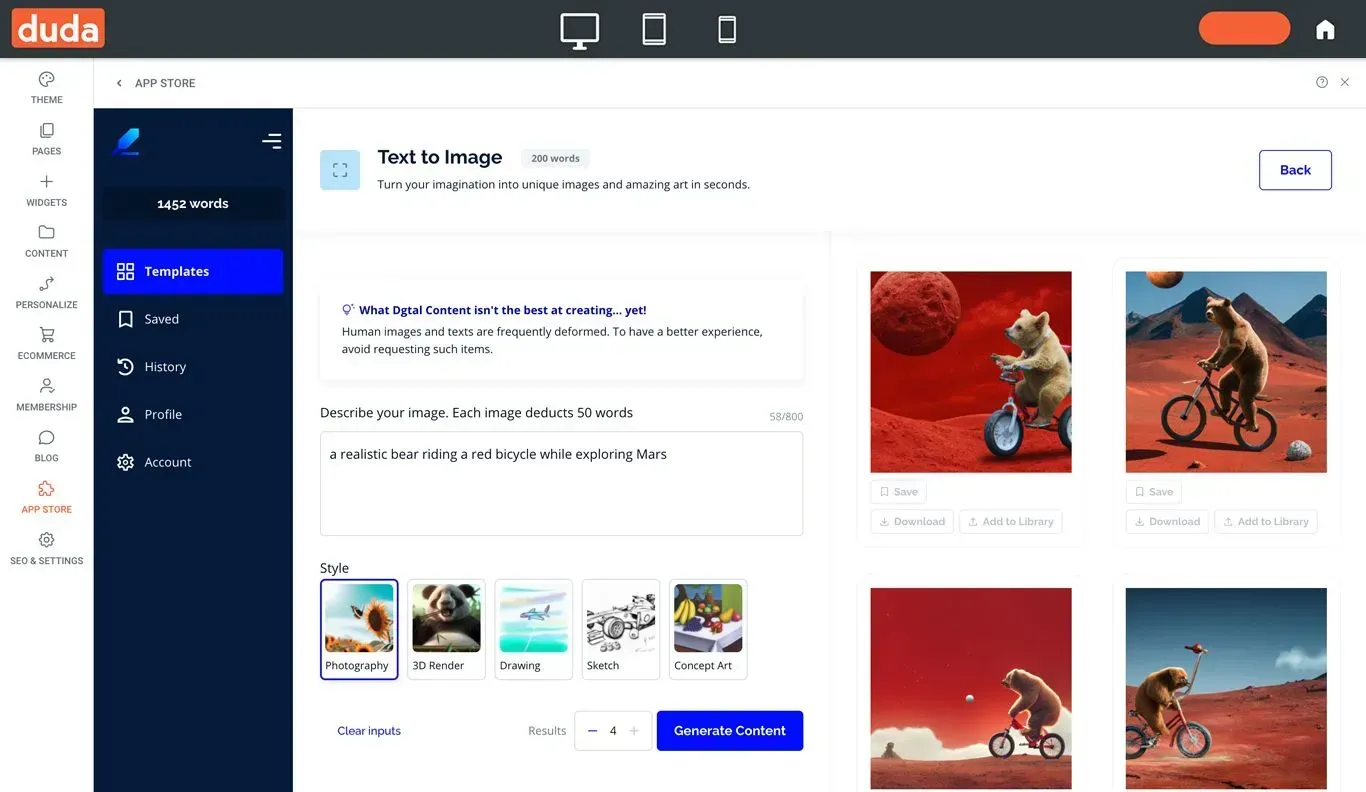
Turn your ideas into images in a snap. The Dgtal Content app can translate visually almost anything, from a simple "hearty breakfast of fruit, bread, eggs and coffee," to "a realistic bear riding a red bicycle while exploring Mars." The possibilities are virtually endless.

These features, combined with Dgtal Content's seamless integration with the Duda editor, make Dgtal Content the ultimate app for agencies looking to streamline their website content creation process.


Dgtal Content is working on additional improvements in the pipeline, so stay tuned for additional capabilities in the near future. 


App costs


The Dgtal Content app offers a free trial so you can take the app for a test drive before upgrading with a paid plan (starting from $9.99/month).

A quick note: Dgtal Content is just the first step of adding AI capabilities to the Duda editor. We're currently working to add AI as a built-in solution in the text editor, among many more places in the platform. Stay tuned.


Step 3 -  Provide some context (to receive a high quality output)

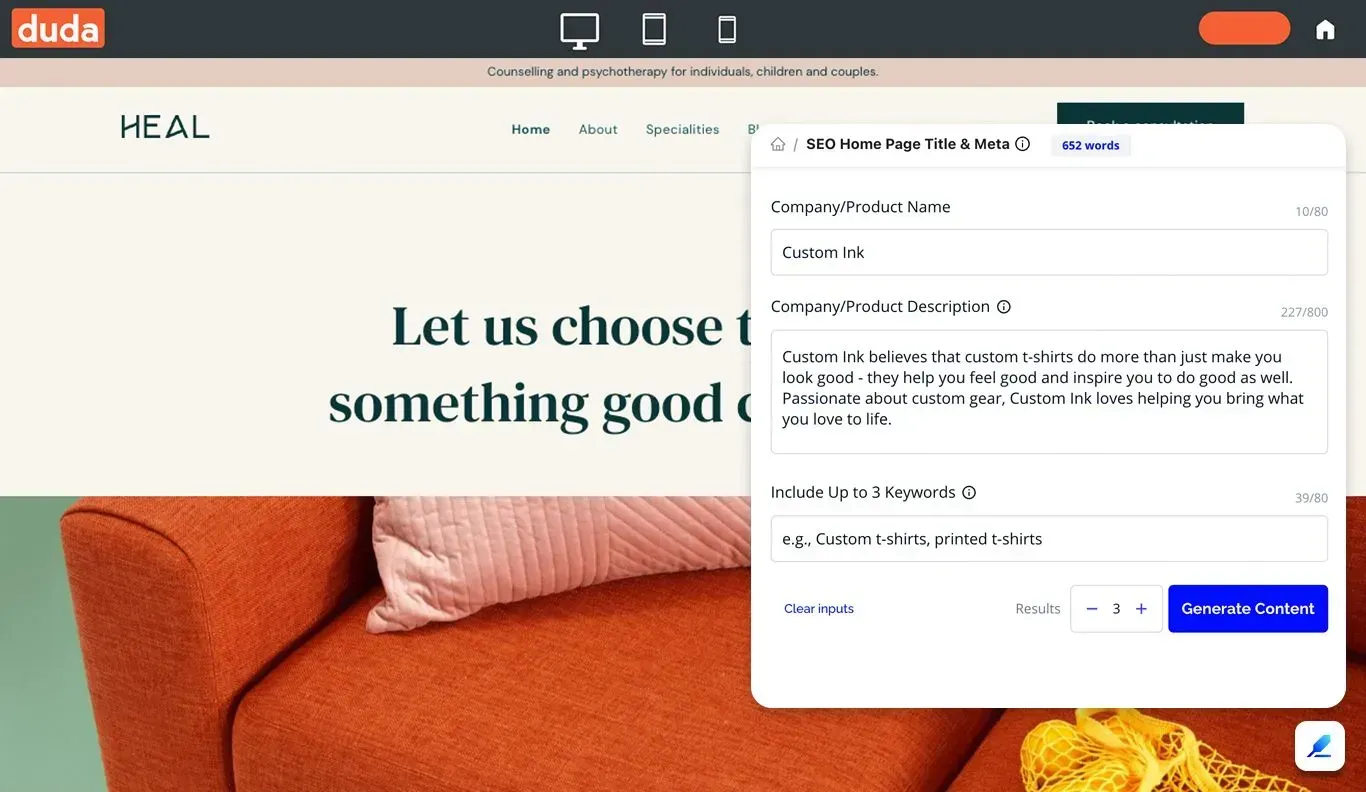
Give some details about the topic or subject you need content for, like a product, brand or subject you are writing about. The more specific you are, the better the outcome.

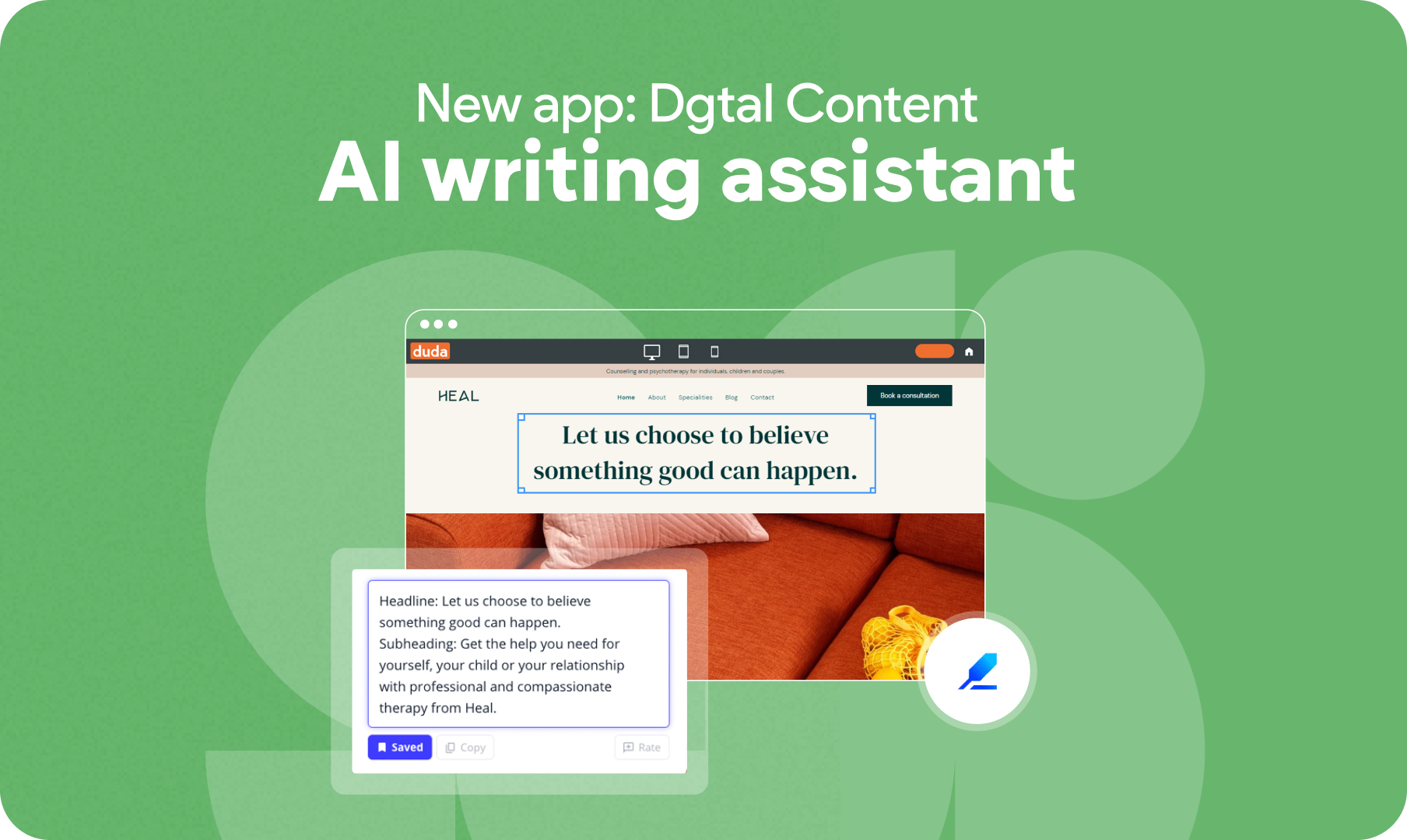
We’re happy to announce a new app within Duda’s site editor - Dgtal Content (formerly known as Infinity Copy). This app can give your agency a game-changing capability for creating AI-generated content at scale. In addition, you can use it to quickly produce high-quality images for your clients' websites, blogs, and online stores (Duda’s native eCommerce).


We all know that website content creation can be a tedious process that takes time, but it doesn’t have to be. Dgtal Content can help you save time and reduce costs, letting you focus on what matters most - your business.


Dgtal Content is great for a wide range of content types


With over 3 million pieces of content generated across different industries, tone of voice, and use cases, Dgtal Content is bound to have the right template for you to use - no matter the content type:


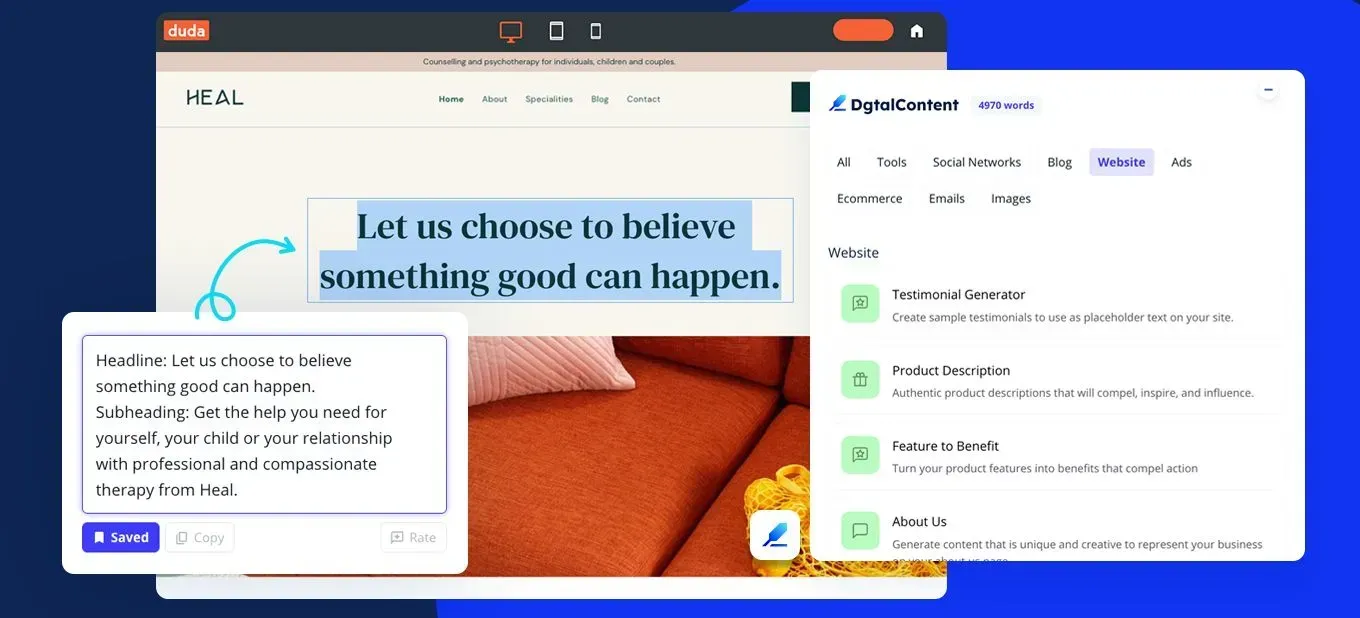
  • Website content: Quickly add website content using the Dgtal Content app inside Duda’s editor, giving you the power to craft persuasive content all in one place.
  • Full blog posts: Use the power of AI to produce full-length blog content readers will enjoy.
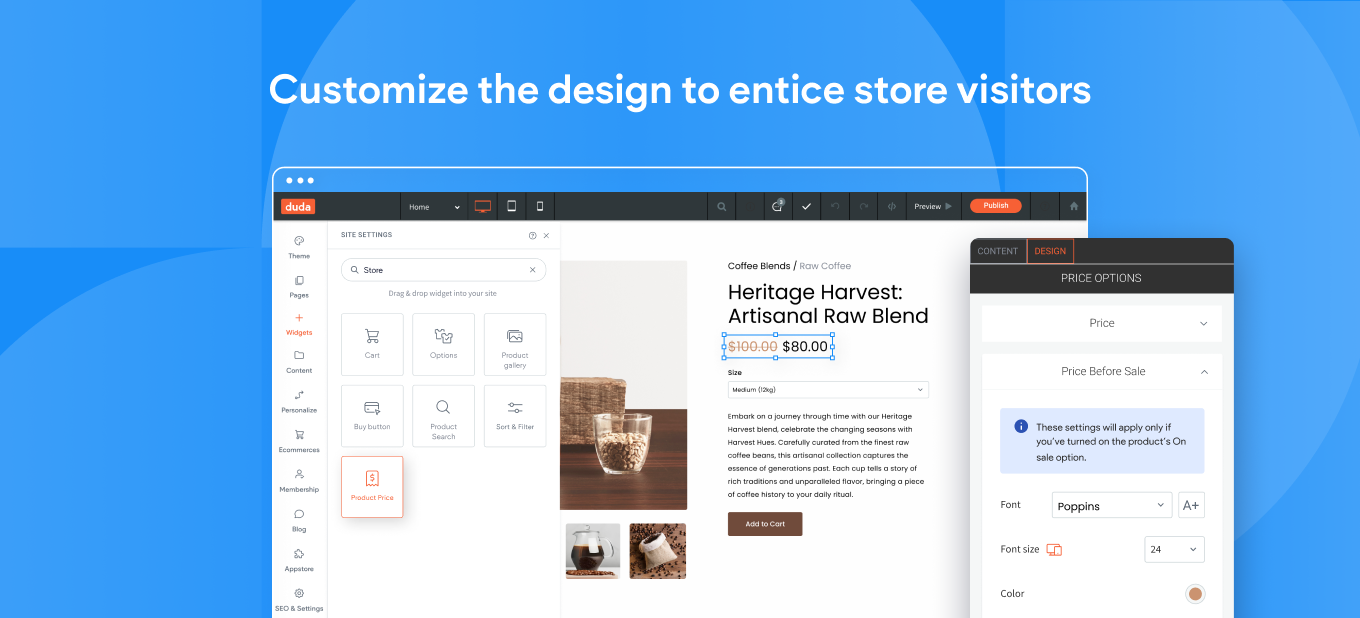
  • Product descriptions: Sell ​​more while saving time by creating creative content for your store’s product pages.
  • Social media posts: Create engaging texts for Instagram, Facebook, Linkedin and other social networks at lightning speed.
  • Digital ad copy: Generate compelling ad copies and optimize your campaigns in just a few clicks.
  • Persuasive sales copy: Power up your sales pitch to increase the number of relevant leads.


Creating high-quality content with Dgtal Content is easy


There are 2 simple ways to use the Dgtal Content app:


#1 In the Duda editor

This is a low-profile app on top of the editor that lets you create high-quality content quickly and easily as you build and design the site. Whether you're a new user or a seasoned professional, the Dgtal Content app provides a fast and efficient way to get the exact type of content your client needs.


(2) From the Duda App Store

The app experience provides you with the same content creation tools as the in-editor capability, but in a separate app experience. This one includes a wide range of additional features, like the ability to see your saved content and content history, managing your profile information, and accessing a variety of additional tools, among others. This is ideal if you want more control over your content creation and management.

March 22, 2023

 • 

New App: Generate Website Content with Dgtal Content

Stay in the Loop with Duda Updates

Sign up to get feature releases, tools, and more to your inbox.

Últimas actualizaciones de productos

Woman smiles, a form opens with
Por Annat Katz December 15, 2025
ChatGPT joins Duda's MCP, date picker and Zapier integrations added to Advanced Forms, plus more updates.
Copilot interface with text input
By Idan Sapir December 12, 2025
Discover a single, seamless experience where you can simply chat to get things done in your account and sites.
Coffee bag with customization options: grind, split, sample; and a
By Mor Zamir December 10, 2025
From pizza toppings to software add-ons, this update is a great new way to personalize products.