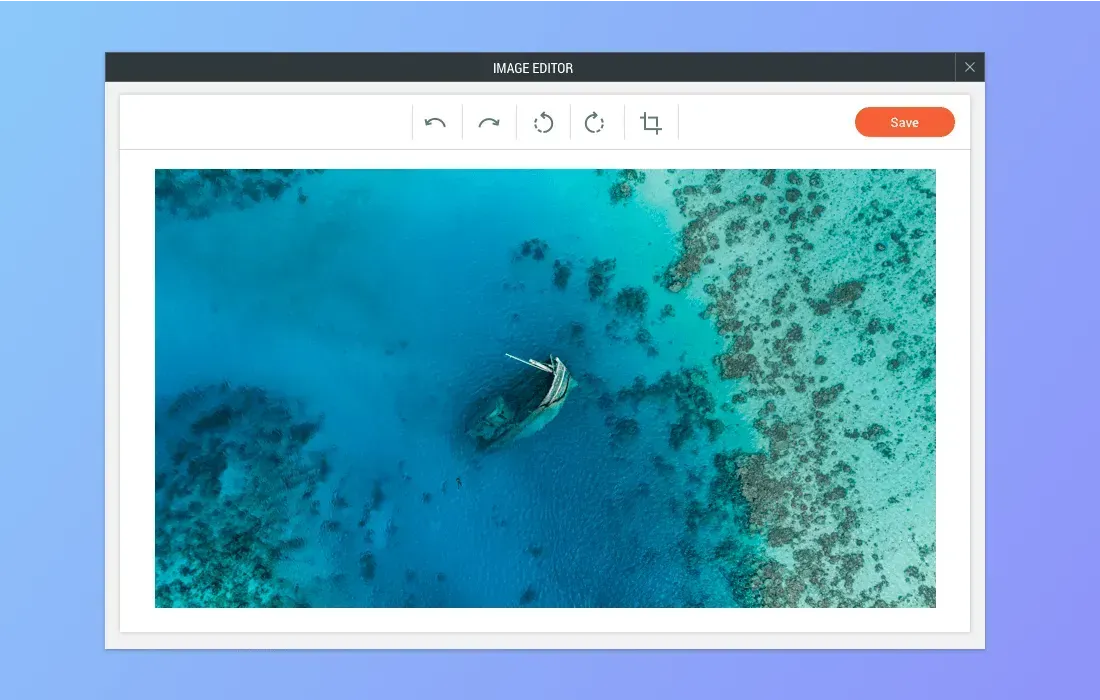
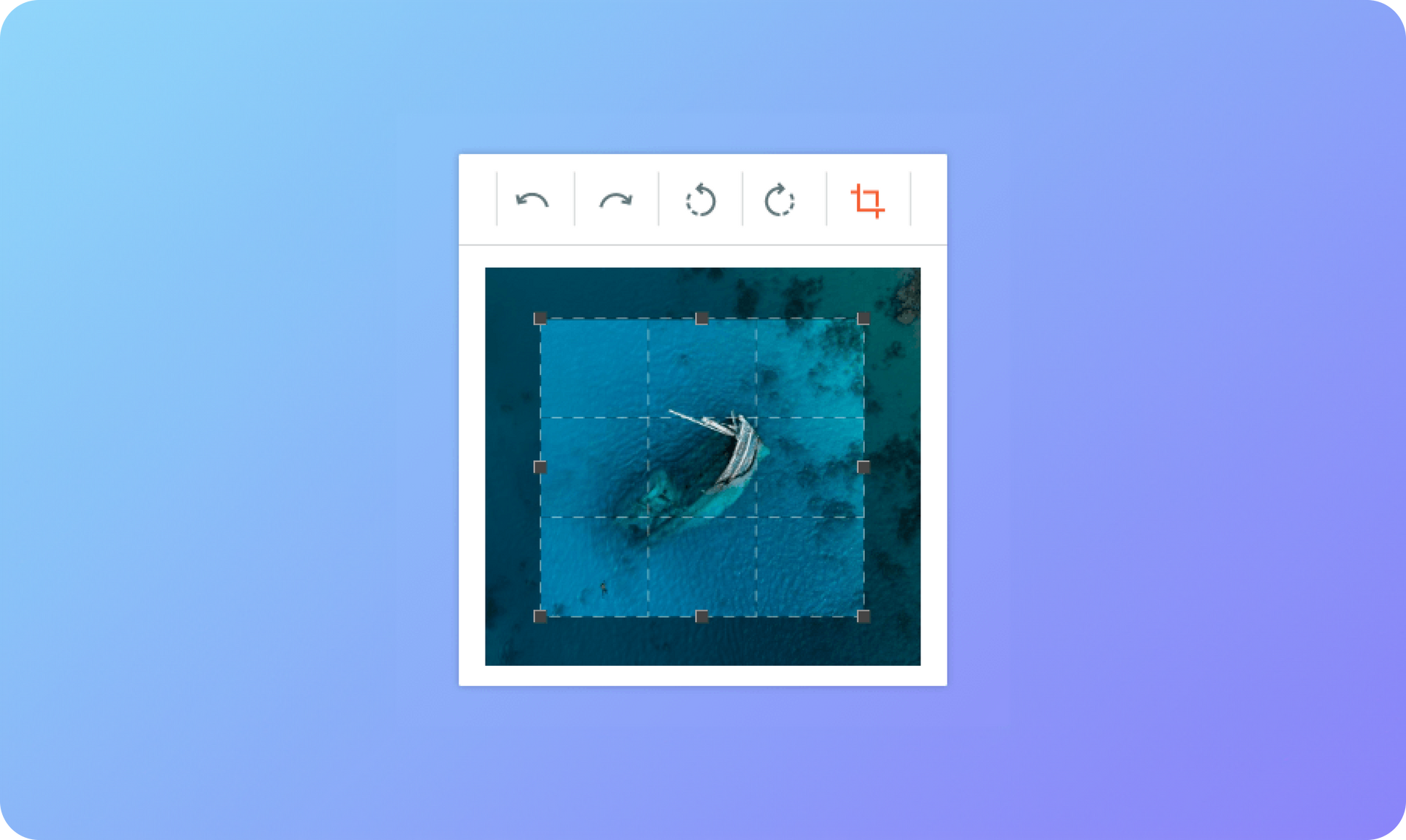
The Image Editor has been replaced with a new one that contains the most commonly used image editing tools. Adobe, which built the previous editor has discontinued support for that product, so we couldn’t guarantee its stability for the long run.


To ensure that you continue to have reliable image editing capabilities, we’ve built a new editor that enables you to crop and rotate images quickly and smoothly.

Image editing tools already in the website builder


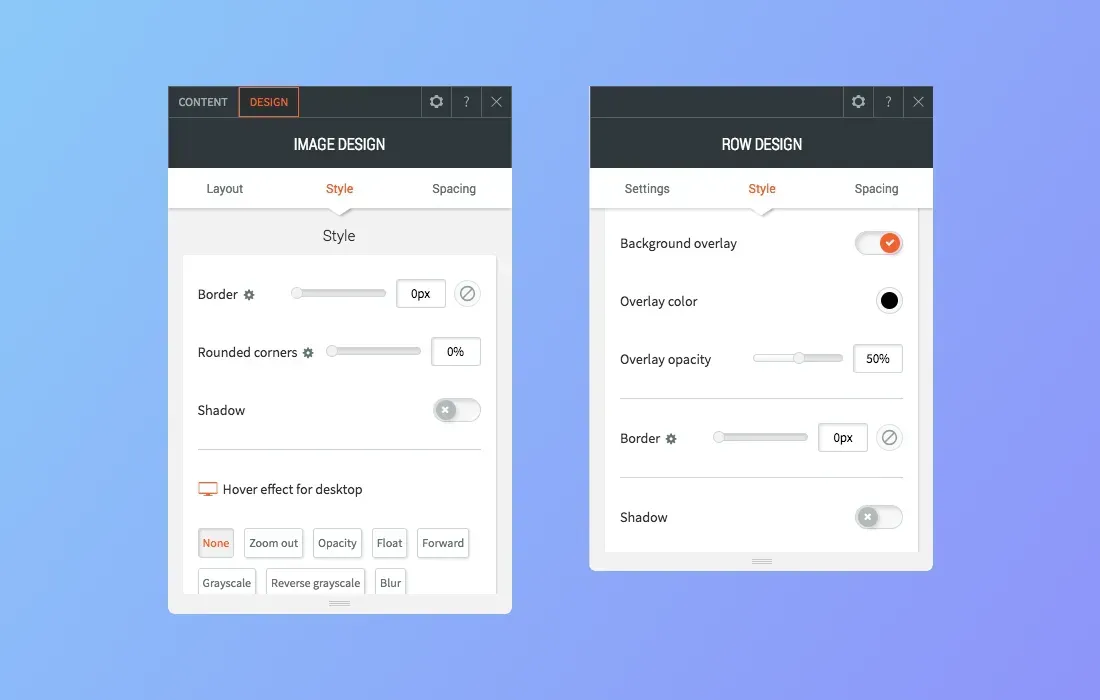
Many of the capabilities that were part of the old image editor are already part of many widget design editors, so you can simply edit the images after you upload them to your sites. These capabilities include:


  • Border: Choose border location, width and color
  • Shadow: Choose shadow color, location, and position
  • Overlay: Choose overlay color and opacity (on row/column background images)

Image editing tips


And since we’re already talking about site images, here are some tips to keep in mind:


  • 1 image = 1000 words: Image are a great way to grab visitors’ attention, evoke emotion, convey information effectively and more. So make sure you include plenty of high quality, relevant images in your websites.
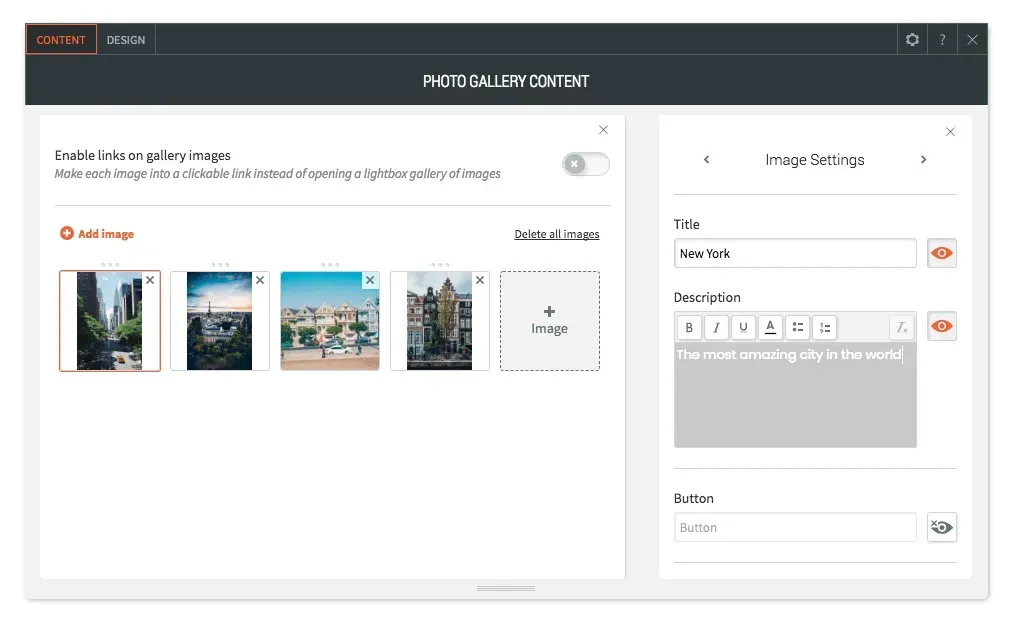
  • Displaying text on images: There are two ways of displaying text on images so that both the text and images render perfect on all devices.
  • Use the Image Slider or Photo Gallery widget and add text to the Title and Description fields.
  • Add text to a column or row and then add a background image.
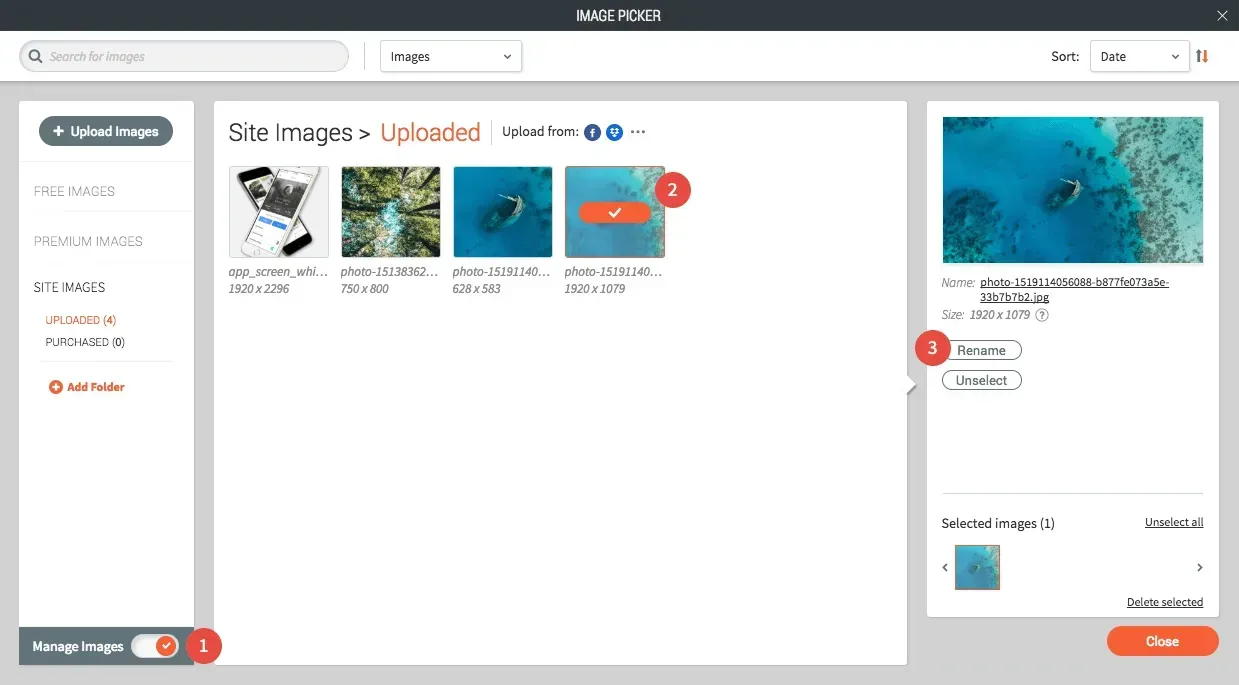
  • Rename images for better SEO & management: We highly recommend giving images meaningful names before uploading them to your sites. Meaningful names boost your site SEO and make it easier to manage images. To rename images, open the Image Picker in Full View, turn on Manage Images, select the image you want to rename and click Rename.
November 28, 2018
Roni Landau

 • 

New Image Editor - Smooth & Simple

Stay in the Loop with Duda Updates

Sign up to get feature releases, tools, and more to your inbox.

Últimas actualizaciones de productos

Two cards with photos and text, interface showing
Por Liron Hilb Horev January 15, 2026
Break down a form into separate pages to drive more completions and offer a better experience overall.
A purple rectangle with the text
Por Annat Katz January 1, 2026
The AI revolution changed everything. In 2025, Duda helped you stay on top of it with updates that transform how you build, manage, and compete.
Woman smiles, a form opens with
Por Annat Katz December 15, 2025
ChatGPT joins Duda's MCP, date picker and Zapier integrations added to Advanced Forms, plus more updates.