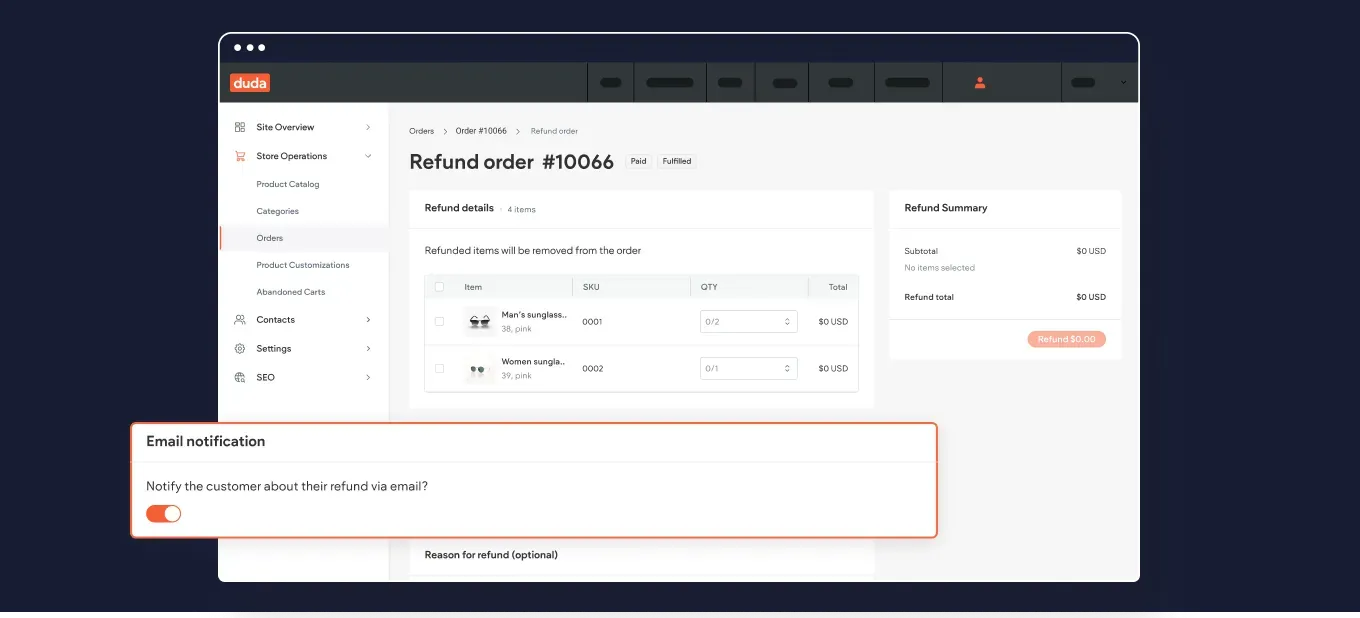
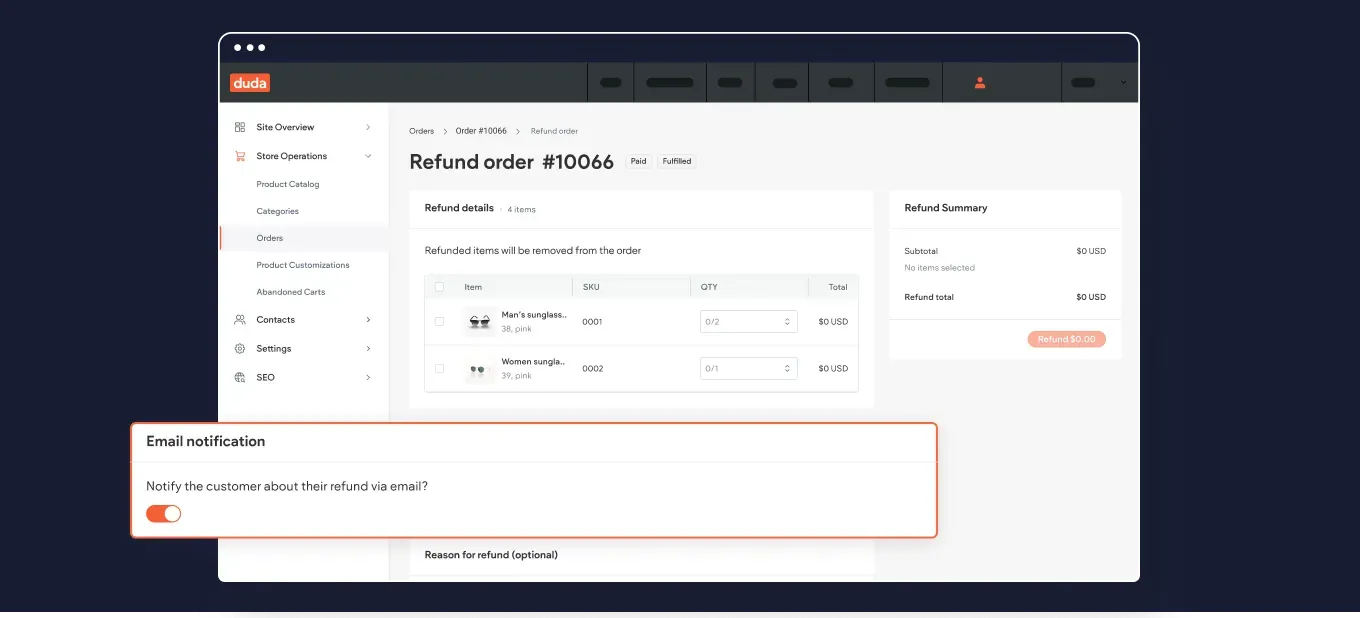
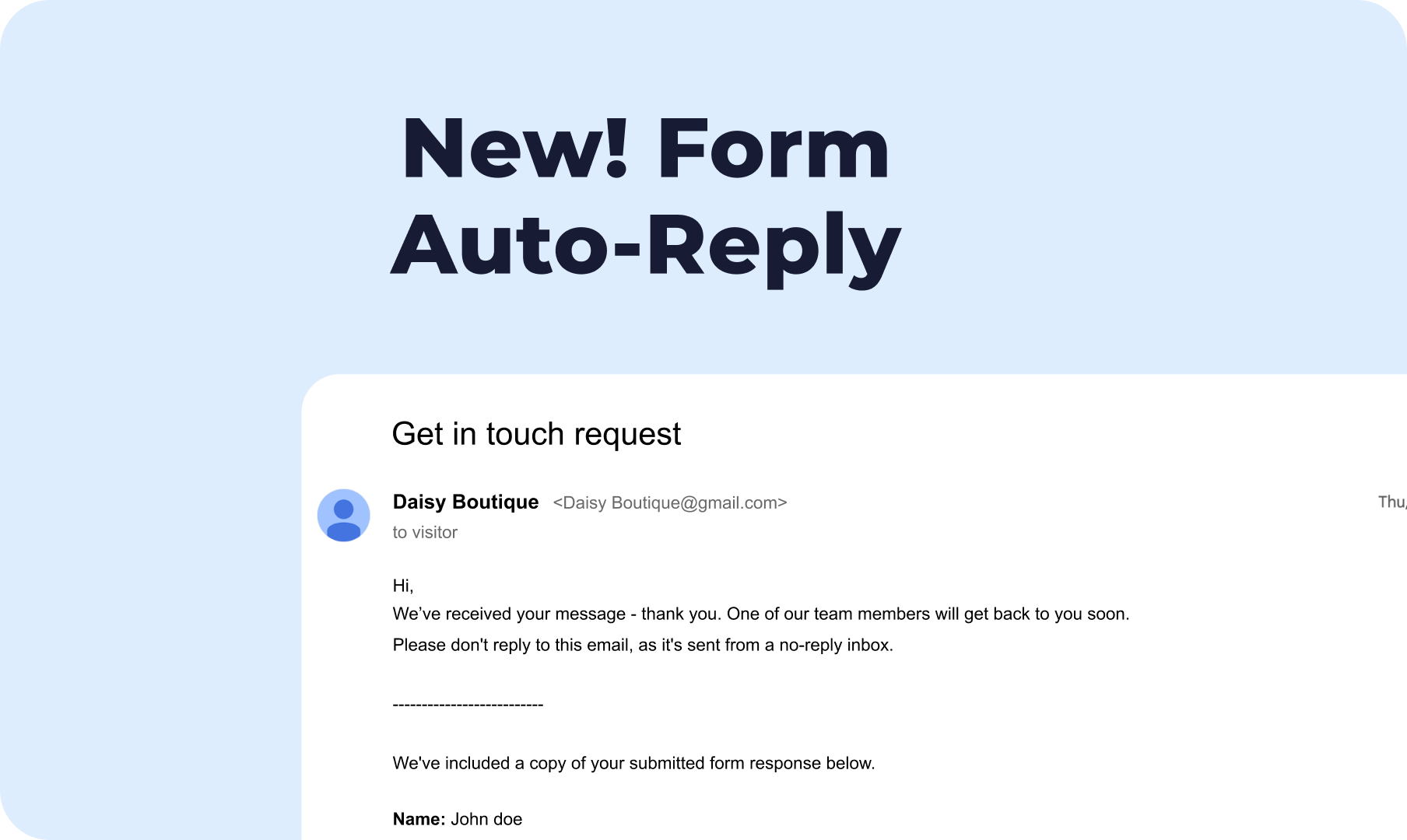
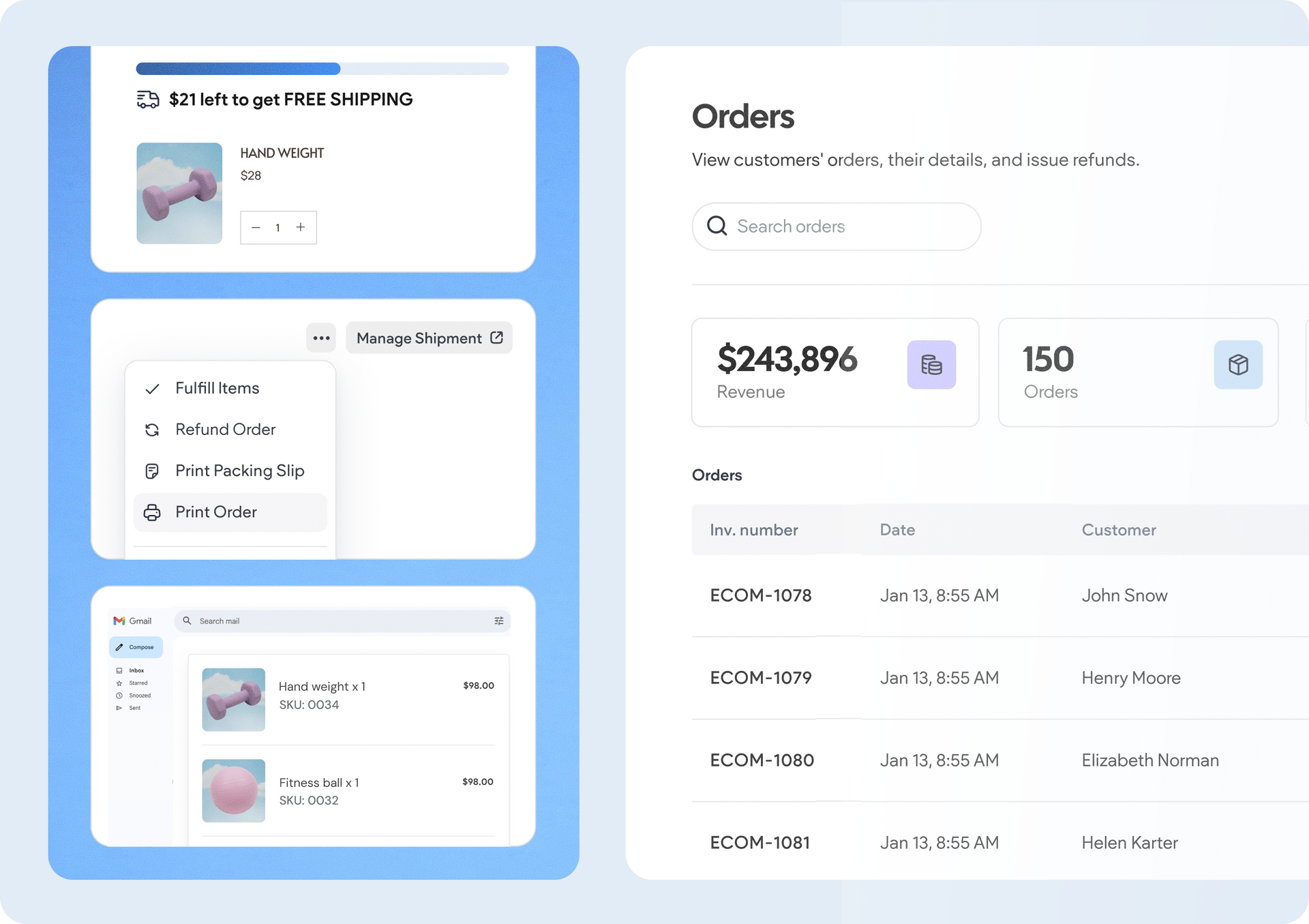
Notify store customers about their refunded order
Edit text faster with quick AI Content Assistant actions
We’ve added new quick edit suggestions right into the AI Content Assistant dialog box, to allow you to shorten, lengthen, and improve text better and faster.
To give an example, if your suggested text is longer than expected, you can easily ask the Assistant to cut it short right here at the click of a button, without needing to re-select the text and open Assistant's text menu all over again.
An added bonus: these actions are also available when generating SEO meta tags for individual fields (only title or description).
New! Change workspaces to easily work on all your accounts
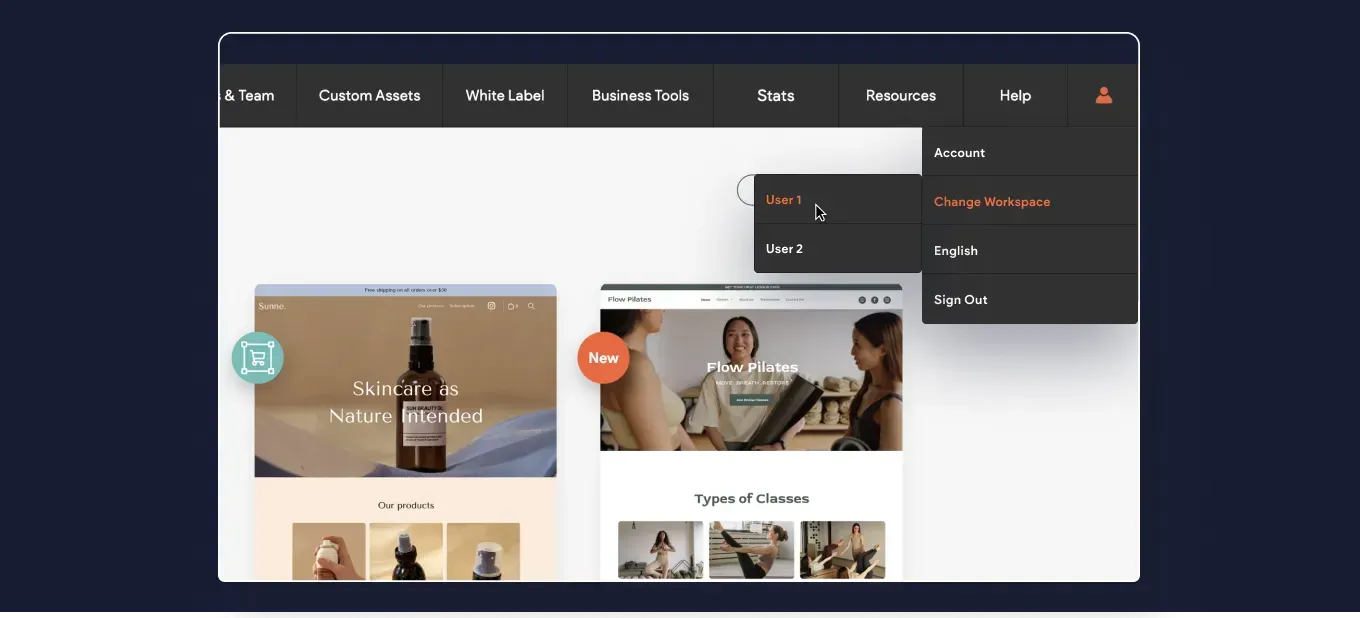
We’ve added the option to quickly log in to other workspaces you might need to when working on multiple accounts.
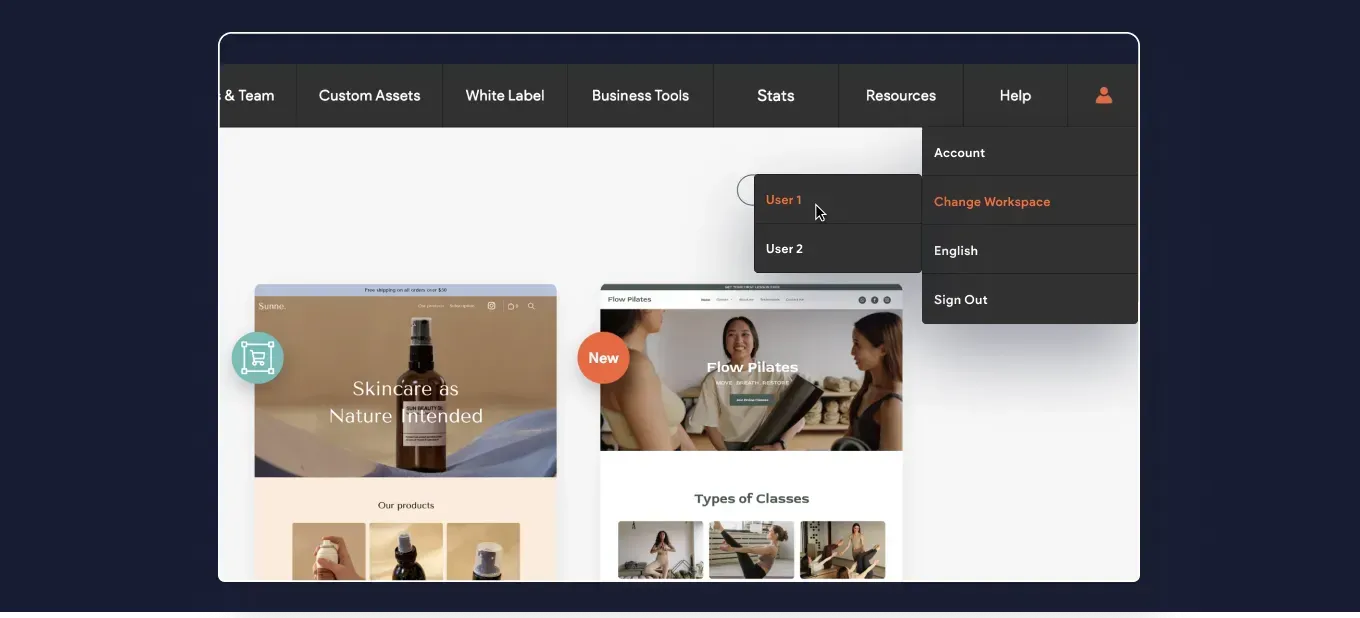
Your Duda profile menu now includes the option to Change Workspace. Opting for this option will show you the available accounts, and clicking each of these will put you through the login to the other account.
More code customization power with your Dynamic Pages
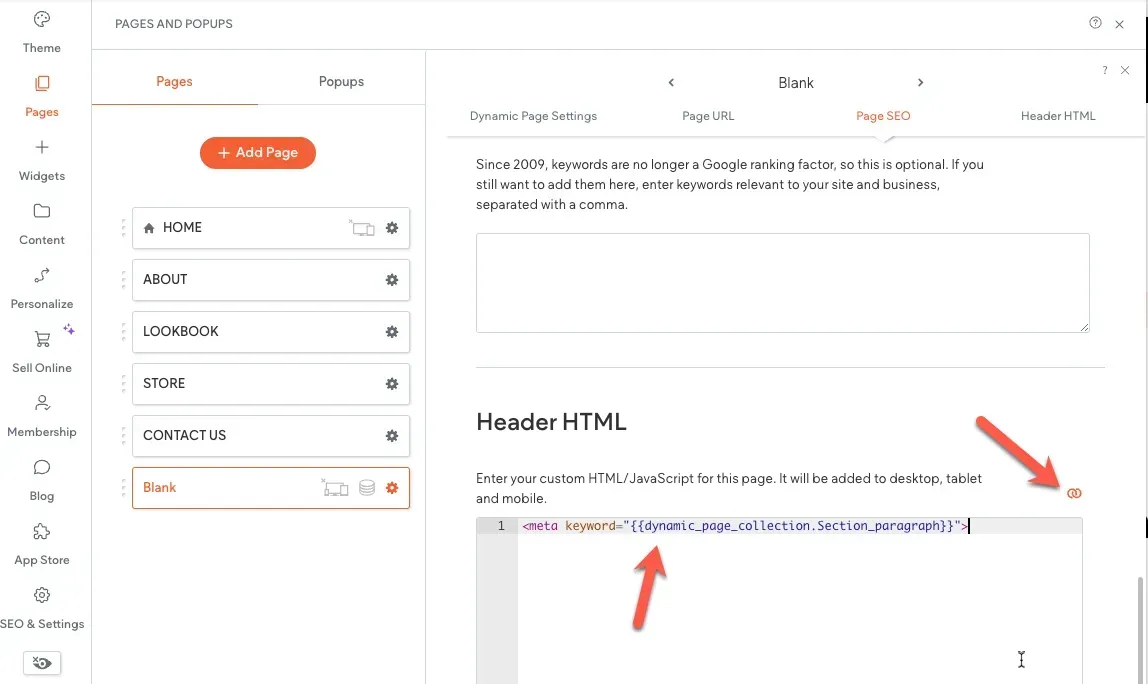
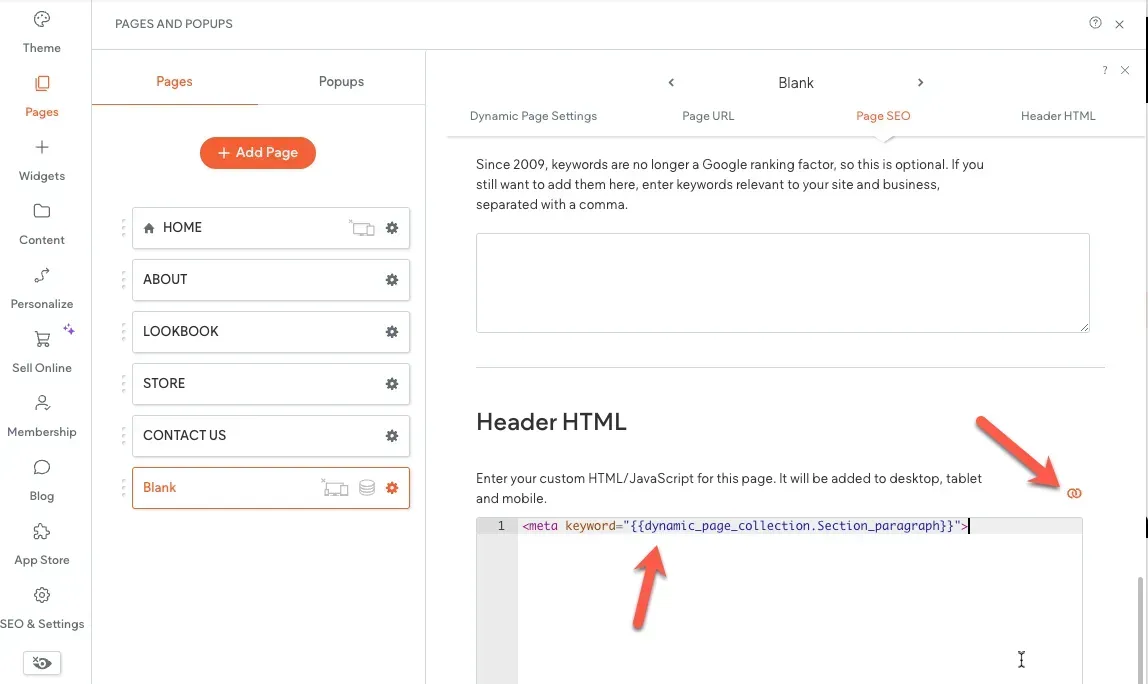
We've added the ability to add inline binding to a page's head HTML. Until now you could connect a Dynamic Page's meta title and meta description to the site’s internal collection, to dynamically show metadata for each page item.
So what’s new? You can now add other metadata, and insert custom code to the Dynamic Page's head HTML. Another option that’s now possible is to connect Content Library fields to the <head> section of regular (non-Dynamic) site pages.
That's it for this month's Wrap Up. We hope you find these useful. Got an idea or a feature request? Stop by our Idea Board and post it.
Notify store customers about their refunded order
Edit text faster with quick AI Content Assistant actions
We’ve added new quick edit suggestions right into the AI Content Assistant dialog box, to allow you to shorten, lengthen, and improve text better and faster.
To give an example, if your suggested text is longer than expected, you can easily ask the Assistant to cut it short right here at the click of a button, without needing to re-select the text and open Assistant's text menu all over again.
An added bonus: these actions are also available when generating SEO meta tags for individual fields (only title or description).
New! Change workspaces to easily work on all your accounts
We’ve added the option to quickly log in to other workspaces you might need to when working on multiple accounts.
Your Duda profile menu now includes the option to Change Workspace. Opting for this option will show you the available accounts, and clicking each of these will put you through the login to the other account.
More code customization power with your Dynamic Pages
We've added the ability to add inline binding to a page's head HTML. Until now you could connect a Dynamic Page's meta title and meta description to the site’s internal collection, to dynamically show metadata for each page item.
So what’s new? You can now add other metadata, and insert custom code to the Dynamic Page's head HTML. Another option that’s now possible is to connect Content Library fields to the <head> section of regular (non-Dynamic) site pages.
That's it for this month's Wrap Up. We hope you find these useful. Got an idea or a feature request? Stop by our Idea Board and post it.
New Title
New Title
New Title
New Title
New Title
"Oportunidades de posicionamiento web" prioriza las recomendaciones en función del tráfico potencial, utilizando tu posición única en la clasificación y los porcentajes de clics. Tras integrarse con Google Search Console, la aplicación te proporcionará una lista priorizada de oportunidades, como optimizaciones de títulos y sugerencias de enlaces internos.
¿Por qué nos gusta esta aplicación?
"Oportunidades de posicionamiento web" tiene un montón de características que hacen que merezca la pena echarle un vistazo si estás interesado en optimizar el posicionamiento web de tu sitio. Por ejemplo, la aplicación destaca el contenido repetitivo que podría haberse colado en el proceso de revisión. Después de revisar cosas como enlaces rotos o contenido que falta, la aplicación también recomendará mejoras en los títulos y sugerencias de enlaces internos. Además, la barra de herramientas del editor de la aplicación te ofrece de un vistazo información posicionamiento web sobre la página que estás editando, sin tener que abrir otra ventana.
"Oportunidades de posicionamiento web" analizará cinco páginas gratis, y sus planes de pago empiezan en $5/mes.