This post is part of our Monthly Wrap Up series - a collection of small product and feature improvements we’ve released in the past month. All updates mentioned below are available in Editor 2.0.


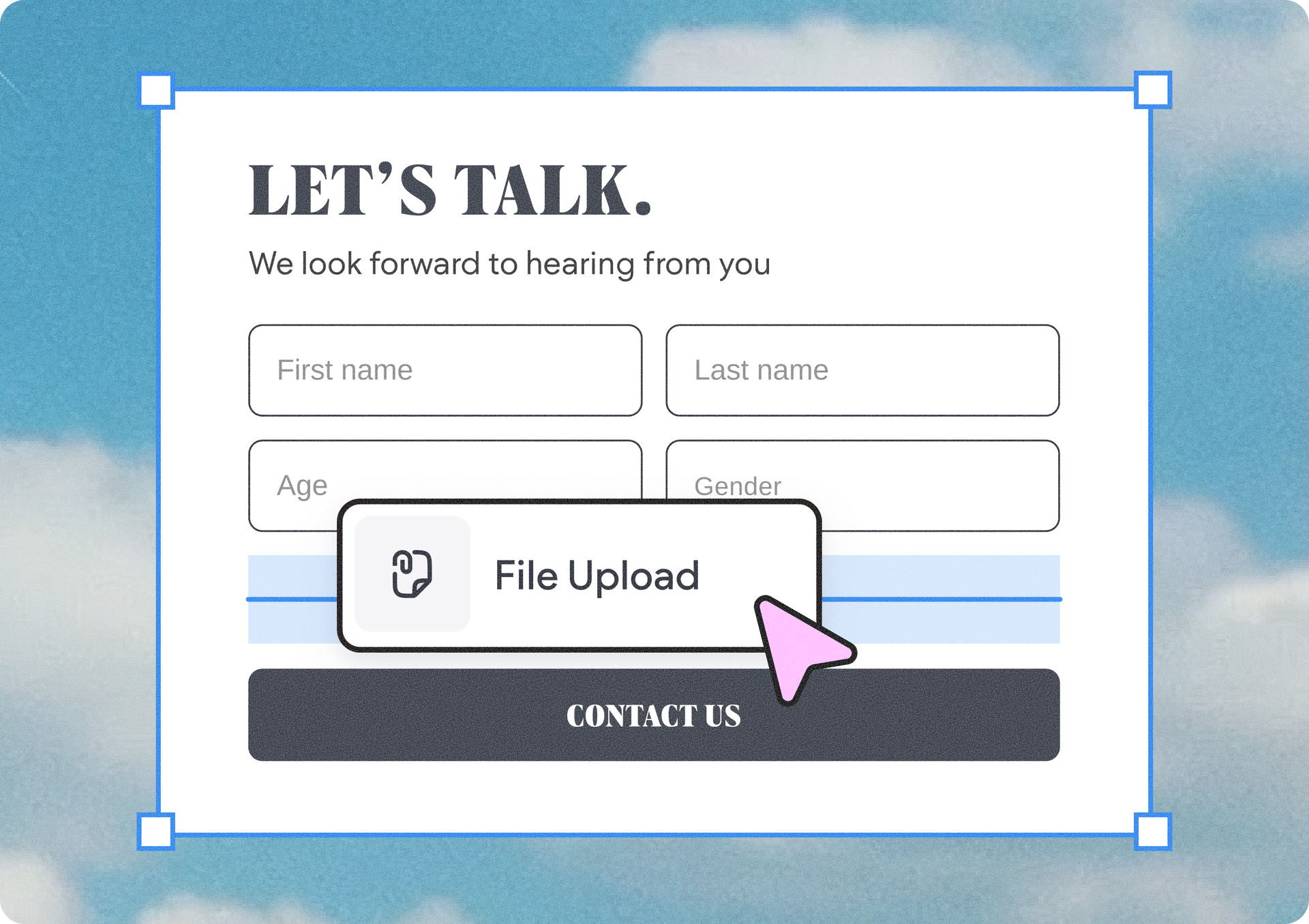
Advanced Form gets a new element: file uploader

You can now add a file upload field to your Advanced Form, allowing visitors to upload multiple files at once, including photos, CVs, PDFs, and other documents, so you can collect everything you need upfront, and streamline interactions with customers and prospects.

Instantly import meta tags with Copilot

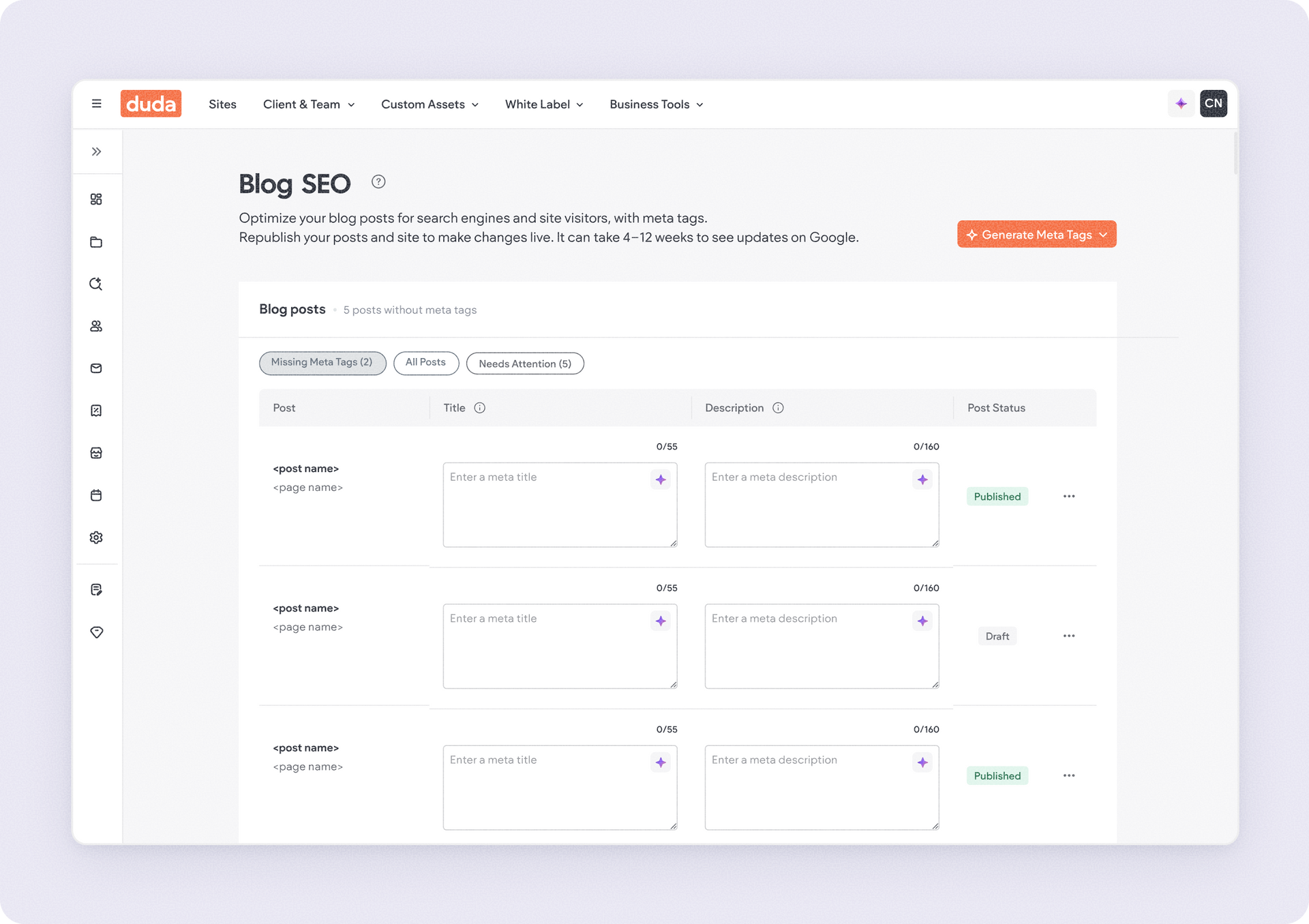
When you go to the SEO > Page SEO section in your site dashboard and hit the Import SEO Meta Tags menu option, it’ll automatically open the Copilot chat for you with the relevant prompt. Simply upload your spreadsheet file with your prepared meta tags per page and that’s it - Copilot will do the rest.

Set up 2-trigger animations to wow your site visitors

You can now apply two animations at once, one on hover and one on entrance or scroll, to create richer interactions without having to choose between discoverability and delight.

Streamline design with layout control over columns and inner columns

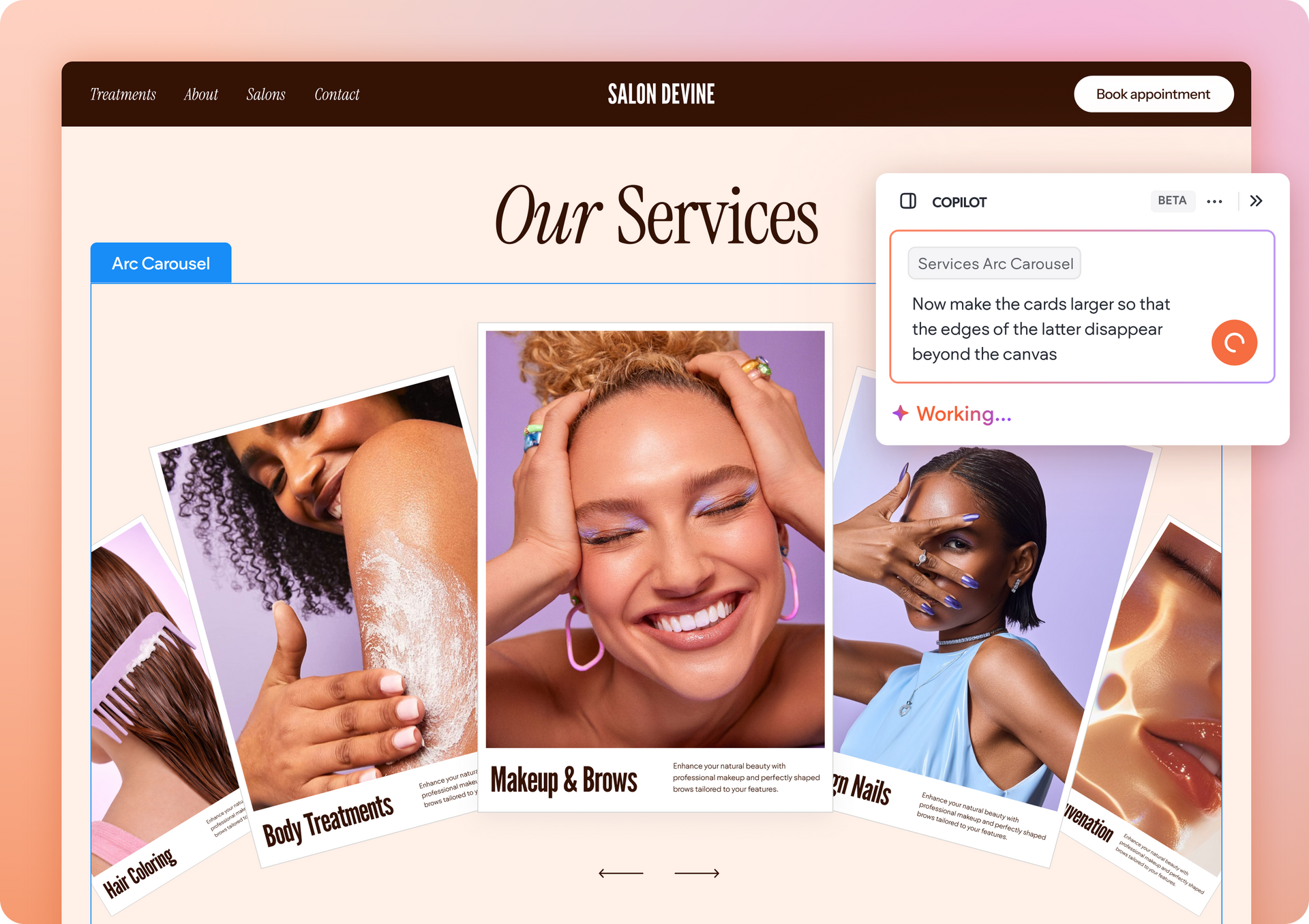
Work faster on the canvas by applying the layout settings to columns and inner columns with a single click. Click the outer edge of a column or section to select all columns or inner columns within it, then choose a layout to apply it instantly.

Keep Site Comments visible while working on the canvas

You can now toggle an option to keep Site Comments visible on the canvas while you edit, helping you stay focused and work more efficiently as you apply feedback to your design.


Another cool perk about Site Comments we added? You can use keyboard shortcuts to speed up your workflow even further:

  • To open Site Comments, hit C
  • To close Site Comments, hit Esc
  • To turn on/off the ability to keep comments visible on canvas, hit Shift+C

3 new stunning templates to help you hit the canvas running

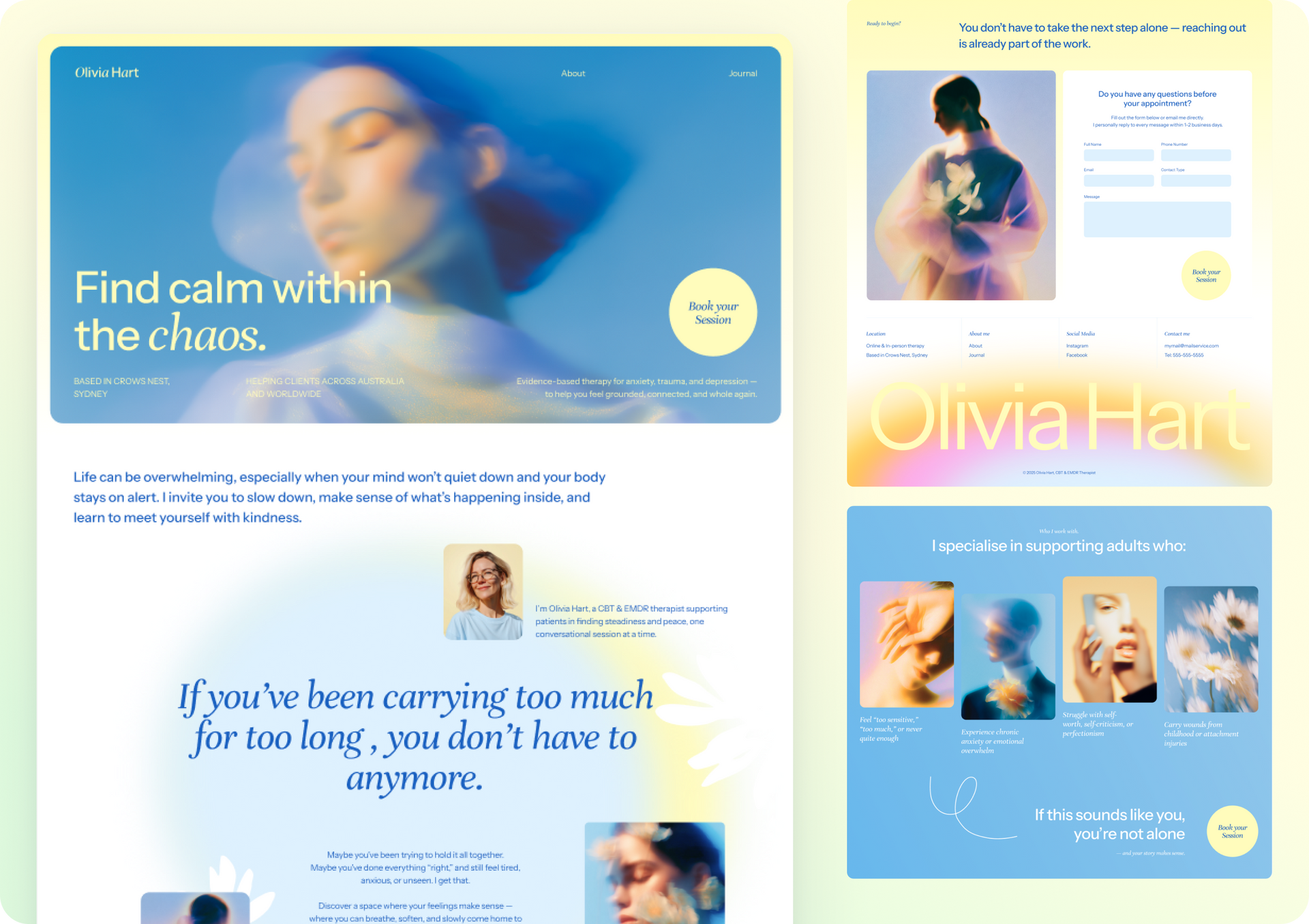
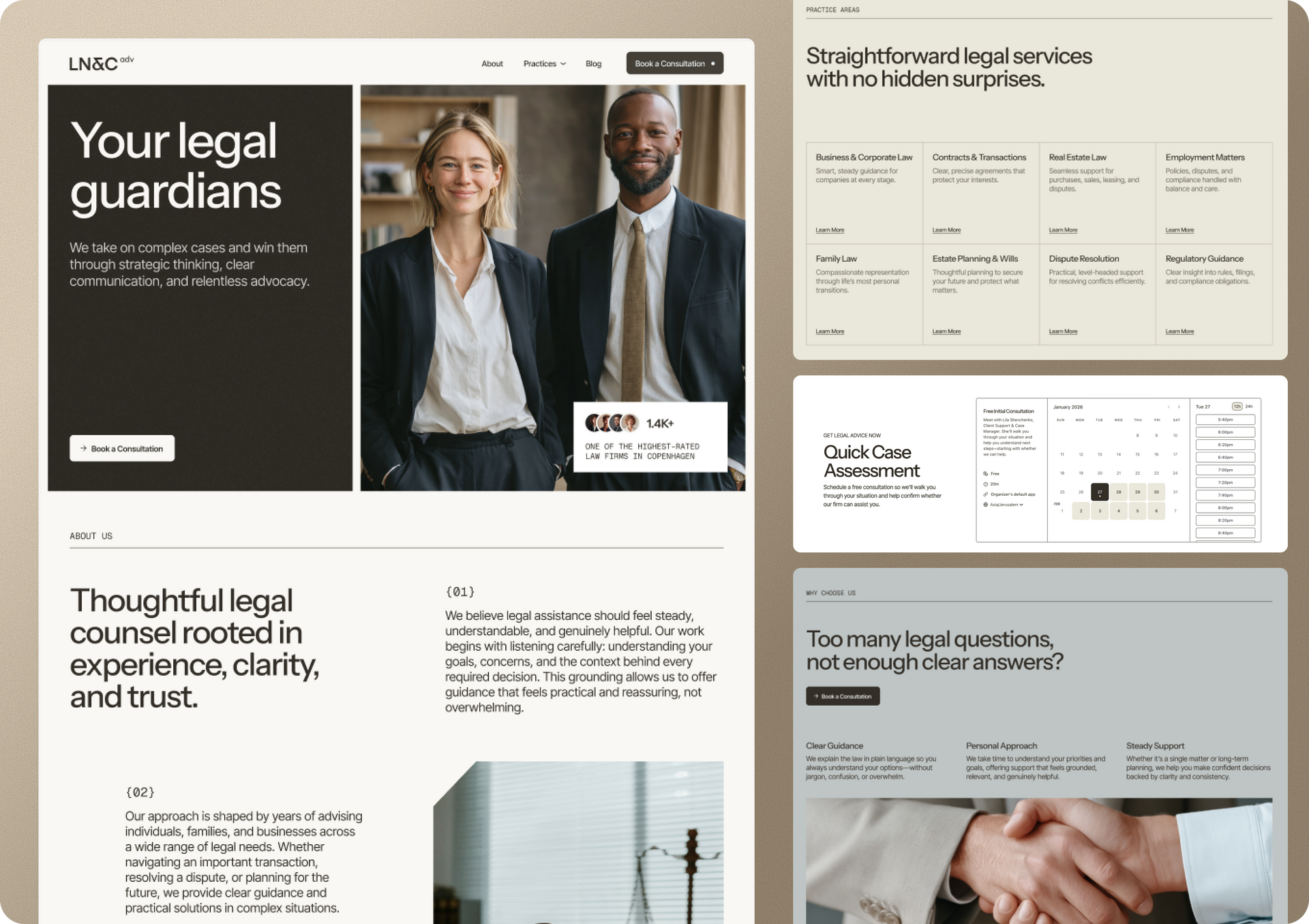
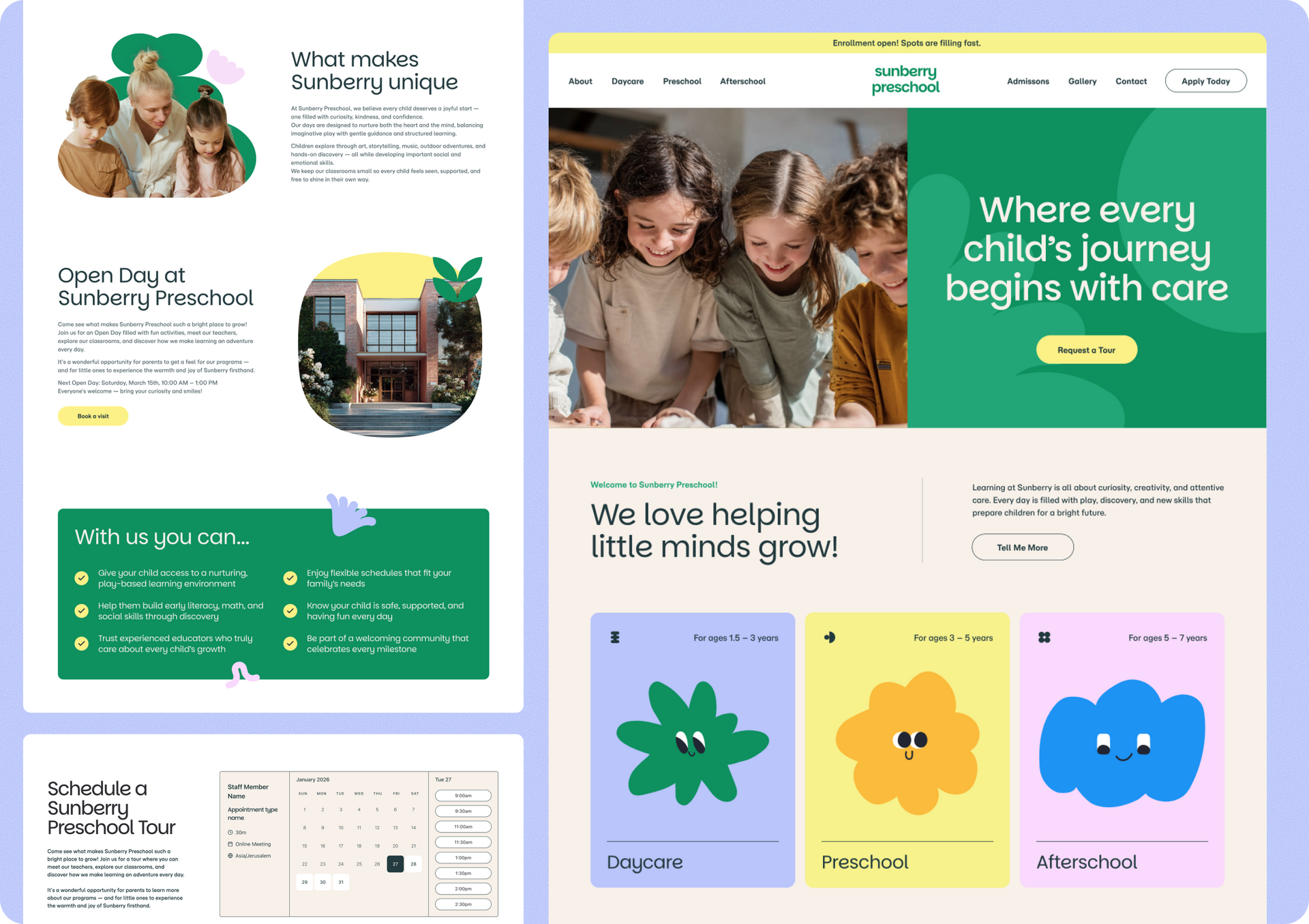
Discover our three newest templates, Mental Health Professional, Law Firm, and the Early Years School, all ready to give you a head start on gorgeous design, UX-proof layouts and experience, and totally customizable to fit any client or project.


The Law Firm template includes the Bookings widget. To use it, create a site with that template, then add the Bookings feature from the editor’s side panel and start adding appointments and staff members.


That's it for these Monthly Wrap Up updates. See you again next time :)

February 2, 2026
Annat Katz

 • 

Duda's Monthly Wrap Up (Jan)

Stay in the Loop with Duda Updates

Sign up to get feature releases, tools, and more to your inbox.

Últimas actualizaciones de productos

Two cards with photos and text, interface showing
Por Liron Hilb Horev January 15, 2026
Break down a form into separate pages to drive more completions and offer a better experience overall.
A purple rectangle with the text
Por Annat Katz January 1, 2026
The AI revolution changed everything. In 2025, Duda helped you stay on top of it with updates that transform how you build, manage, and compete.
Woman smiles, a form opens with
Por Annat Katz December 15, 2025
ChatGPT joins Duda's MCP, date picker and Zapier integrations added to Advanced Forms, plus more updates.