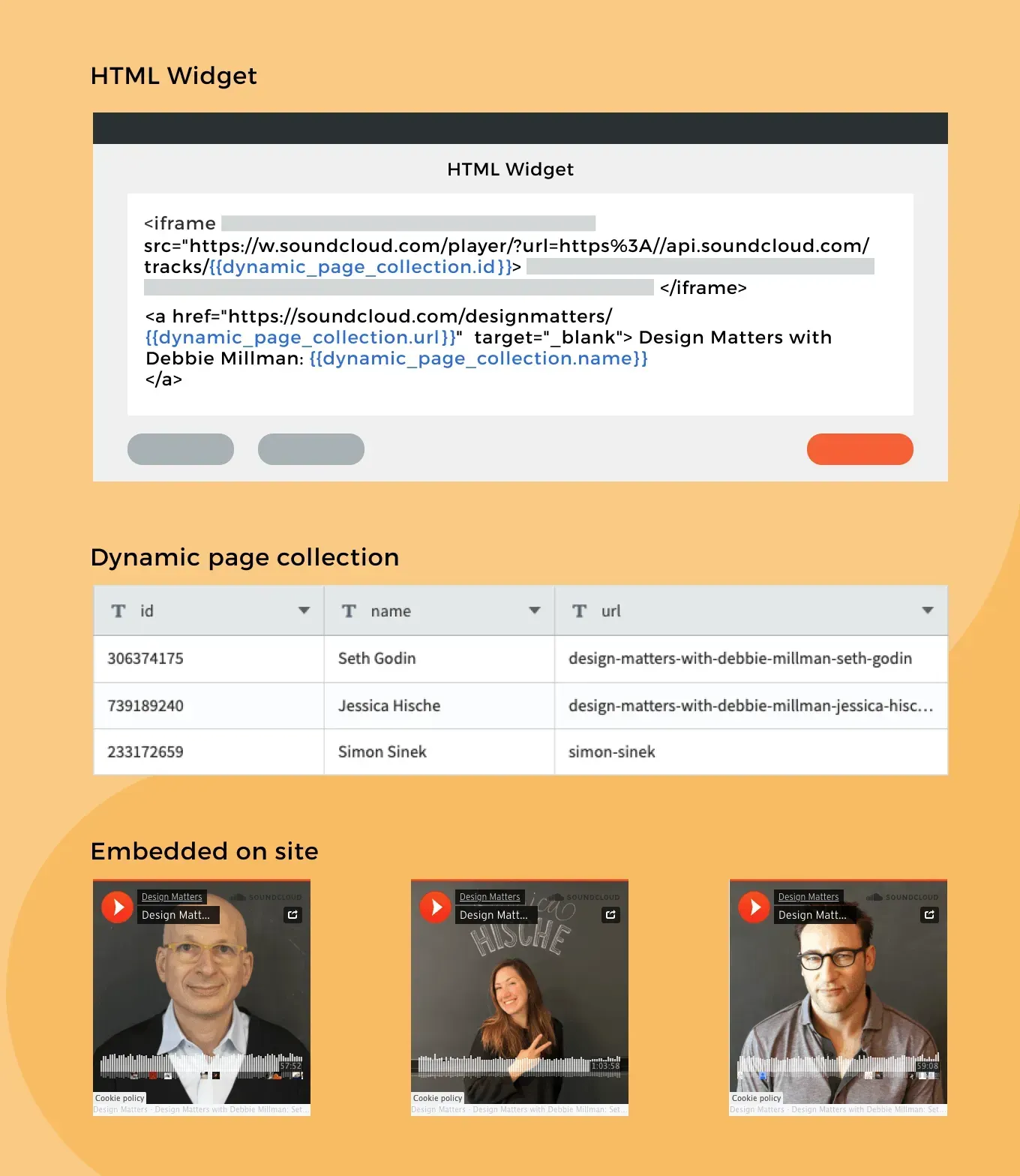
The newest Connected Data addition is the HTML widget. It enables you to add connected data elements to your HTML widget, and use the HTML widget in your dynamic pages.

How to Use This in Dynamic Pages


The HTML widget allows you to add customized code to your site. With this new addition, you can combine connected data elements in it.


For example, if you want to embed an element in your Dynamic Page – a podcast from SoundCloud, an external calendar or any customized code – and you want it to be different in each dynamic page, you can store the ID in your collection and embed the code in the HTML widget. In the widget itself, click ‘Connect’, select the ID field, and paste it in the relevant place.


Use Case: Add a Podcast to Every Dynamic Page 


If we take the podcast “Design Matters’ and embed it in our site, we’ll notice 3 differences between the embedded codes: track ID, URL slug [the end of the URL] and guest name. If we store these 3 elements in the collection, we can embed the code once, and connect it.


For more about the HTML widget, see this.

For more about Connected Data, see this.


November 23, 2021
Inbar Amir

 • 

Connected Data: Now in the HTML Widget

Stay in the Loop with Duda Updates

Sign up to get feature releases, tools, and more to your inbox.

Últimas actualizaciones de productos

A
Por Liron Hilb Horev March 25, 2026
New SEO & AEO updates to help you create content and keep it up to date, and keep winning the visibility game.
A software dashboard showing order statistics, a search bar, and a table of recent orders with product details.
By Rim Elfahem March 18, 2026
9 updates that make it easier for your clients to sell more, their way.
Cycling club website template with cyclist, website section with architecture.
By Avigayil Lewin March 13, 2026
Discover scalable website generation with consistent quality and full brand control.