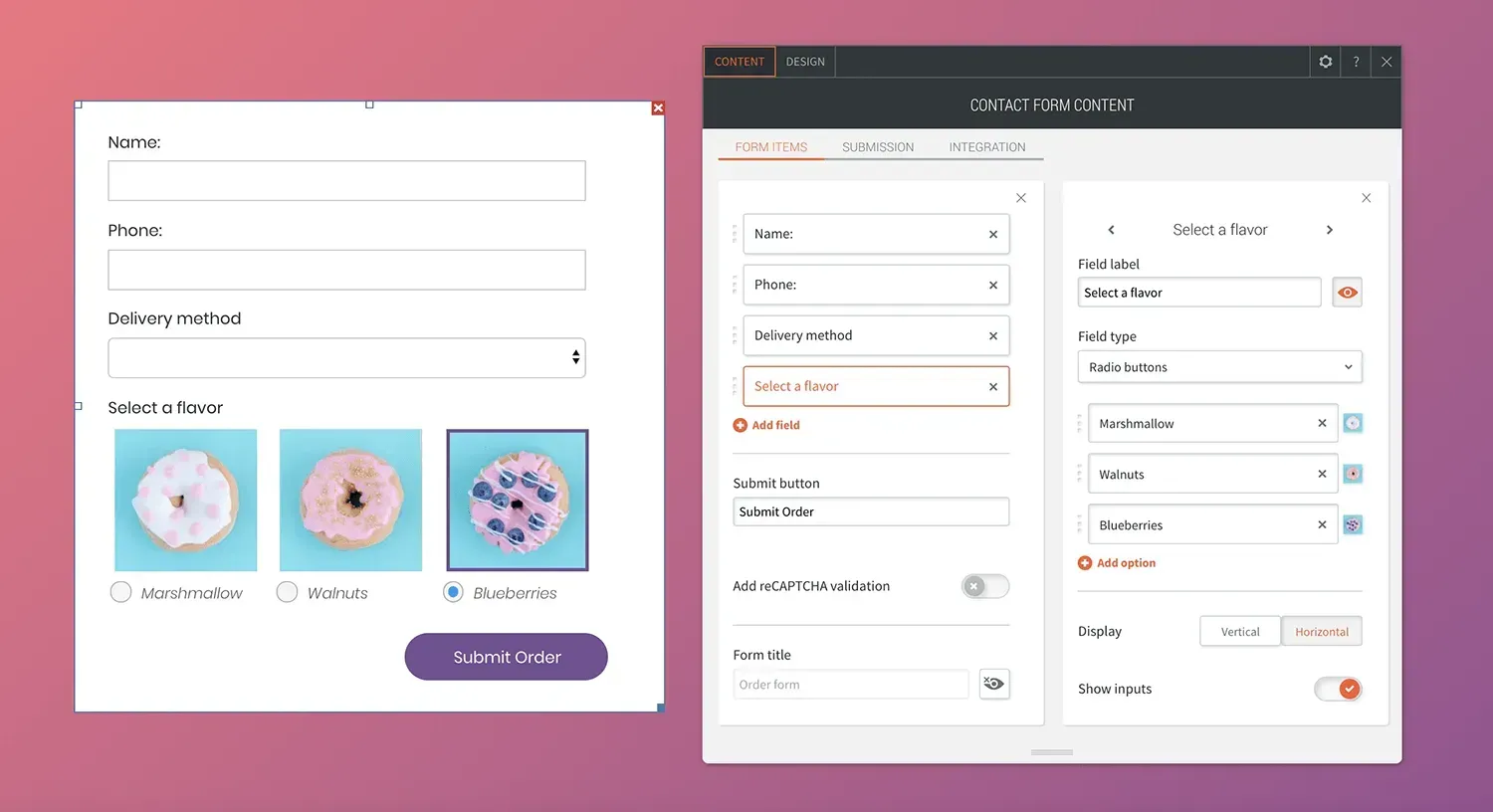
Make your site forms clearer and easier to use by adding images to radio buttons and checkbox fields. When users can select an image (rather than a number or text) it’s easier for them to engage with the form, and this can mean more conversions for your sites.

Tips for designing forms with images


Images can be a great addition to contact forms on so many types of sites, everything from food-related services (choose the type of donut you want) to room options at a hotel, clothing options for a store, and much much more. For any type of contact form that you build, keep the follow tips in mind when choosing images.


  • Choose images that are of high quality and look good together.
  • Make sure the images are of the same height/width ratio.
  • To add clarity, you can show text with the images as a label.
March 1, 2020
Roni Landau

 • 

Add Images to Contact Forms

Stay in the Loop with Duda Updates

Sign up to get feature releases, tools, and more to your inbox.

Últimas actualizaciones de productos

A smiling person in a photo on a screen, with code, and a bar chart icon against a blue background.
Por Tal Levi November 25, 2025
Building sites at scale like never before.
Printify interface: A hoodie with
By Mel Kozun November 14, 2025
Discover a print-on-demand (POD) platform that connects with Duda eCommerce.
Woman getting makeup applied, with pricing for
By Mor Zamir and Rim Elfahem November 11, 2025
Charge for appointments right on your site and add multiple staff members.