Nuevo párrafo

Nuevo párrafo

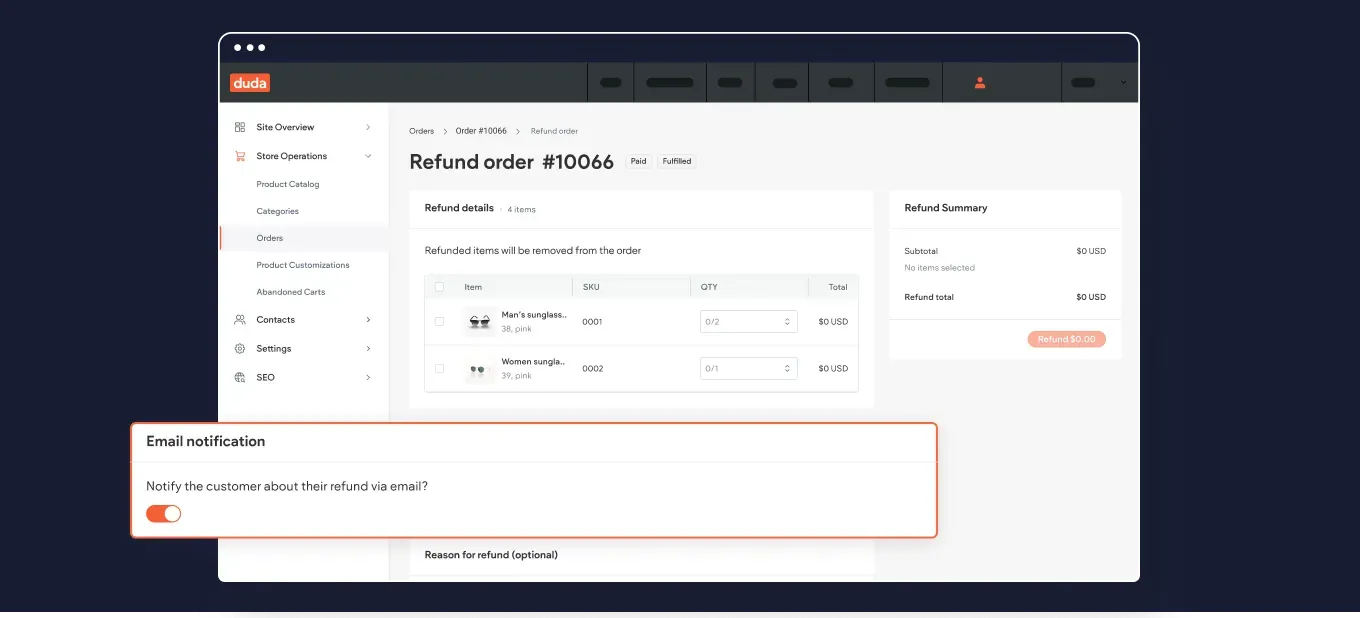
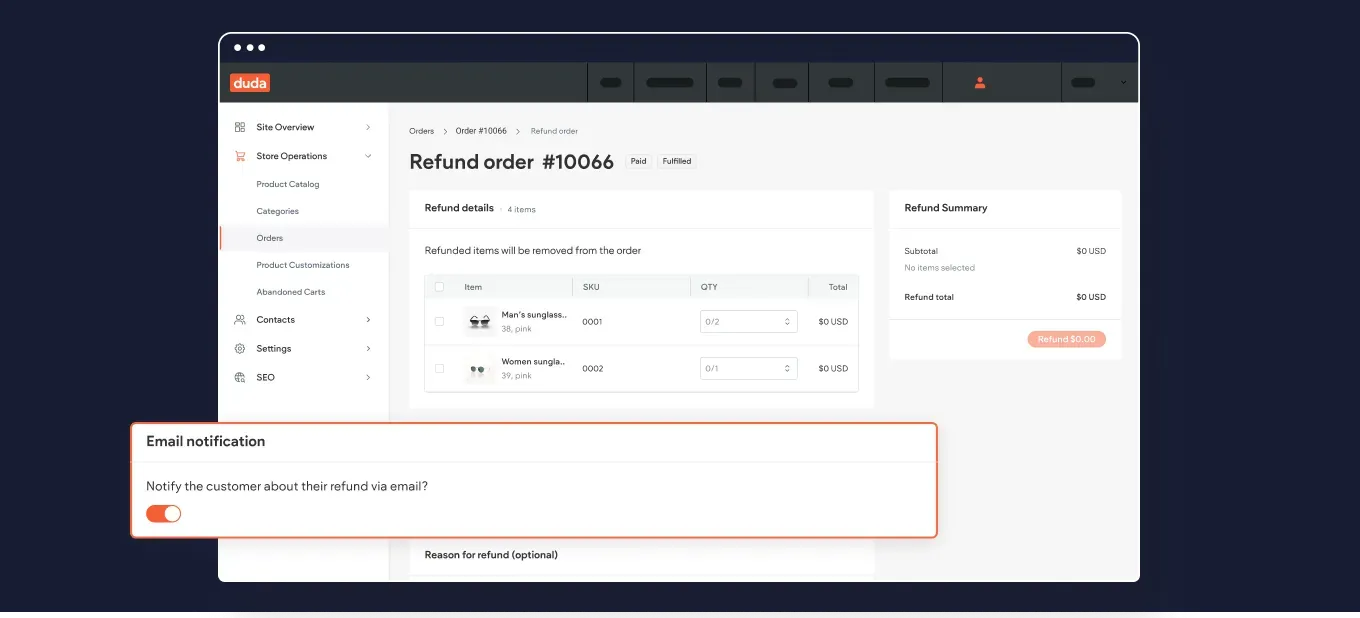
Notificar a los clientes de la tienda el reembolso de su pedido

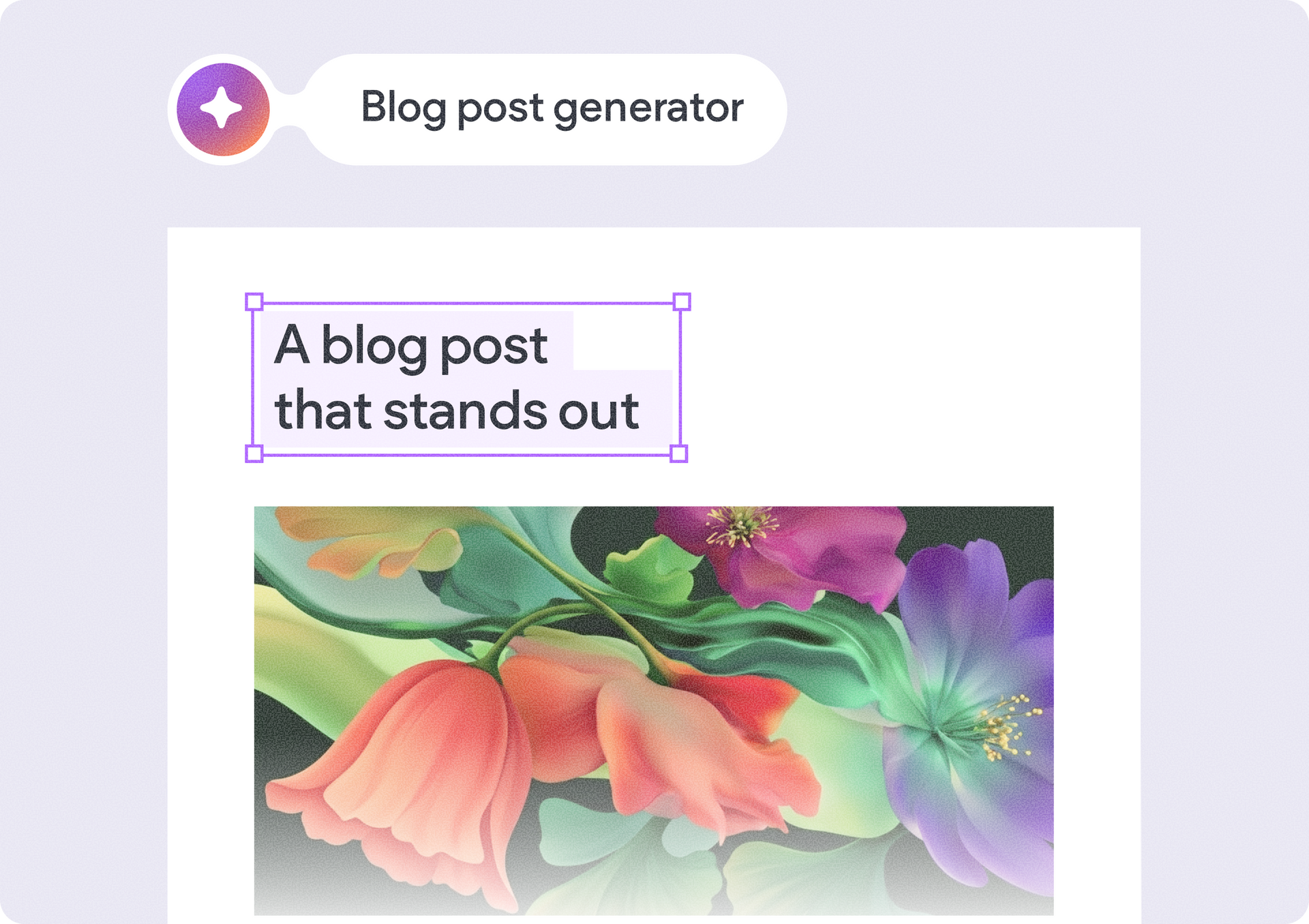
Edita texto más rápido con las acciones rápidas del asistente de contenido con IA

Hemos añadido nuevas sugerencias de edición rápida directamente en el cuadro de diálogo "Asistente de contenidos mediante IA", para que puedas acortar, alargar y mejorar el texto mejor y más rápido.


Por poner un ejemplo, si el texto sugerido es más largo de lo esperado, puedes pedir fácilmente al asistente que lo acorte aquí mismo con solo pulsar un botón, sin necesidad de volver a seleccionar el texto y abrir de nuevo el menú de texto del asistente.


Una ventaja añadida: Estas acciones también están disponibles al generar metaetiquetas de posicionamiento en buscadores para campos individuales (solo título o descripción).

¡Nuevo! Cambia los espacios de trabajo para trabajar fácilmente en todas tus cuentas

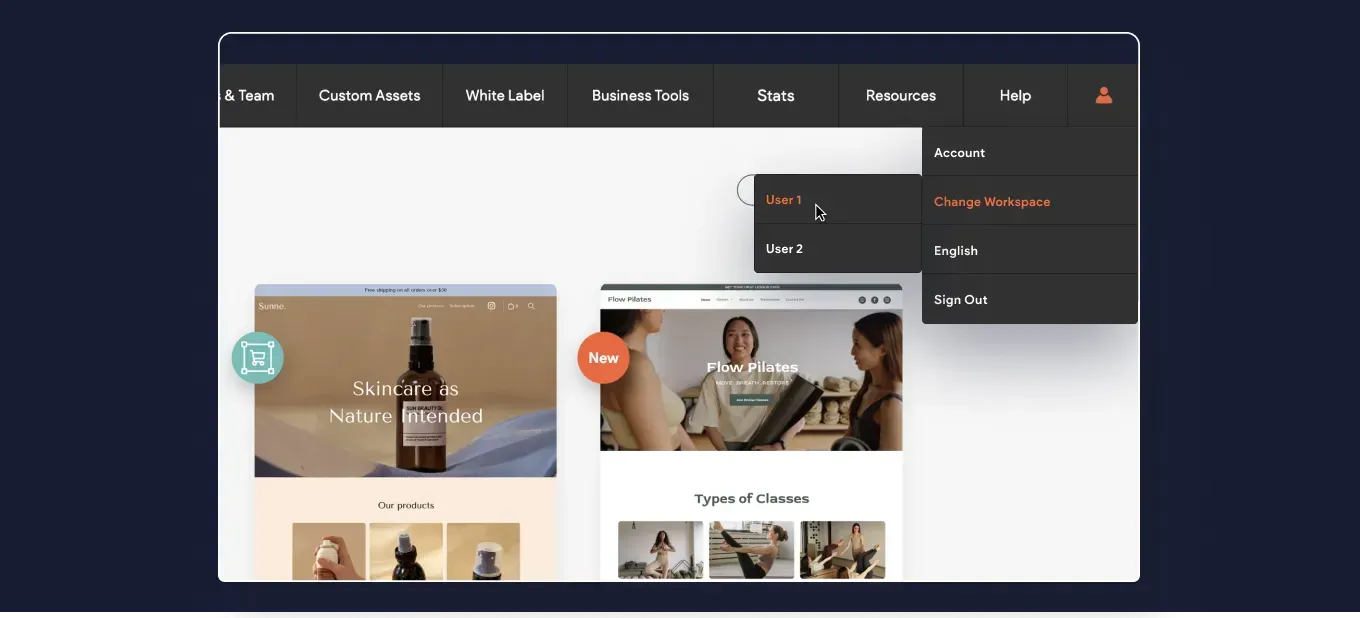
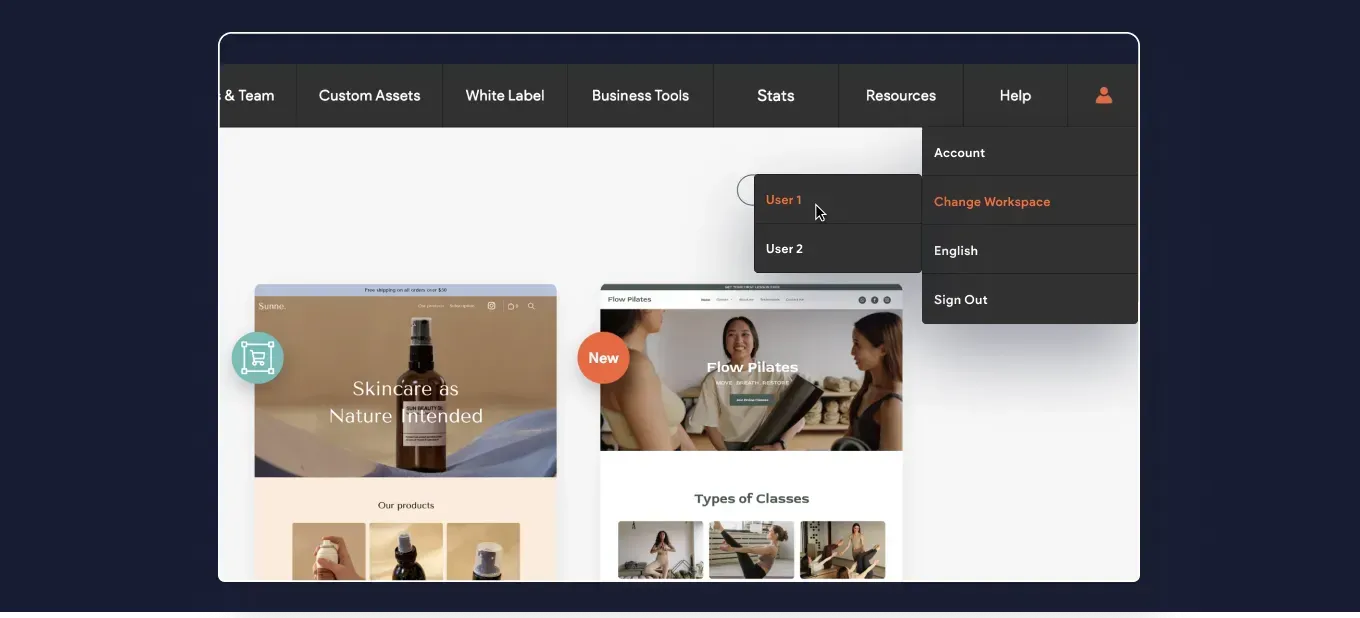
Hemos añadido la opción de iniciar sesión rápidamente en otros espacios de trabajo que puedas necesitar cuando trabajes en varias cuentas.


El menú de tu perfil de Duda incluye ahora la opción de Cambiar espacio de trabajo. Si optas por esta opción, se te mostrarán las cuentas disponibles, y si haces clic en cada una de ellas, accederás al inicio de sesión de la otra cuenta.

Más poder de personalización del código con tus páginas dinámicas

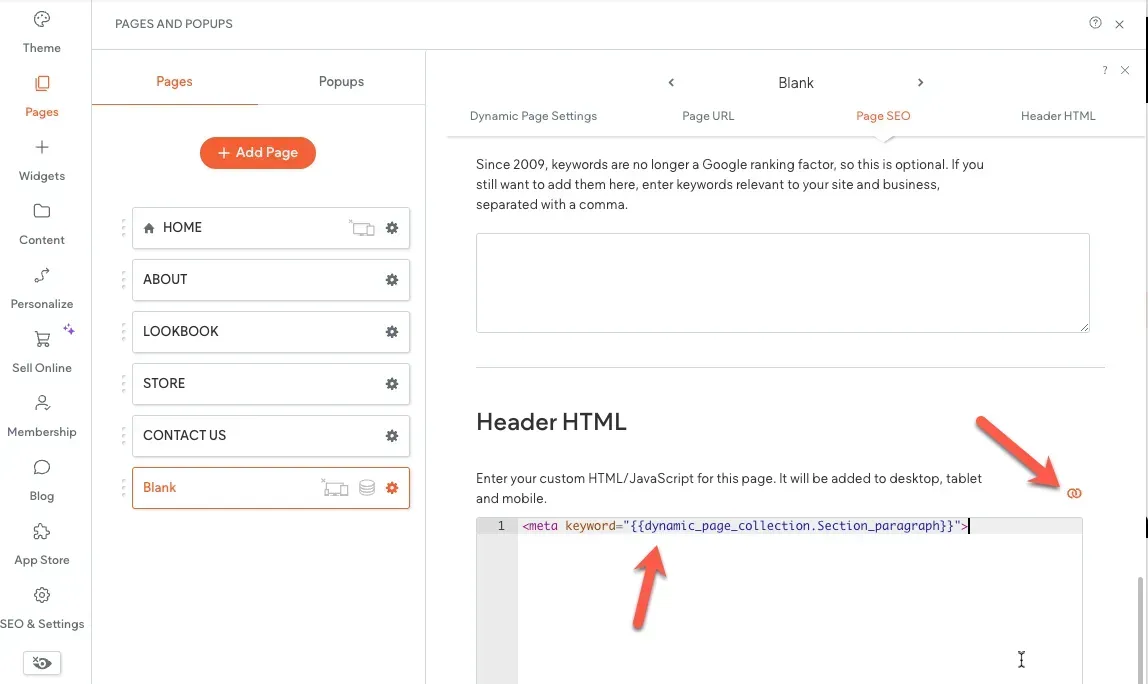
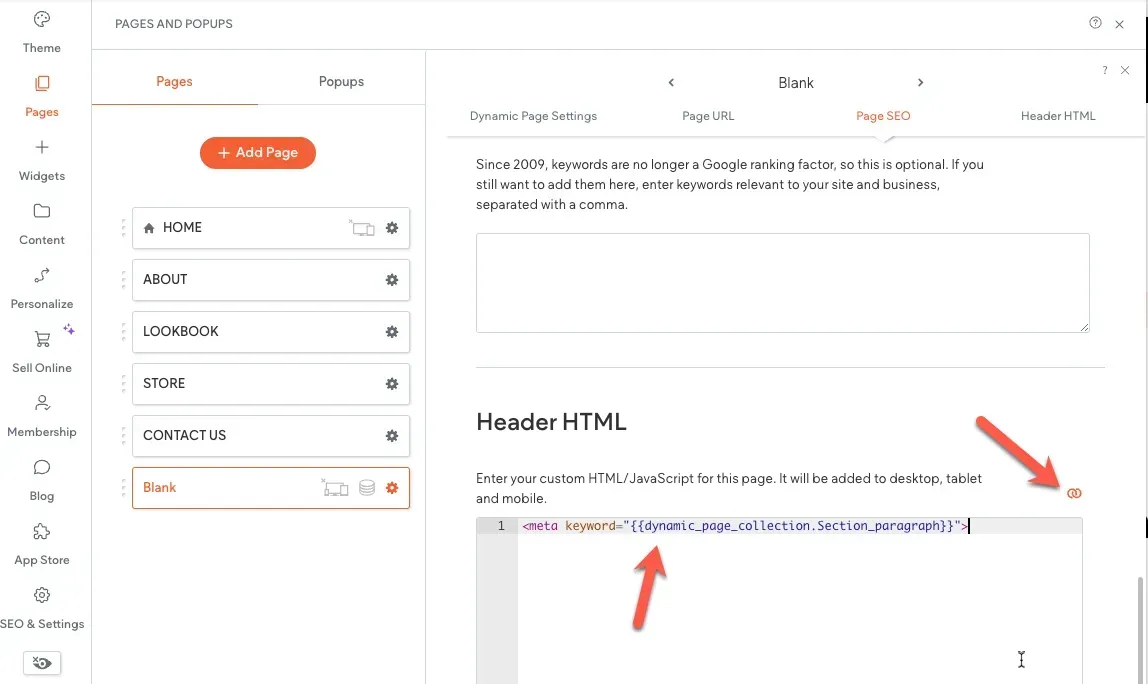
Hemos añadido la posibilidad de añadir vinculación en línea al HTML de cabecera de una página. Hasta ahora podías conectar el meta título y la metadescripción de una página dinámica a la colección interna del sitio, para mostrar dinámicamente los metadatos de cada elemento de la página.


¿Qué hay de nuevo? Ahora puedes añadir otros metadatos e insertar código personalizado en el HTML del encabezado de la página dinámica. Otra opción que ahora es posible es conectar los campos de la biblioteca de contenidos a la sección <head> de las páginas normales (no dinámicas) del sitio.

Esto es todo para el resumen de este mes. Esperamos que te resulte útil. ¿Tienes alguna idea o quieres solicitar alguna función? Pásate por nuestro Tablón de ideas y publícala.

Notificar a los clientes de la tienda el reembolso de su pedido

Edita texto más rápido con las acciones rápidas del asistente de contenido con IA

Hemos añadido nuevas sugerencias de edición rápida directamente en el cuadro de diálogo "Asistente de contenidos mediante IA", para que puedas acortar, alargar y mejorar el texto mejor y más rápido.


Por poner un ejemplo, si el texto sugerido es más largo de lo esperado, puedes pedir fácilmente al asistente que lo acorte aquí mismo con solo pulsar un botón, sin necesidad de volver a seleccionar el texto y abrir de nuevo el menú de texto del asistente.


Una ventaja añadida: Estas acciones también están disponibles al generar metaetiquetas de posicionamiento en buscadores para campos individuales (solo título o descripción).


¡Nuevo! Cambia los espacios de trabajo para trabajar fácilmente en todas tus cuentas

Hemos añadido la opción de iniciar sesión rápidamente en otros espacios de trabajo que puedas necesitar cuando trabajes en varias cuentas.


El menú de tu perfil de Duda incluye ahora la opción de Cambiar espacio de trabajo. Si optas por esta opción, se te mostrarán las cuentas disponibles, y si haces clic en cada una de ellas, accederás al inicio de sesión de la otra cuenta.


Más poder de personalización del código con tus páginas dinámicas

Hemos añadido la posibilidad de añadir vinculación en línea al HTML de cabecera de una página. Hasta ahora podías conectar el meta título y la metadescripción de una página dinámica a la colección interna del sitio, para mostrar dinámicamente los metadatos de cada elemento de la página.


¿Qué hay de nuevo? Ahora puedes añadir otros metadatos e insertar código personalizado en el HTML del encabezado de la página dinámica. Otra opción que ahora es posible es conectar los campos de la biblioteca de contenidos a la sección <head> de las páginas normales (no dinámicas) del sitio.


Esto es todo para el resumen de este mes. Esperamos que te resulte útil. ¿Tienes alguna idea o quieres solicitar alguna función? Pásate por nuestro Tablón de ideas y publícala.

Nuevo título

Nuevo título

Nuevo título

Nuevo título

Nuevo título

Nuevo párrafo

The Duda App Store team is launching a variety of new apps, from booking solutions to simple multichannel chat widgets, these new solutions are available in the App Store de Duda today!

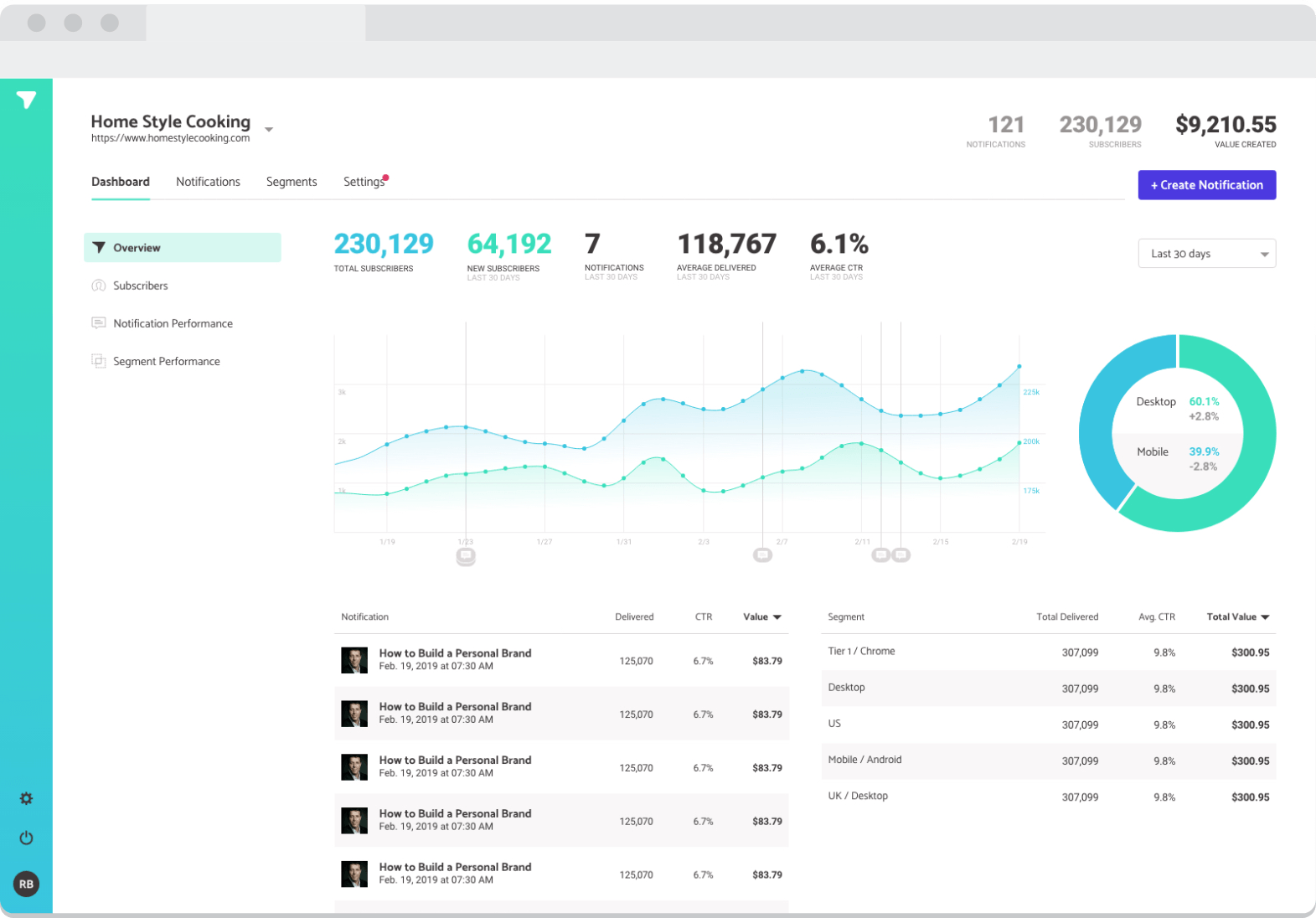
Subscribers is a web push notification platform that was co-founded by Neil Patel, it is now available in the Duda app store for you to install and is an awesome addition to your Marketing tool or even an alternative to email marketing.


Once Subscribers is installed on your Duda site, it will show an opt-in prompt to your site visitors that they can accept to receive your web push notifications.


You can use the web push to alert your customers with special offers and send helpful reminders, new site or blog content – or simply to remind your customers of your brand’s existence!


Funcionalidades

Subscribers offers awesome features that provide flexibility, automation, and ease of use that are highly effective in converting site visitors into sales, below are the features that we highly recommend setting up.


Welcome Campaigns


Create that engagement with your new subscribers by sending them a series of automated pushes that you can set to your preferred timing.


RSS Feed


Let your subscribers know about your new blog post or site content by sending push notifications automatically.


Send Schedules


Send push notification on a specific time and date.


Segmentation


Add rules to target specific Devices, Operating Systems, Countries, Cities and Time Zone among many others for more customized push notifications sending.


Chaty

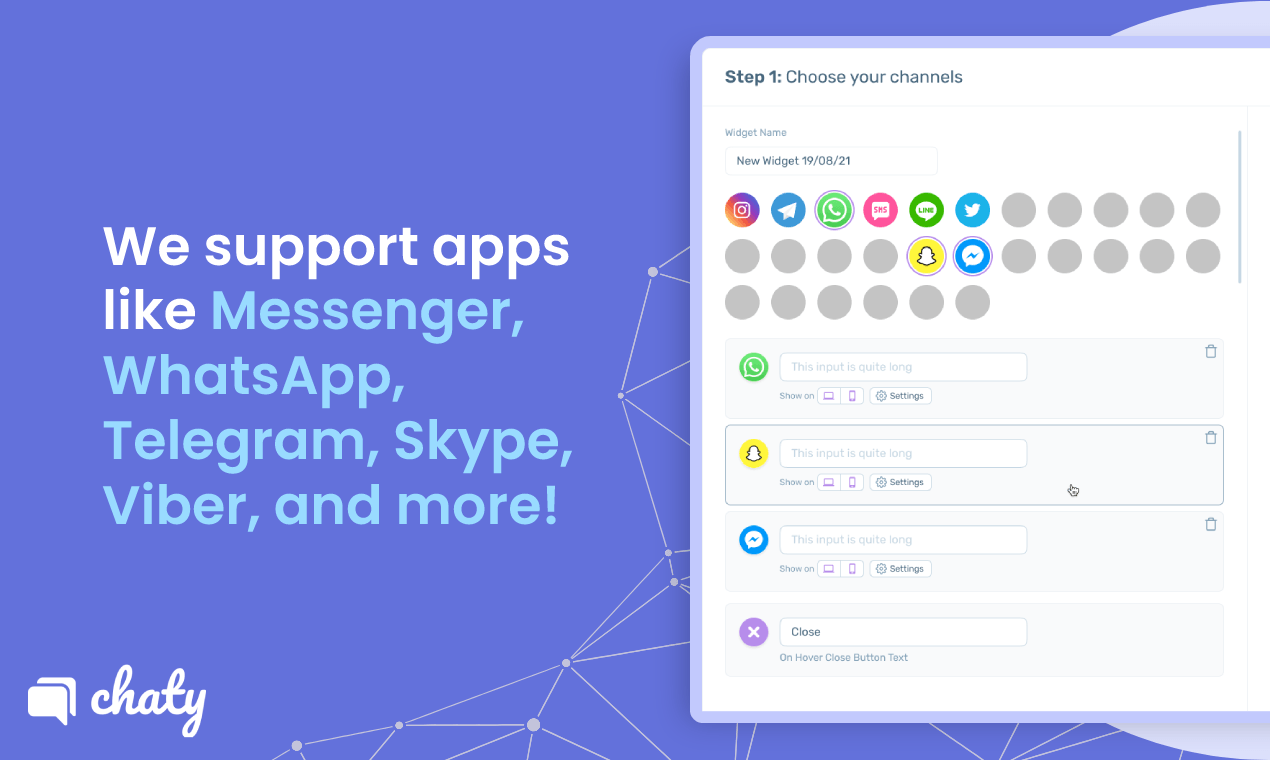
Boost customer support, response rate, and engagement on Duda with Chaty’s multichannel chat widget that supports 20+ messaging and social platforms, including WhatsApp, Facebook Messenger, and WeChat. It streamlines your communication with visitors through their preferred channels and lets you track everything in one user-friendly dashboard. 


Not only does Chaty simplifies your chat support, but it also makes the chat button more attractive and highly accessible. Capturing visitors and making them feel important by providing multichannel apps in one chat widget has never been this easy and affordable with Chaty. Now available on Duda’s App Store.


Pricing: Chaty is free to use. You can install and get started within an instant. To cater to more customers and unlock more advanced features, you can subscribe to any of its paid plans starting at $9 a month.


What You Get With Chaty


A staggering 42% of customers prefer chat support over any other channel. That’s why optimizing your Duda website with a multichannel chat widget that supports the most popular messaging channels like WhatsApp, Facebook Messenger, and WeChat is essential to grow your business and generate more sales. 


Create multichannel communication in one customizable chat button


Chaty provides easy access to create an engaging chat button with multiple messaging and social chat channels of your choice. This supports 20+ apps, including WhatsApp chat, Telegram, Viber, TikTok, Facebook Messenger, Instagram, and Skype. You can also add a phone button, click-to-call button, contact forms, email options, and custom channels. Since Chaty’s chat widget is highly customizable, you can tweak the fonts, icons, colors, position, animation, WhatsApp preset messages, and many others to fit your brand. 


Offer multiple chat channels for your customers


Not all customers use the same chat app. So offering them many options gives them better accessibility to reach out for queries.


Convert more qualified leads at the right time


Equip it with the proper targeting rules and behavioral triggers for more efficient lead generation and user experience. 


Manage contacts and leads efficiently


Manage all contact form responses on Chaty Leads page. You can also send the responses directly to your email address to get notified in real-time.


Monitor the performance of your chat widget


With Chaty’s integration with Google Analytics and all other advanced tools and features, you can track conversions, improve your chat strategies further, and make more room for business growth. 


Getting Started with Chaty


To get started with Chaty, go to the App Store de Duda and add the app to your site.


Tockify


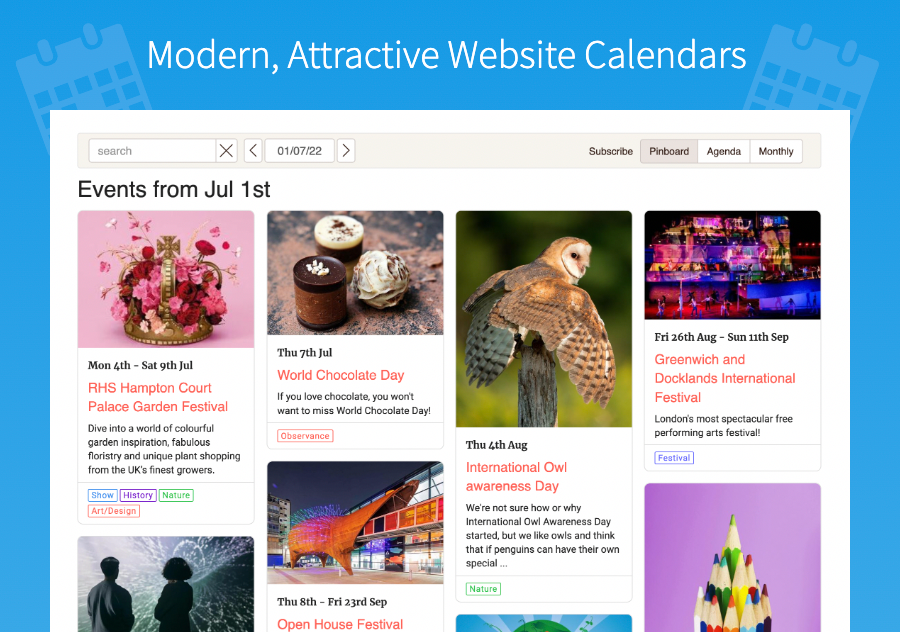
Tockify Calendar is a modern attractive web calendar with an engaging and easy-to-use design that’s perfect for the desktop and mobile web. Its image-rich, lightening fast, highly customizable, and blends seamlessly into any site. Our simple yet powerful editor makes creating and managing events a joy. 


As well as the main calendar there’s a mini-calendar that’s been carefully designed to work well in small spaces like a sidebar.


For Loxi migrations:


Tockify has created a simple and effective way to migrate from Loxi to Tockify. Please see our Support Article here.


Three attractive styles


Tockify includes a visually rich pinboard calendar as well as attractive modern takes on month grid and list/agenda style calendars. All styles look great on mobile too.


Modern and professional


Tockify blends seamlessly into your site to improve its looks and impress your visitors. You don't have to settle for a widgety calendar that undermines your style anymore.


Super-Customizable


Tockify's customizer tool lets you control every aspect of your calendar's colors, fonts, and layout so you can make it match your site's style. All without any programming.


Social Sharing


Sharing to Facebook, Twitter, Pinterest, and LinkedIn is built in. So is emailing event details and saving events to personal calendars.


Repeating Events


Create daily, weekly or monthly events, then move or cancel particular repeats.


Do you have an event that repeats on the second and last Tuesdays of every month? No problem.


Community Submitted Events


Our event submission feature makes it easy for you to let your community submit events to your calendar and then review and approve them before they're published.


Simple, Powerful Editor


Adding an event is as easy as writing an email.


Our simple, snappy editor makes it easy to create events, move them around, set up repeating events, add maps and images, and accept RSVPs.


Ticket Buttons


Add a prominent promotion button to any event and use it to send visitors to your tickets or booking page.


iCalendar Support


Tockify supports the iCalendar standard so if you want to you can let people subscribe to your calendar with their mobile phone's calendar or another personal calendar.


Embed Movies


It's easy to add YouTube and Vimeo and Facebook videos that bring your events to life.


No embed codes needed. Just give us the YouTube, Vimeo, or Facebook page URL and Tockify will add it automatically.


Custom Fonts


Tockify comes with a selection of the best Google Fonts, but if you need more it's easy to add fonts from Typekit, Fonts.com, or from your own Font-Face stylesheet.


Attach Files


If you need to add a flyer, guide, or form for your attendees to complete you can attach files to any event so that they can download it beforehand.
Subscribers.com


November 17, 2022
Russ Jeffery

 • 

We've Added More Apps - October Edition

Stay in the Loop with Duda Updates

Sign up to get feature releases, tools, and more to your inbox.

Últimas actualizaciones de productos

A website homepage titled
By Marianne Sheldon April 5, 2026
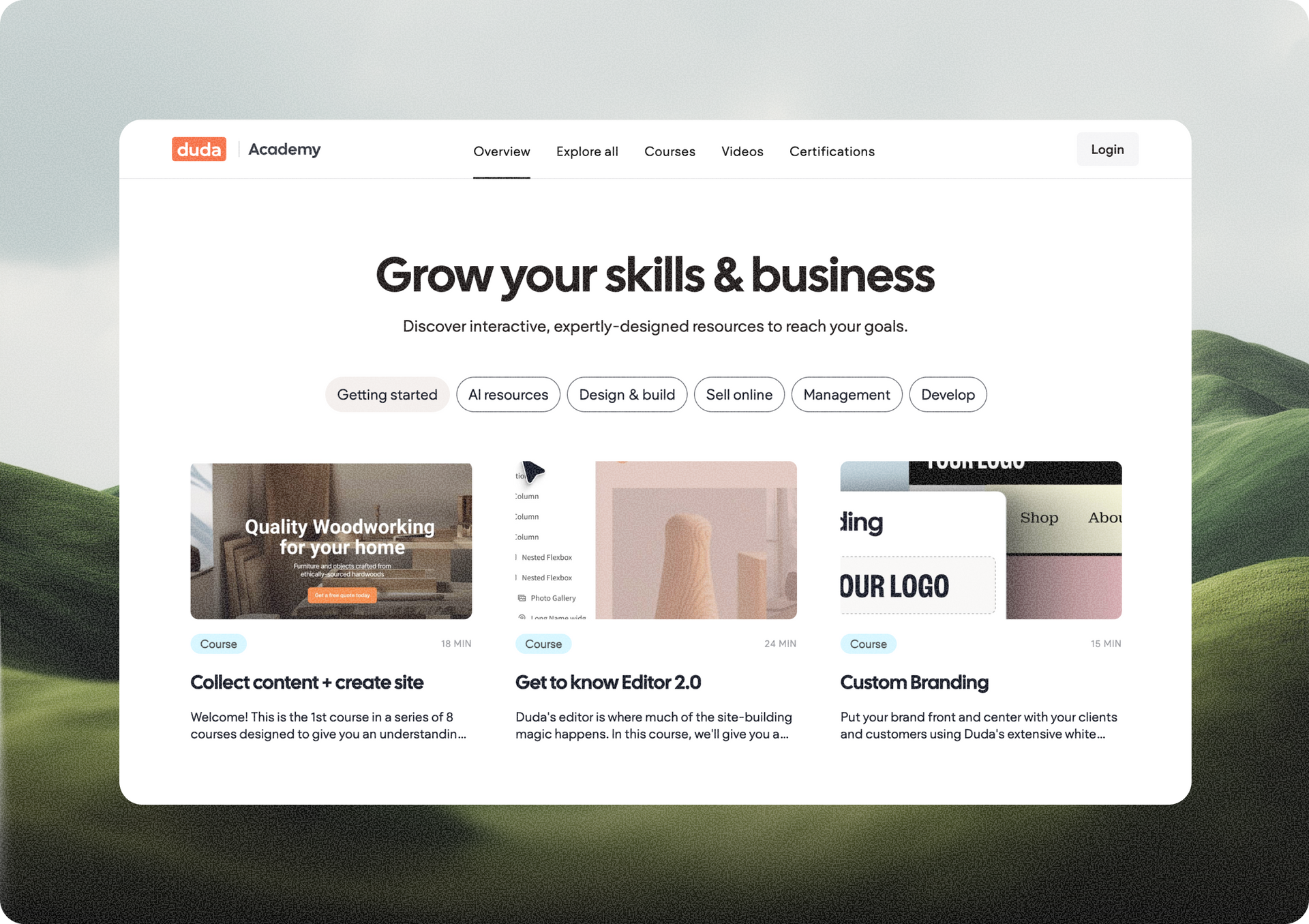
Explore a new and improved learning platform to help you design and build better sites.
A
Por Liron Hilb Horev March 25, 2026
New SEO & AEO updates to help you create content and keep it up to date, and keep winning the visibility game.
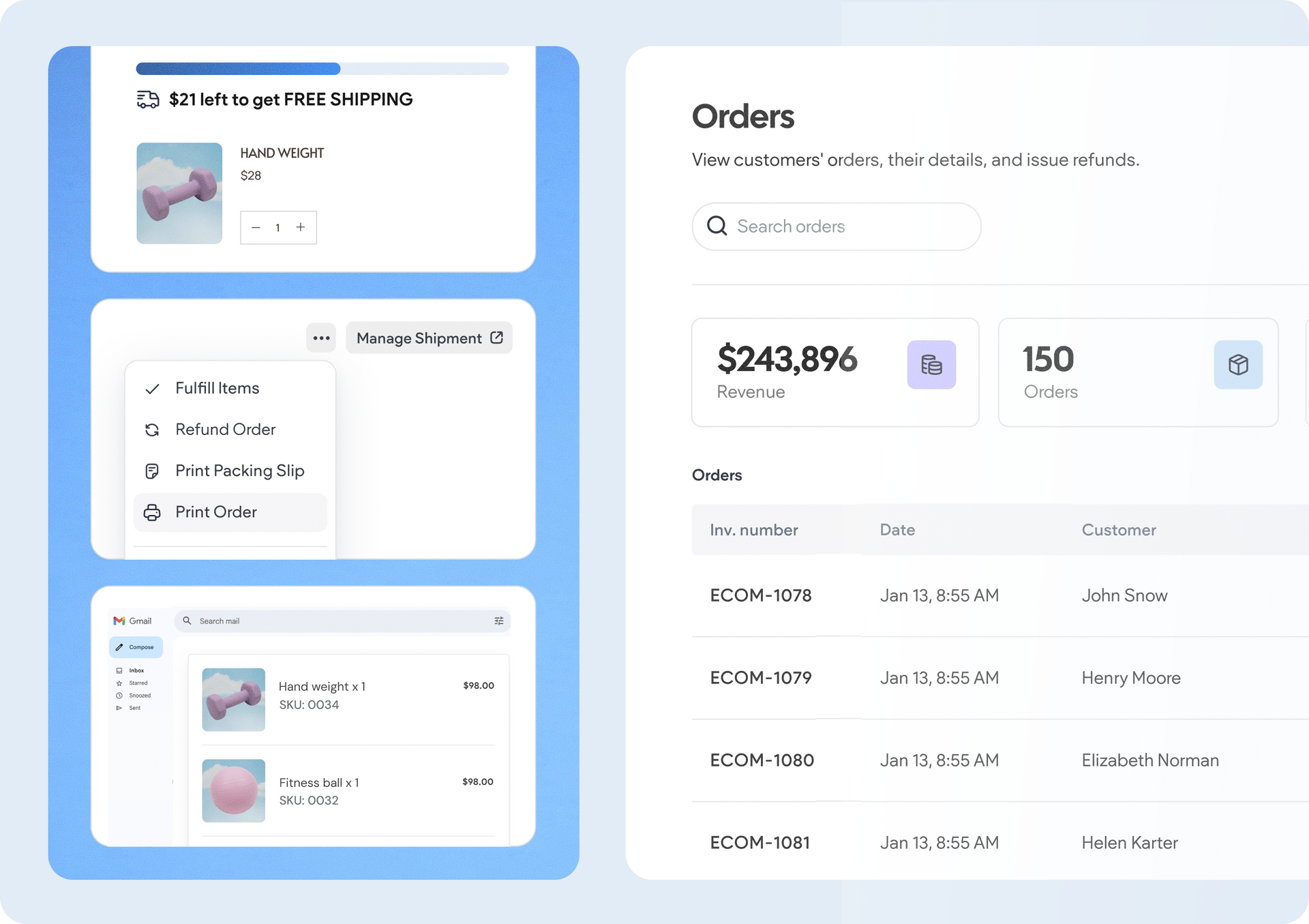
A software dashboard showing order statistics, a search bar, and a table of recent orders with product details.
By Rim Elfahem March 18, 2026
9 updates that make it easier for your clients to sell more, their way.