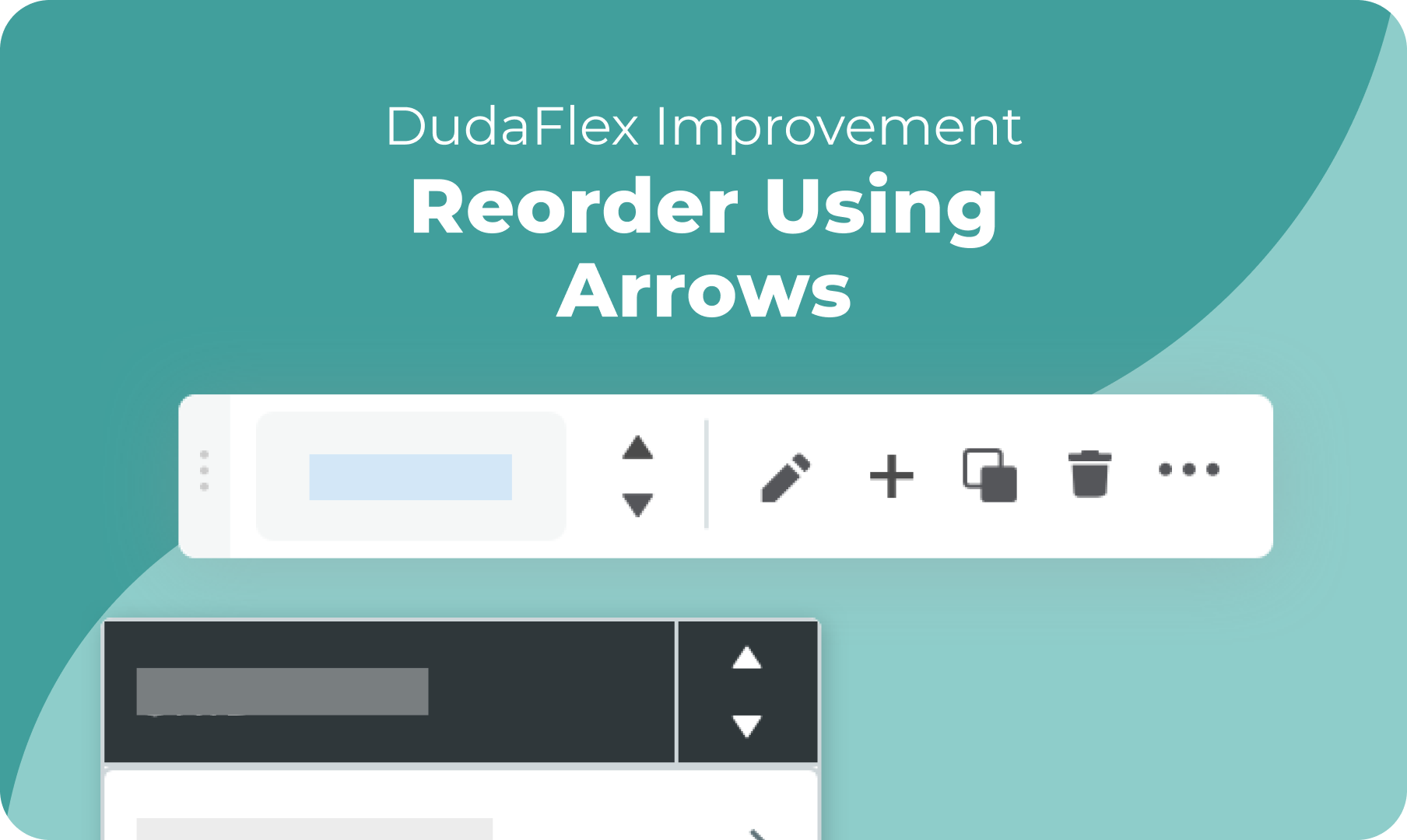
Reorder elements quickly and easily in Flex Mode, just like in the classic Duda editor. You can now Move elements left/right and up/down by simply using the arrows in the Context Menu (right click any element) or in the floating bar when you select an element.


This capability comes in handy when:


Editing a Section


If you are looking to rearrange the order of grids within a section, you can easily swap between them with the reorder arrows.


Editing a Grid


Reorder elements within a grid. Move containers, flexboxes and widgets in any direction within the relevant grid. Make sure that the grid's elements are fully stretched within their respective cells. 

Editing a Flexbox


Move items within a flexbox horizontally or vertically, according to the flexbox’s layout.


December 21, 2021
Maayan Mor

 • 

Flex Improvement: Smoother Element Reordering

Stay in the Loop with Duda Updates

Sign up to get feature releases, tools, and more to your inbox.

Últimas atualizações de produtos

A website homepage titled
By Marianne Sheldon April 5, 2026
Explore a new and improved learning platform to help you design and build better sites.
A
Por Liron Hilb Horev March 25, 2026
New SEO & AEO updates to help you create content and keep it up to date, and keep winning the visibility game.
A software dashboard showing order statistics, a search bar, and a table of recent orders with product details.
By Rim Elfahem March 18, 2026
9 updates that make it easier for your clients to sell more, their way.